Two-axis virtualization
Render the visible task rows and timeline columns instead of mounting the entire project surface in the DOM.
Gantt chart component for large project plans, with an editable data grid, virtualized timeline, dependencies, resources, and critical path analysis.
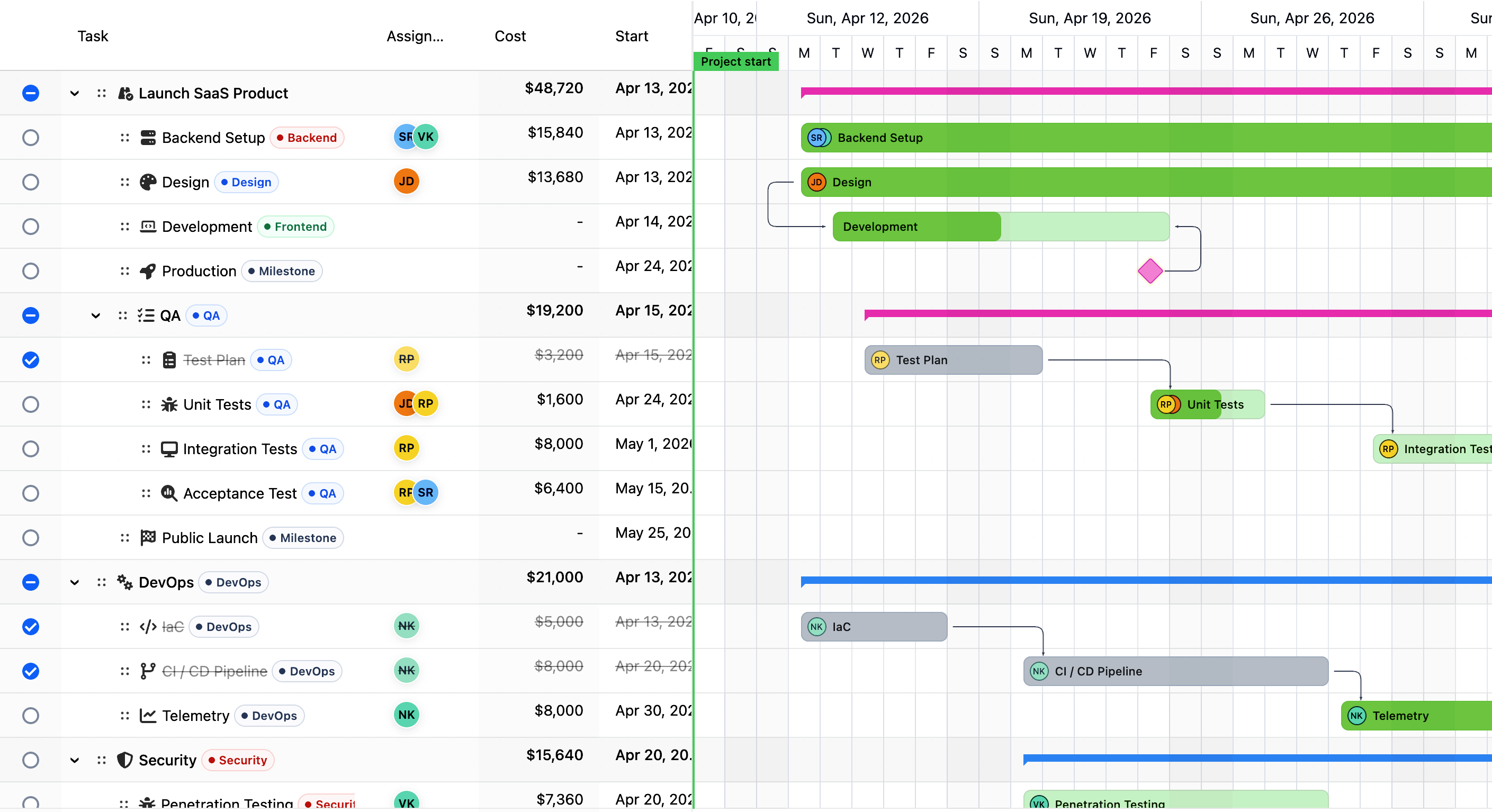
Explore live RevoGrid Gantt JavaScript Gantt chart examples for project planning, dependency editing, large datasets, and resource-aware scheduling.
Edit task data, expand the hierarchy, move bars, inspect milestones, and switch critical-path and baseline overlays.
Open live demo →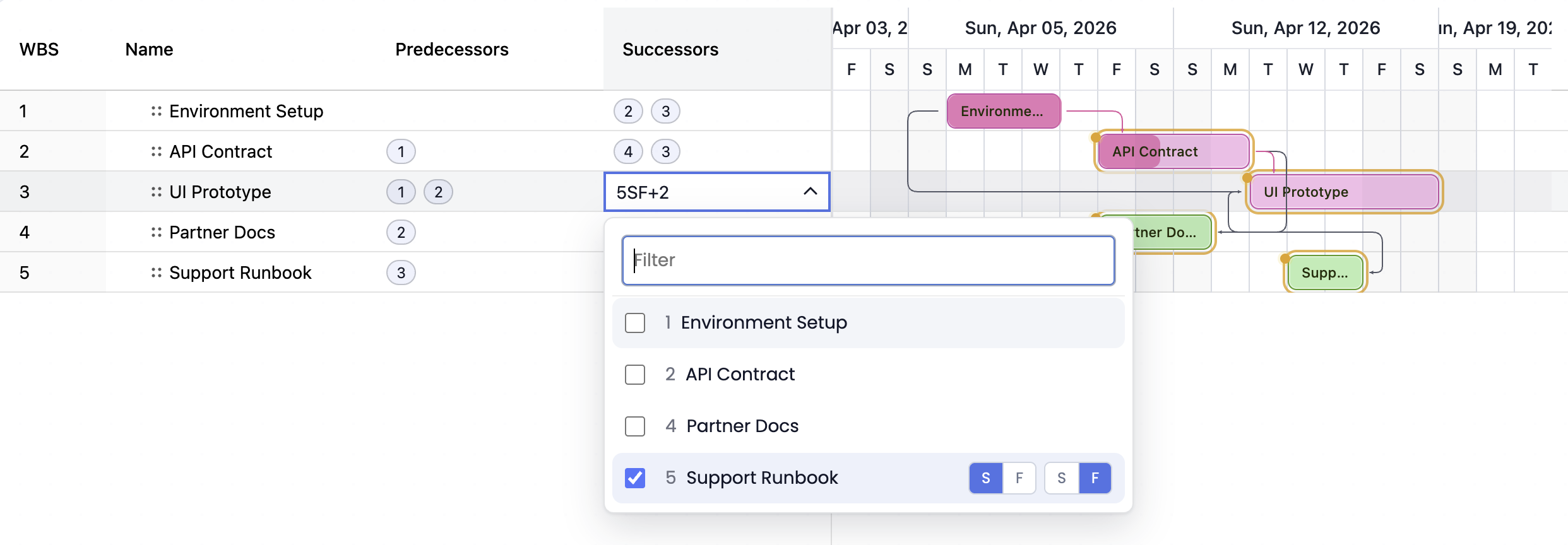
Create and validate FS, SS, FF, and SF links with lead/lag and scheduling diagnostics.
Open live demo →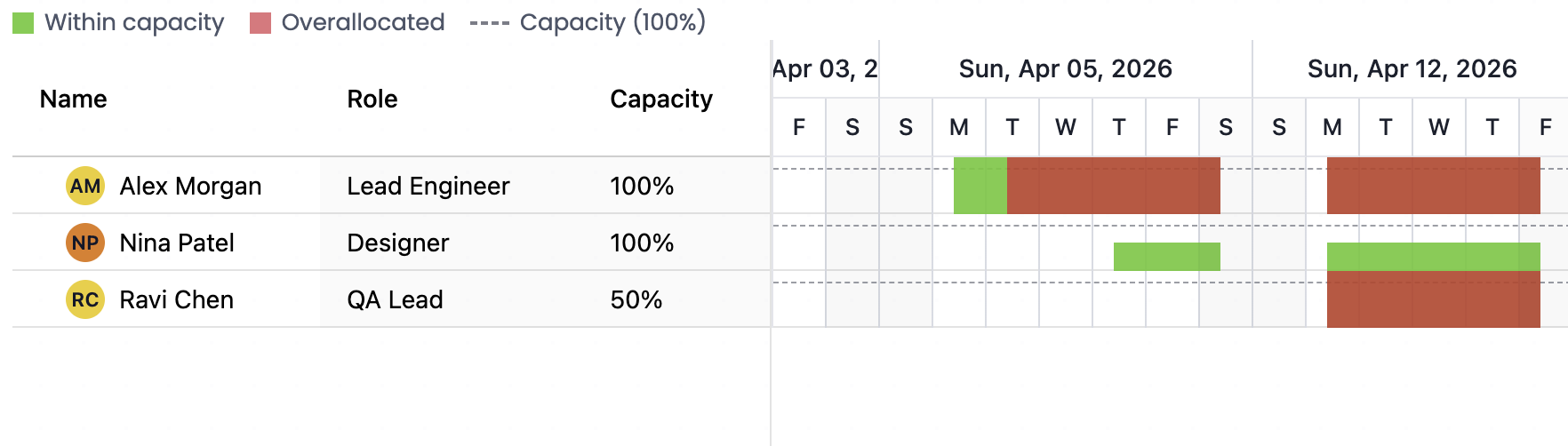
Explore assignments, capacity context, workload warnings, and resource-aware planning data.
Open live demo →Scroll a virtualized project with 10,000 tasks and 19,796 dependencies, then pan across its three-month timeline.
Open live demo →RevoGrid Gantt uses row and column virtualization to keep browser rendering focused on the visible viewport. Test the live 10,000-task, 19,796-dependency demo, then benchmark your own hierarchy, scheduling rules, and custom cells.
Render the visible task rows and timeline columns instead of mounting the entire project surface in the DOM.
Open a real browser demo with 10,000 generated tasks and 19,796 dependencies rather than relying on an unsupported scale claim.
Keep owners, status, cost, progress, dates, and custom fields editable in the same grid-first planning workspace.
Every visual below comes from a working RevoGrid Gantt example. Open the live demo to edit the schedule, inspect the data model, and test the interaction in your browser.
Edit the task tree and custom columns while the synchronized timeline handles drag, resize, progress, milestones, assignments, dependencies, and zoom.
Open the full showcase
Model finish-to-start, start-to-start, finish-to-finish, and start-to-finish links, then validate and edit their lead or lag directly in the plan.
Try advanced dependencies
Highlight the chain that controls the finish date and expose early dates, late dates, and total slack alongside noncritical work.
Inspect critical-path analysis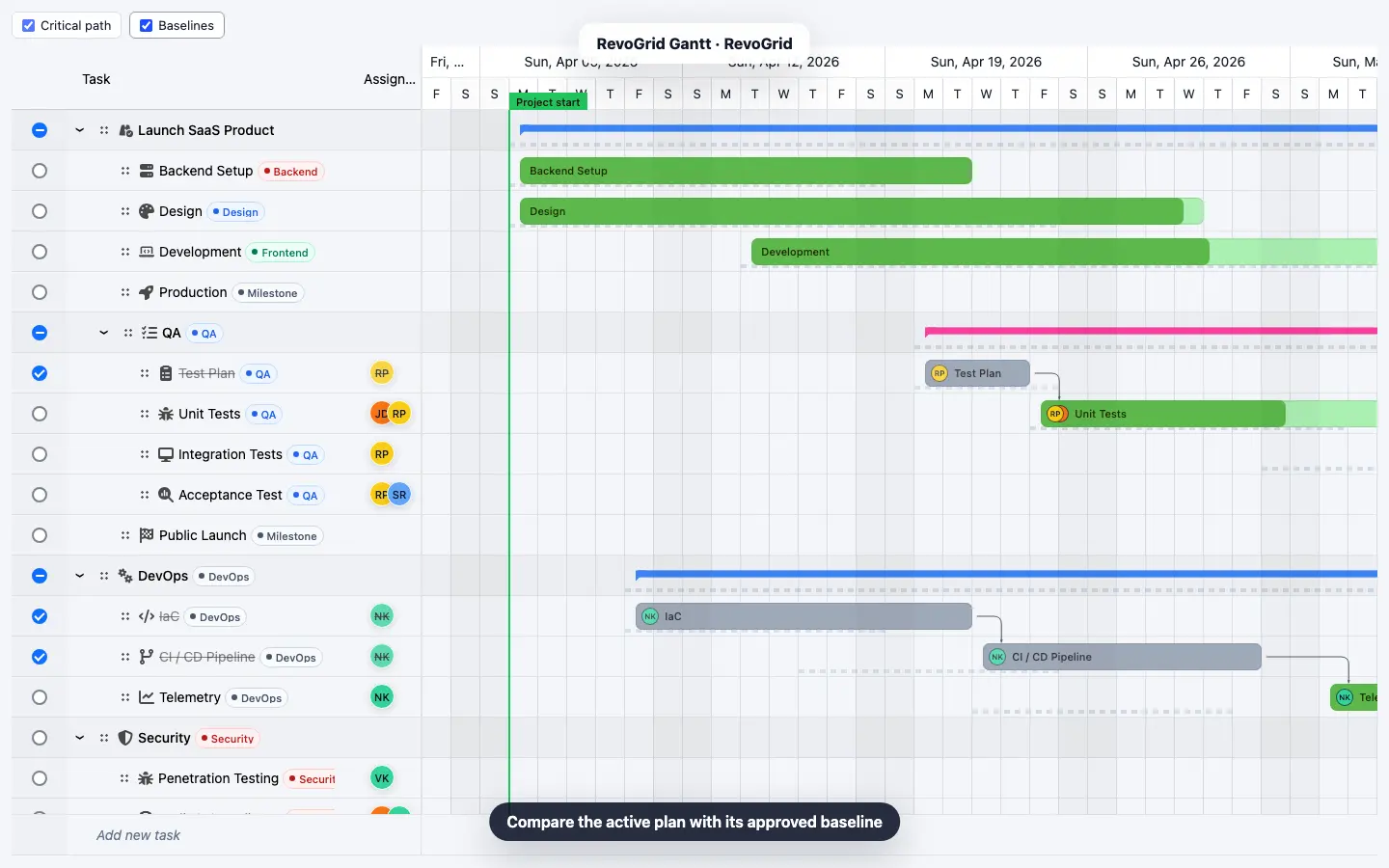
Capture an approved plan, overlay baseline bars, and compare start, finish, duration, and progress variance as the live schedule changes.
Compare a baseline
Assign multiple resources, calculate assignment cost, reveal over-allocation, and switch to a capacity view with deterministic auto-leveling.
Explore resource planning
Combine start and finish constraints with deadline markers and warnings so the schedule explains when authored dates cannot be satisfied.
Test constraint handling
Track actual dates and remaining duration with fixed-duration, fixed-work, and fixed-units scheduling behavior.
Open progress and work
Pause and resume work inside one task span while preserving planned working duration and dependency-aware scheduling.
Try split tasks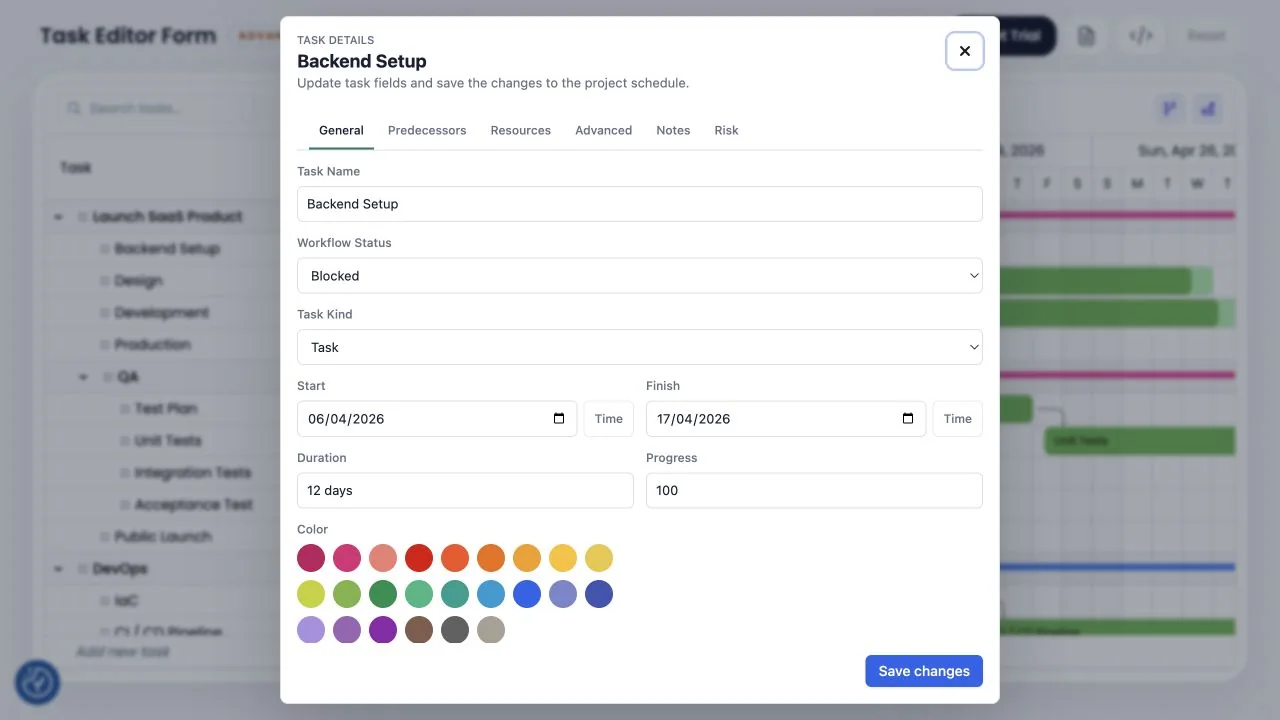
Use the packaged task dialog for general fields, predecessors, resources, advanced scheduling, notes, and application-defined tabs.
Open the task editor
Combine undo and redo, read-only or locked tasks, localized dates, custom visuals, JSON project snapshots, and grid export workflows.
Review production patternsShip the same scheduling experience across JavaScript, React, Vue, Angular, and Svelte projects.
Compare the core scheduling features product teams usually need before choosing a JavaScript Gantt chart component.
| Feature | RevoGrid Gantt | Product value |
|---|---|---|
| Hierarchy and milestones | Task trees, summaries, rollups, and milestone task types | Model a real work breakdown structure instead of a flat list. |
| Dependencies | FS, SS, FF, and SF links with lead, lag, and validation | Model real sequencing rules instead of only drawing bars. |
| Scheduling direction | Forward, project-finish, automatic, and manual scheduling | Preserve authored dates or let the engine recalculate the plan. |
| Constraints and deadlines | Start and finish constraints, deadline markers, and diagnostics | Explain schedule conflicts before they become delivery surprises. |
| Critical path | Critical path, early and late dates, and total slack | Show which work controls the delivery date. |
| Baselines | Baseline bars plus start, finish, duration, and progress variance | Compare original commitments with the latest forecast. |
| Resources | Assignments, costs, capacity, warnings, and auto-leveling | Connect tasks to people, crews, rooms, machines, or teams. |
| Calendars | Project, task, and resource calendars with working time and holidays | Account for non-working days, holidays, and business calendars. |
| Drag and resize | Task creation, move, resize, progress, and dependency editing | Let users reschedule work directly in the Gantt view. |
| Progress and work | Actual dates, remaining duration, and three effort modes | Track execution and effort-driven changes without leaving the plan. |
| Split tasks | Multiple working ranges inside one scheduled task | Pause and resume work without inventing artificial tasks. |
| Task editing | Inline cells plus a schema-driven multi-tab task dialog | Fit simple edits and detailed planning into the same workflow. |
| History and permissions | Undo and redo, project read-only mode, and locked tasks | Add production safeguards around high-impact schedule changes. |
| Custom columns | RevoGrid column, cell, and plugin customization | Keep domain-specific fields beside the timeline. |
| Export | JSON project snapshots plus RevoGrid CSV and Excel workflows | Move schedule data into reporting, handoff, and audit workflows. |
| Performance at scale | Row and column virtualization with a live 10,000-task demo | Keep large task tables and wide timelines responsive while rendering the visible viewport. |
Use RevoGrid Gantt when planning belongs inside an operational product, not in a separate project-management tab.
Explore the complete Gantt use-case library →
Add work orders, production plans, delivery milestones, and dependency-aware timelines to enterprise resource planning screens.
Explore ERP planning →
Plan client projects, consultants, milestones, budgets, and delivery capacity inside professional services software.
Explore services delivery →
Coordinate crews, phases, inspections, suppliers, and handoffs with project schedules tied to live business data.
Explore construction planning →
Schedule jobs, machines, materials, changeovers, and dependencies while keeping planning fields editable in the grid.
Explore production planning →
Assign people, teams, rooms, equipment, or production lines and expose workload context next to task dates.
Explore capacity planning →
Build planning views for operations, finance, support, onboarding, marketing, and engineering workflows.
Explore internal planning →FAQ
RevoGrid Gantt is included in Pro Advanced. Licensing is per front-end developer with no runtime royalties or deployment counting.
Install the 30-day Pro trial directly from the public trial registry. No account, form, or approval is required.
Licensed applications can be deployed without per-deployment or per-end-user charges, subject to the license terms.
Includes Pivot, Kanban, Gantt, Scheduler, original private source access, and priority support.
Continue from the Gantt landing page into implementation guides, scheduling context, and product comparisons.
RevoGrid Gantt is included with Pro Advanced, together with original private source access, unlimited product usage, and priority support.
Embed RevoGrid Gantt, validate it with the 10,000-task demo, customize it for your product UI, and keep every scheduling interaction under your control.