
Gantt
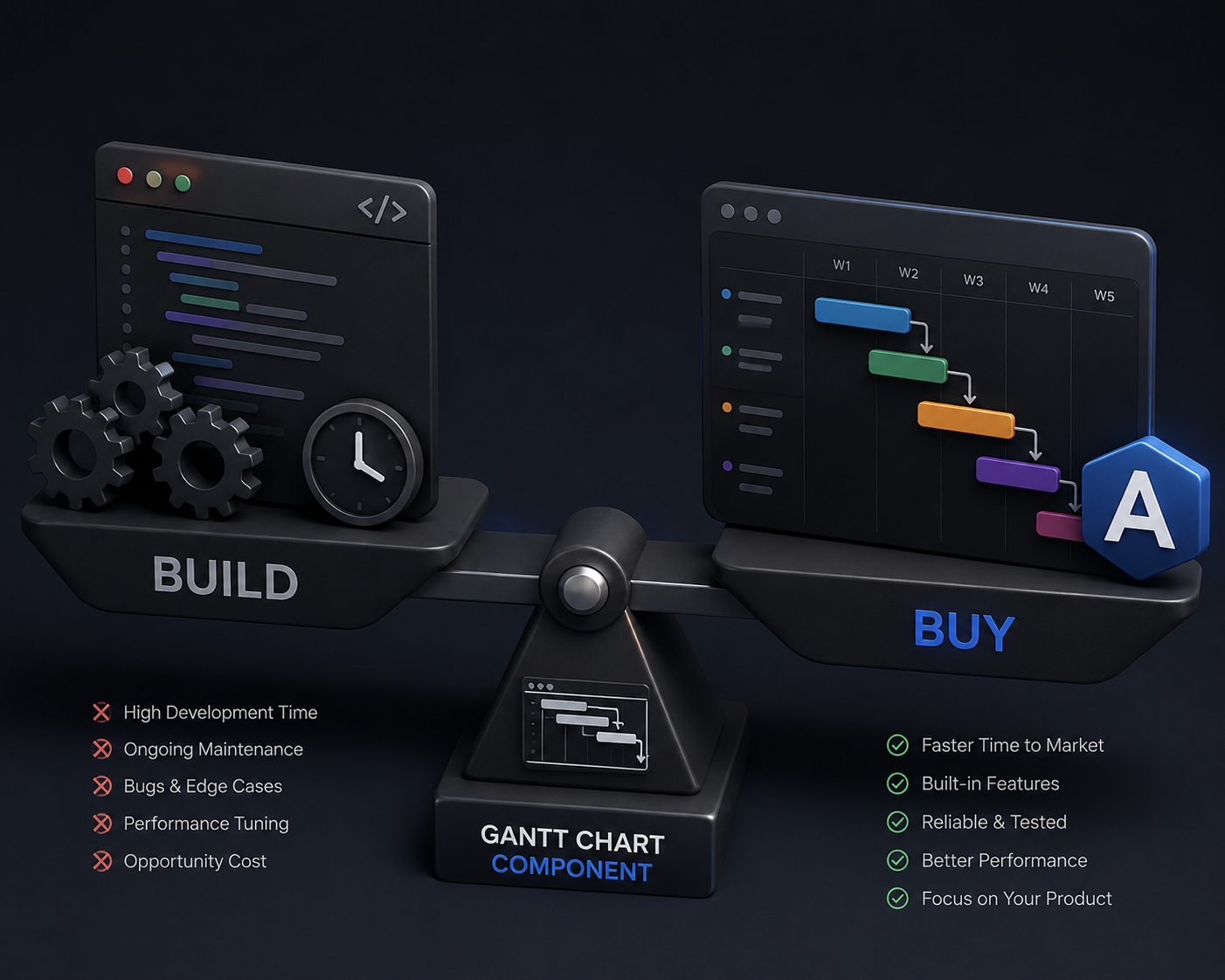
React Gantt charts: build or buy?
Compare building a React Gantt chart with buying a React Gantt chart component. See where RevoGrid Gantt, Syncfusion, and SVAR fit.
See dependencies in the full product
Explore RevoGrid Gantt for the complete feature set, advanced dependency demo, performance evidence, current pricing, and trial access.
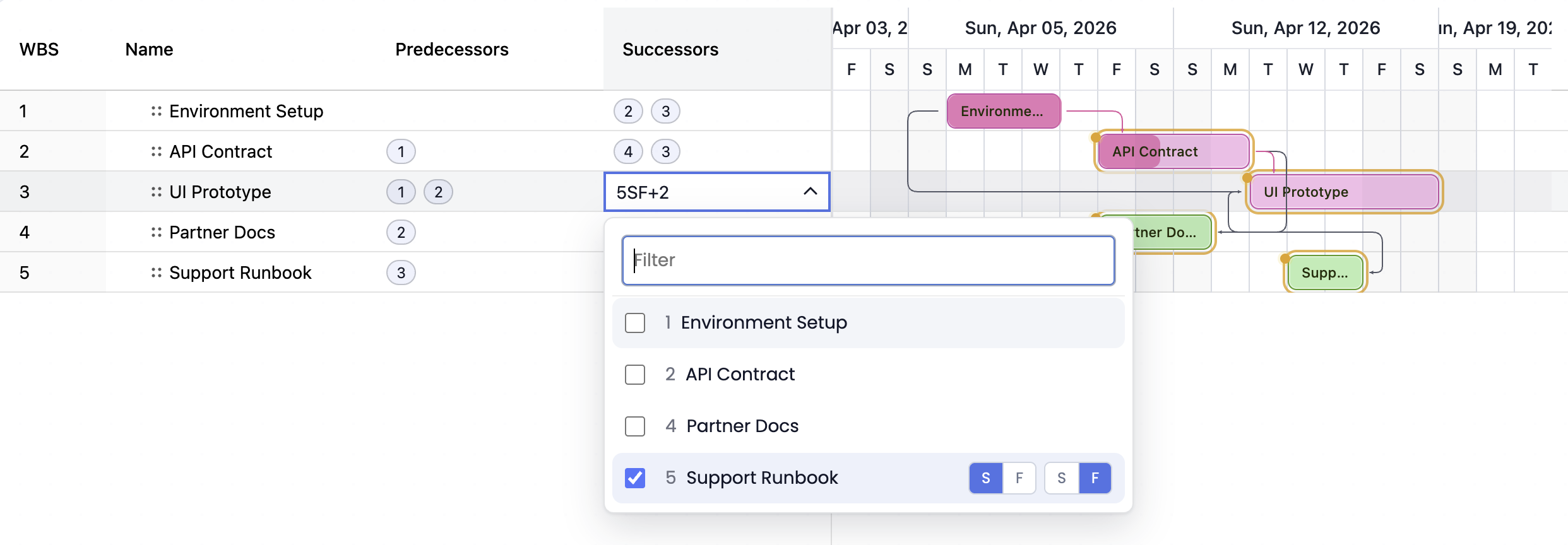
A JavaScript Gantt chart becomes useful when it does more than draw bars on a timeline.
Real project planning needs task relationships. A build cannot start before design is approved. QA may start two days before development is fully complete. A launch milestone may need to finish at the same time as a release candidate. These rules are Gantt dependencies, and they are what turn a timeline into a scheduling tool.
This guide explains how to model Gantt chart dependencies in JavaScript with finish-to-start, start-to-start, finish-to-finish, and start-to-finish relationships, plus lead/lag, validation, and interactive dependency editing.
For a runnable example, open the RevoGrid Gantt live demo or the advanced dependency demo.
This guide is optimized for developers and product teams searching for:
For implementation details, use the RevoGrid Gantt documentation, the dependencies guide, the dependency editing guide, and the Gantt examples.
A Gantt dependency connects a predecessor task to a successor task.
The predecessor is the task that controls another task. The successor is the task whose start or finish date must respect the predecessor.
Predecessor task                Successor task
┌─────────────────────┐         ┌─────────────────────┐
│ Design              │ ──────▶ │ Build               │
└─────────────────────┘         └─────────────────────┘
Without dependencies, a Gantt chart is mostly a visual timeline. With dependencies, the chart can answer scheduling questions:
That is why dependency handling is one of the most important differences between a simple timeline widget and a real JavaScript Gantt component.
Most project scheduling systems use four dependency types.
| Type | Full name | Rule | Common use |
|---|---|---|---|
FS | Finish-to-Start | Successor starts after predecessor finishes. | Design must finish before development starts. |
SS | Start-to-Start | Successor starts no earlier than predecessor starts. | UX review starts when design starts. |
FF | Finish-to-Finish | Successor finishes no earlier than predecessor finishes. | Documentation finishes when implementation finishes. |
SF | Start-to-Finish | Successor finishes no earlier than predecessor starts. | Handover finishes when replacement shift starts. |
RevoGrid Gantt supports all four dependency types:
const dependencies = [
  {
    id: 'design-build',
    predecessorTaskId: 'design',
    successorTaskId: 'build',
    type: 'finish-to-start',
    lagDays: 0,
  },
  {
    id: 'design-review',
    predecessorTaskId: 'design',
    successorTaskId: 'review',
    type: 'start-to-start',
    lagDays: 0,
  },
  {
    id: 'implementation-docs',
    predecessorTaskId: 'implementation',
    successorTaskId: 'docs',
    type: 'finish-to-finish',
    lagDays: 0,
  },
  {
    id: 'new-shift-old-shift',
    predecessorTaskId: 'new-shift',
    successorTaskId: 'old-shift',
    type: 'start-to-finish',
    lagDays: 0,
  },
];Finish-to-start is the most common dependency type. The successor cannot start until the predecessor finishes.
FS: Design must finish before Build starts

Design:  ┌───────────────┐
         │               │
         └───────────────┘
                         │
                         ▼
Build:                   ┌───────────────┐
                         │               │
                         └───────────────┘
Use FS when tasks are sequential:
{
  id: 'design-build',
  predecessorTaskId: 'design',
  successorTaskId: 'build',
  type: 'finish-to-start',
  lagDays: 0,
}Start-to-start means the successor cannot start before the predecessor starts. It does not require the predecessor to finish first.
SS: Review can start when Design starts

Design:  ┌──────────────────────┐
         │                      │
         └──────────────────────┘
         │
         ▼
Review:  ┌───────────────┐
         │               │
         └───────────────┘
Use SS when work can happen in parallel after another task has started:
{
  id: 'design-review',
  predecessorTaskId: 'design',
  successorTaskId: 'review',
  type: 'start-to-start',
  lagDays: 0,
}Finish-to-finish means the successor cannot finish before the predecessor finishes.
FF: Documentation should finish with Implementation

Implementation: ┌──────────────────────┐
                │                      │
                └──────────────────────┘
                                       │
                                       ▼
Docs:              ┌───────────────────┐
                   │                   │
                   └───────────────────┘
Use FF when two pieces of work should complete together:
{
  id: 'implementation-docs',
  predecessorTaskId: 'implementation',
  successorTaskId: 'docs',
  type: 'finish-to-finish',
  lagDays: 0,
}Start-to-finish means the successor cannot finish before the predecessor starts.
SF: Old shift finishes only after New shift starts

New shift:       ┌───────────────┐
                 │               │
                 └───────────────┘
                 │
                 ▼
Old shift: ┌───────────────┐
           │               │
           └───────────────┘
SF is less common, but it is useful for handover workflows, service continuity, shift transitions, and cutover plans.
{
  id: 'new-shift-old-shift',
  predecessorTaskId: 'new-shift',
  successorTaskId: 'old-shift',
  type: 'start-to-finish',
  lagDays: 0,
}A dependency type defines the relationship. Lag and lead define the offset.
lagDays creates a delay.lagDays creates lead time and allows overlap.FS + 2 days lag
Design: ┌───────────────┐
│ │
└───────────────┘
── 2 day gap ──▶
Build: ┌───────────────┐
│ │
└───────────────┘FS - 2 days lead
Design: ┌────────────────────────┐
│ │
└────────────────────────┘
│
▼ overlap
Build: ┌───────────────────┐
│ │
└───────────────────┘In RevoGrid Gantt, lead and lag are represented with lagDays:
const dependencies = [
  // Build starts two working days after Design finishes.
  {
    id: 'design-build-buffer',
    predecessorTaskId: 'design',
    successorTaskId: 'build',
    type: 'finish-to-start',
    lagDays: 2,
  },

  // QA starts two days before Build finishes.
  {
    id: 'build-qa-overlap',
    predecessorTaskId: 'build',
    successorTaskId: 'qa',
    type: 'finish-to-start',
    lagDays: -2,
  },
];
Lead/lag is essential for realistic planning because not every task relationship is strictly sequential.
Common examples:
| Scenario | Dependency |
|---|---|
| Wait three days after concrete pour before inspection | FS+3 |
| Begin QA two days before development finishes | FS-2 |
| Start documentation one day after development starts | SS+1 |
| Finish release notes one day after feature complete | FF+1 |
RevoGrid Gantt also supports MSP-style dependency tokens in predecessor and successor cells.
1FS
2SS+3
3FF-1d
task-4SF-2
That syntax is compact and familiar for users coming from Microsoft Project-style scheduling.
| Token | Meaning |
|---|---|
1FS | Finish-to-start dependency on task 1. |
2SS+3 | Start-to-start dependency on task 2 with 3 days lag. |
3FF-1d | Finish-to-finish dependency on task 3 with 1 day lead. |
task-4SF-2 | Start-to-finish dependency on task task-4 with 2 days lead. |
Inline tokens are useful when your Gantt UI includes spreadsheet-like task columns where users expect to edit dependencies directly.
The minimal pattern is:
import { defineCustomElements } from '@revolist/revogrid/loader';
import {
  GanttPlugin,
  createDefaultTaskTableColumn,
  type CalendarEntity,
  type DependencyEntity,
  type GanttTaskSourceRow,
  type TaskTableColumnProp,
} from '@revolist/gantt';

defineCustomElements();

const CALENDAR_ID = 'standard-calendar';

const taskColumns: TaskTableColumnProp[] = [
  'wbs',
  'name',
  'status',
  'startDate',
  'endDate',
  'duration',
  'percentDone',
  'predecessors',
];

const columns = taskColumns.map((prop) => createDefaultTaskTableColumn(prop));

const calendars: CalendarEntity[] = [
  {
    id: CALENDAR_ID,
    name: 'Standard working calendar',
    timeZone: 'UTC',
    workingDays: [1, 2, 3, 4, 5],
    holidays: ['2026-05-01'],
    hoursPerDay: 8,
  },
];

const tasks: GanttTaskSourceRow[] = [
  {
    id: 'design',
    parentId: null,
    name: 'Design',
    type: 'task',
    status: 'in-progress',
    startDate: '2026-04-01',
    endDate: '2026-04-03',
    duration: 3,
    percentDone: 60,
    calendarId: CALENDAR_ID,
    taskMode: 'auto',
    tags: [],
  },
  {
    id: 'build',
    parentId: null,
    name: 'Build',
    type: 'task',
    status: 'not-started',
    startDate: '2026-04-06',
    endDate: '2026-04-10',
    duration: 5,
    percentDone: 0,
    calendarId: CALENDAR_ID,
    taskMode: 'auto',
    tags: [],
  },
  {
    id: 'qa',
    parentId: null,
    name: 'QA',
    type: 'task',
    status: 'not-started',
    startDate: '2026-04-09',
    endDate: '2026-04-13',
    duration: 3,
    percentDone: 0,
    calendarId: CALENDAR_ID,
    taskMode: 'auto',
    tags: [],
  },
  {
    id: 'release',
    parentId: null,
    name: 'Release',
    type: 'milestone',
    status: 'not-started',
    startDate: '2026-04-14',
    endDate: '2026-04-14',
    duration: 0,
    percentDone: 0,
    calendarId: CALENDAR_ID,
    taskMode: 'auto',
    tags: ['milestone'],
  },
];

const dependencies: DependencyEntity[] = [
  {
    id: 'design-build',
    predecessorTaskId: 'design',
    successorTaskId: 'build',
    type: 'finish-to-start',
    lagDays: 1,
  },
  {
    id: 'build-qa',
    predecessorTaskId: 'build',
    successorTaskId: 'qa',
    type: 'finish-to-start',
    lagDays: -2,
  },
  {
    id: 'qa-release',
    predecessorTaskId: 'qa',
    successorTaskId: 'release',
    type: 'finish-to-start',
    lagDays: 0,
  },
];

const grid = document.querySelector('revo-grid') as HTMLRevoGridElement;

grid.theme = 'compact';
grid.hideAttribution = true;
grid.plugins = [GanttPlugin];
grid.columns = columns;
grid.source = tasks;
grid.ganttCalendars = calendars;
grid.ganttDependencies = dependencies;
grid.gantt = {
  id: 'release-plan',
  name: 'Release plan',
  version: '1',
  timeZone: 'UTC',
  primaryCalendarId: CALENDAR_ID,
  zoomPreset: 'week',
  allowTaskCreate: true,
  allowedDependencyTypes: [
    'finish-to-start',
    'start-to-start',
    'finish-to-finish',
    'start-to-finish',
  ],
  scheduling: {
    scheduleFrom: 'project-start',
    projectStartDate: '2026-04-01',
    lagCalendar: 'working',
  },
  visuals: {
    showDependencies: true,
    showCriticalPath: true,
    shadeNonWorkingTime: true,
  },
};
This gives you a dependency-aware Gantt where automatic tasks are recalculated from predecessor relationships, lag/lead, calendars, and scheduling configuration.
RevoGrid is built on Web Components, with framework wrappers for React, Vue, Angular, Svelte, and plain JavaScript. The same dependency data can be used across frontend stacks.
import React, { useMemo, useRef } from 'react';
import { RevoGrid } from '@revolist/react-datagrid';
import { GanttPlugin } from '@revolist/gantt';

export function ProjectGantt() {
  const gridRef = useRef<HTMLRevoGridElement>(null);

  const plugins = useMemo(() => [GanttPlugin], []);

  const gantt = useMemo(() => ({
    id: 'release-plan',
    name: 'Release plan',
    version: '1',
    timeZone: 'UTC',
    primaryCalendarId: 'standard-calendar',
    zoomPreset: 'week' as const,
    scheduling: {
      scheduleFrom: 'project-start' as const,
      projectStartDate: '2026-04-01',
      lagCalendar: 'working' as const,
    },
    visuals: {
      showDependencies: true,
      showCriticalPath: true,
    },
  }), []);

  const dependencies = useMemo(() => [
    {
      id: 'design-build',
      predecessorTaskId: 'design',
      successorTaskId: 'build',
      type: 'finish-to-start' as const,
      lagDays: 1,
    },
    {
      id: 'build-qa',
      predecessorTaskId: 'build',
      successorTaskId: 'qa',
      type: 'finish-to-start' as const,
      lagDays: -2,
    },
  ], []);

  return (
    <RevoGrid
      ref={gridRef}
      theme="compact"
      hideAttribution
      plugins={plugins}
      source={tasks}
      columns={columns}
      gantt={gantt}
      ganttDependencies={dependencies}
      ganttCalendars={calendars}
    />
  );
}
The important part is that dependencies stay as ordinary project data. You can load them from REST, GraphQL, PostgreSQL, JSON snapshots, or your own project model.
Dependency validation is where Gantt chart often become product-critical.
A dependency graph can be invalid. The most common invalid case is a cycle:
Setup load balancer ──▶ Configure firewall
        ▲                         │
        │                         ▼
        └──────── Verify routing ◀┘
A cycle means there is no valid order for automatic scheduling. The scheduler cannot place each task after the task that depends on it, because the chain loops back to the beginning.
RevoGrid Gantt reports circular dependency chains as dependency diagnostics and rejects new dependency edits that would create a cycle before they change the Gantt store.
const cycle = schedulerResult.issues.find(
  (issue) => issue.code === 'dependency-cycle',
);

if (cycle) {
  console.warn('Dependency cycle detected', {
    taskIds: cycle.taskIds,
    dependencyIds: cycle.dependencyIds,
  });
}
Dependency validation should be visible to users. A good product should explain the conflict instead of silently moving dates or silently dropping links.
Recommended validation UX:
| Problem | Recommended UI |
|---|---|
| Dependency cycle | Show the affected task chain and block the new link. |
| Missing predecessor | Highlight the dependency cell and show a repair action. |
| Missing successor | Highlight the dependency cell and show a repair action. |
| Manual task violates dependency | Keep the manual date but show a warning. |
| Imported project contains cycle | Render the project but disable dependency propagation until fixed. |
A dependency-aware Gantt should support both data-driven and visual editing.
RevoGrid Gantt supports:
gantt.allowedDependencyTypes;grid.gantt = {
...grid.gantt,
allowedDependencyTypes: [
'finish-to-start',
'start-to-start',
'finish-to-finish',
'start-to-finish',
],
visuals: {
...grid.gantt?.visuals,
showDependencies: true,
},
};That matters because dependency editing is not just a developer API. In project planning products, users expect to draw and update links directly in the timeline.
Dependencies have different behavior depending on whether a task is automatic or manual.
Automatic tasks can be recalculated when dependencies, constraints, calendars, and project scheduling direction require a new date.
Manual tasks preserve authored dates. They can still show dependency violations, but the engine should not silently override the user's manual intent.
const tasks = [
  {
    id: 'design',
    name: 'Design',
    startDate: '2026-04-01',
    duration: 3,
    taskMode: 'auto',
  },
  {
    id: 'review',
    name: 'Manual review',
    startDate: '2026-04-02',
    duration: 1,
    taskMode: 'manual',
  },
];

const dependencies = [
  {
    id: 'design-review',
    predecessorTaskId: 'design',
    successorTaskId: 'review',
    type: 'finish-to-start',
    lagDays: 0,
  },
];
In this example, the manual review date may violate the FS dependency. A good Gantt should preserve the manual date and make the conflict visible.
That behavior is important for real-world scheduling because not every task can be moved automatically. Some dates are contractual, externally imposed, or intentionally overridden.
Most projects schedule forward from a start date.
grid.gantt = {
  scheduling: {
    scheduleFrom: 'project-start',
    projectStartDate: '2026-04-01',
  },
};
Forward scheduling places automatic tasks as early as their dependencies and constraints allow.
Some projects schedule backward from a required finish date.
grid.gantt = {
  scheduling: {
    scheduleFrom: 'project-finish',
    projectFinishDate: '2026-06-30',
  },
};
Backward scheduling is useful for launch deadlines, compliance cutoffs, event planning, and contractual finish dates. The dependency graph pulls predecessor work earlier so the final delivery date can be protected.
Dependencies are also the foundation for critical path analysis.
The critical path is the chain of tasks that controls the calculated project finish date. If a critical task slips, the project finish slips.
Critical path example

Discovery ──▶ Design ──▶ Build ──▶ QA ──▶ Launch
                │
                └────▶ Docs
In this example, Docs may have slack if it can move without changing the launch date. Discovery → Design → Build → QA → Launch may be critical if each task controls the final finish.
RevoGrid Gantt can compute and highlight critical path after scheduling rules are applied.
grid.gantt = {
  ...grid.gantt,
  visuals: {
    ...grid.gantt?.visuals,
    showCriticalPath: true,
  },
};
Critical path is especially useful in SaaS project planning, construction, manufacturing, implementation projects, agency operations, and roadmap tools where users need to understand what actually affects delivery.
When comparing JavaScript Gantt components, do not stop at "draw arrows".
A production Gantt dependency system should cover the full scheduling workflow.
| Capability | Why it matters | RevoGrid Gantt |
|---|---|---|
| FS dependencies | Most common sequential task rule. | ✅ |
| SS dependencies | Enables parallel starts. | ✅ |
| FF dependencies | Aligns finish dates. | ✅ |
| SF dependencies | Supports handover and cutover patterns. | ✅ |
| Lead and lag | Handles overlap and waiting time. | ✅ |
| Inline dependency tokens | Familiar MSP-style editing in cells. | ✅ |
| Dependency validation | Blocks cycles and invalid graph edits. | ✅ |
| Diagnostics | Lets product UI explain scheduling conflicts. | ✅ |
| Drag-to-create links | Enables visual dependency editing. | ✅ |
| Link delete/edit UI | Lets users maintain plans without raw JSON. | ✅ |
| Auto scheduling | Recalculates successors from dependency rules. | ✅ |
| Manual scheduling warnings | Preserves authored dates while showing issues. | ✅ |
| Calendars and holidays | Makes duration realistic. | ✅ |
| Critical path | Shows the chain controlling delivery. | ✅ |
| Resources and assignments | Connects scheduling to people and capacity. | ✅ |
| Baselines | Compares current plan to original plan. | ✅ |
| Framework support | Works in real frontend stacks. | React, Vue, Angular, Svelte, JavaScript |
Several JavaScript Gantt libraries support dependencies. The right choice depends on whether your product needs a standalone Gantt suite, a broad UI component suite, or a grid-first planning surface.
| Library | Dependency support | Best fit | Trade-off |
|---|---|---|---|
| RevoGrid Gantt | FS, SS, FF, SF, lead/lag, validation, diagnostics, drag editing, auto/manual scheduling. | Data-heavy SaaS apps that need Gantt inside an editable grid. | Smaller public ecosystem than older Gantt vendors. |
| Syncfusion Gantt | Strong task dependency feature set with FS/SS/FF/SF, offsets, connector customization, and validation modes. | Teams already buying the Syncfusion UI suite. | Broader suite dependency when you only need grid-first planning. |
| Bryntum Gantt | Mature scheduling engine with dependencies, constraints, calendars, resources, and framework integrations. | Advanced standalone Gantt and scheduling use cases. | Commercial Gantt suite with its own data and UI model. |
| DHTMLX Gantt | Supports dependency link types, lag/lead, and auto scheduling in Pro. | Teams that want a long-running standalone JS Gantt. | More separate from a grid-first data surface. |
| DevExtreme Gantt | Gantt component with framework wrappers and dependency data configuration. | Teams already using DevExtreme. | Best evaluated inside the larger DevExtreme suite. |
| Kendo UI Gantt | Established Gantt component in the Kendo ecosystem. | Teams standardized on Telerik/Kendo UI. | More framework/suite-oriented than RevoGrid's Web Component base. |
The RevoGrid positioning is different:
Keep the grid as the primary product surface. Add Gantt scheduling, dependency links, timeline projection, resources, baselines, and critical path on top.
That is valuable when your users already live in tables, task lists, operations dashboards, ERP screens, financial planning tools, construction schedules, implementation workspaces, or internal SaaS workflows.
Choose RevoGrid Gantt when your product needs:
For teams comparing Gantt alternatives, the key question is not only:
Which library has a Gantt chart?
The better question is:
Which library lets us add scheduling to our product without losing control of our data model, grid UX, framework stack, and custom business workflows?
A string such as 2FS+3 is useful for cell editing, but your application should also have a normalized dependency record.
Good normalized shape:
type ProjectDependency = {
  id: string;
  predecessorTaskId: string;
  successorTaskId: string;
  type: 'finish-to-start' | 'start-to-start' | 'finish-to-finish' | 'start-to-finish';
  lagDays: number;
};
This makes validation, persistence, import/export, and API integration easier.
A cycle can break automatic scheduling. Always validate before saving dependency edits.
A depends on B
B depends on C
C depends on A
That graph cannot produce a valid automatic schedule.
Manual tasks should preserve user-authored dates. Show warnings when they violate dependencies, but do not silently move them unless the user explicitly chooses that behavior.
A two-day lag is not always two calendar days. If your users plan around working days, holidays, and time zones, dependency offsets should respect the correct calendar policy.
Users trust schedules when they understand why dates moved. Expose dependency warnings, cycle errors, manual task violations, constraint conflicts, and resource warnings in the UI.
Use this article as the main feature-intent page for dependency searches. Recommended internal links:
| Anchor | Target |
|---|---|
| JavaScript Gantt chart | /gantt |
| RevoGrid Gantt live demo | /demo/gantt |
| RevoGrid Pro | /pro |
| React data grid | /guide/react/ |
| Vue data grid | /guide/vue3/ |
| Angular data grid | /guide/angular/ |
| Svelte data grid | /guide/svelte/ |
| Gantt documentation | https://pro.rv-grid.com/guides/gantt/ |
| Gantt dependencies guide | https://pro.rv-grid.com/guides/gantt/concepts/dependencies/ |
| Dependency editing guide | https://pro.rv-grid.com/guides/gantt/interaction/dependency-editing/ |
| Advanced dependency demo | https://demo.rv-grid.com/gantt-dependencies-advanced/ts |
For comparison-led traffic, add dedicated pages such as:
Syncfusion Gantt alternativeBryntum Gantt alternativeDHTMLX Gantt alternativeDevExtreme Gantt alternativeKendo UI Gantt alternativeMicrosoft Project Gantt alternativeThese comparison pages should link back to this dependency article whenever they discuss FS/SS/FF/SF, lead/lag, dependency validation, and interactive editing.
FS, SS, FF, and SF are the four common Gantt dependency types. FS means finish-to-start, SS means start-to-start, FF means finish-to-finish, and SF means start-to-finish.
Yes. RevoGrid Gantt supports finish-to-start, start-to-start, finish-to-finish, and start-to-finish dependencies.
Yes. RevoGrid Gantt supports positive lag and negative lead through lagDays. Positive values delay the successor. Negative values allow overlap.
Yes. RevoGrid Gantt supports drag-to-create dependency links, hover and select states, inline delete UI, keyboard delete, and allowed dependency type filtering.
A circular dependency is invalid schedule data. RevoGrid Gantt reports cycle diagnostics and rejects new dependency edits that would create a cycle before they change the Gantt store.
Manual tasks can preserve authored dates even when a dependency would schedule them differently. A good product should surface that as a warning so the user can decide whether to keep the manual date or resolve the conflict.
No. RevoGrid is built as a Web Component and supports JavaScript, React, Vue, Angular, and Svelte.
Choose RevoGrid Gantt when the Gantt is part of a larger editable data application and you want scheduling, dependencies, task rows, custom columns, validation, and timeline UX to share one grid-first foundation.
A JavaScript Gantt chart with dependencies should do more than render arrows.
For real project planning, you need FS, SS, FF, and SF relationships; lead and lag; validation; diagnostics; editable links; automatic scheduling; manual task warnings; calendars; resources; baselines; and critical path.
RevoGrid Gantt gives product teams that dependency-aware scheduling layer inside the same high-performance grid foundation used for data-heavy applications.
Start with the RevoGrid Gantt product page, open the live Gantt demo, then test the advanced dependency demo.
RevoGrid is a trademark of Revolist OU. Syncfusion, Bryntum, DHTMLX, DevExtreme, Kendo UI, Telerik, Microsoft Project, and other product names are trademarks of their respective owners. This page is an independent technical guide for developers evaluating JavaScript Gantt chart dependencies.
Compare building a React Gantt chart with buying a React Gantt chart component. See where RevoGrid Gantt, Syncfusion, and SVAR fit.
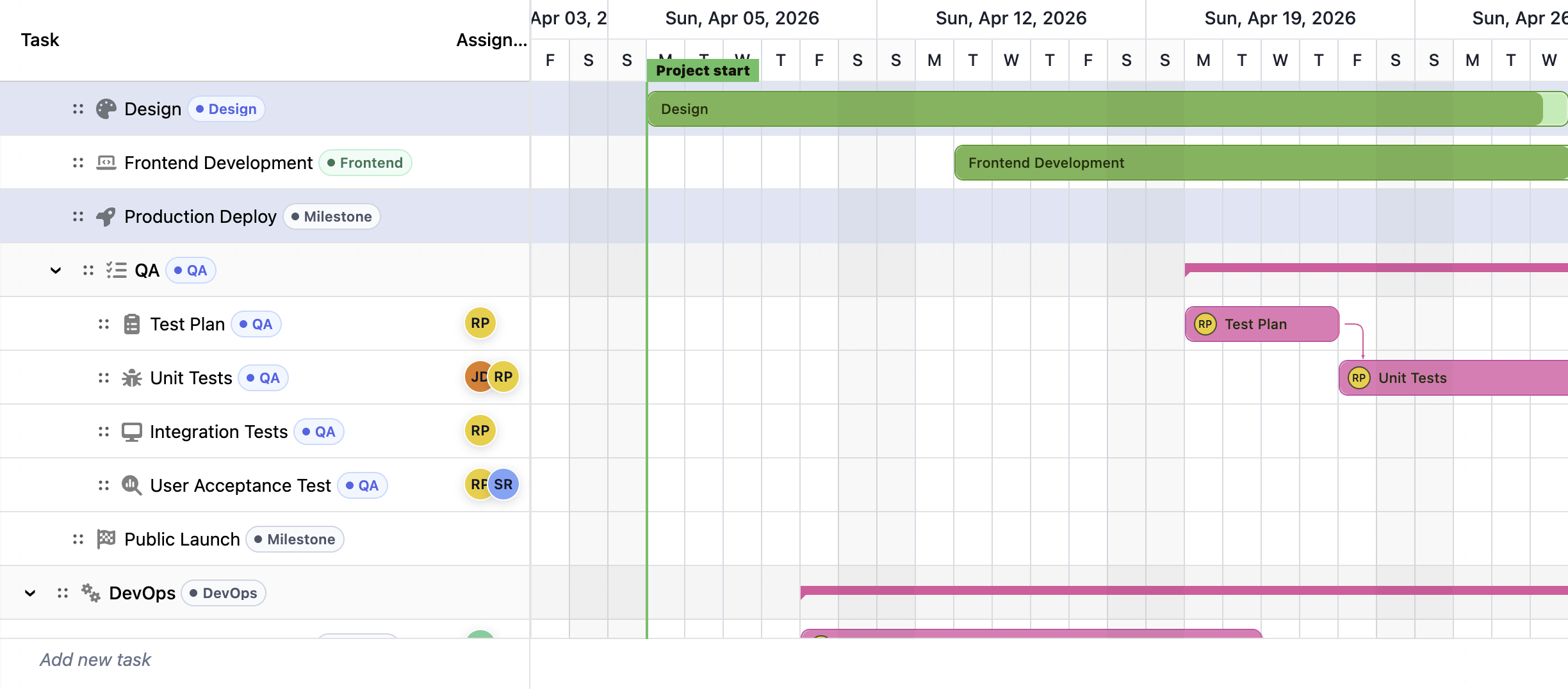
Compare the best JavaScript Gantt chart libraries in 2026: RevoGrid Gantt, Bryntum, DHTMLX, Syncfusion, Webix, Highcharts, AnyGantt, and Frappe Gantt.