

Gantt
MS Project Gantt Is Dead — What Now?
Microsoft Project is changing as Project for the web moves into Planner and Project Online retires. See why teams need an embeddable Gantt and scheduler.
RevoGrid Gantt hub
Evaluating a component? See the complete RevoGrid Gantt feature set, live demos, framework support, performance evidence, pricing, and trial details.
Given the work, relationships, calendars, constraints, progress, and resources, when can each task realistically happen?
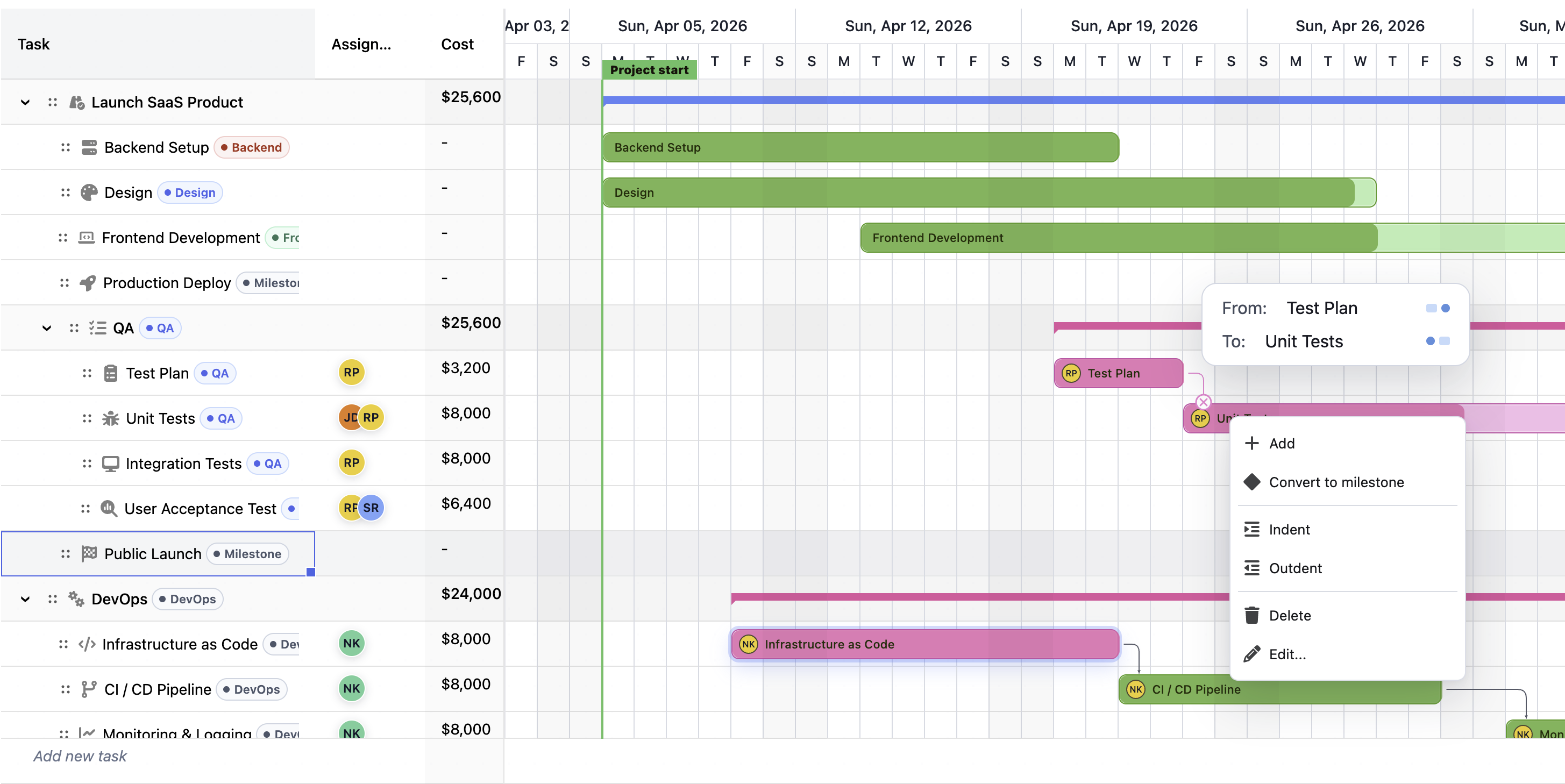
A project plan is rarely just a list of dates. A real plan has sequencing rules, non-working days, holidays, people with limited capacity, deadlines, manual promises, and changing progress. Scheduling is the logic that keeps those pieces consistent.
Without scheduling, a Gantt chart is only a drawing. It can show dates, but it cannot tell whether those dates still make sense.
Plans change constantly:
When any of these things happen, the project needs a visual update. It needs date calculation, conflict detection, and explanation.
Scheduling helps to understand:
The value is not only cleaner task bars. The value is better decision-making.
Every schedule starts with an authored plan. These are the dates, durations, dependencies, and assignments entered by a user or loaded from business data.
The scheduler then produces a calculated schedule. This is the version that has been checked against planning rules.
| Concept | Business meaning |
|---|---|
| Authored plan | What the user or system originally entered. |
| Calculated schedule | The dates after dependencies, calendars, constraints, progress, and resources are considered. |
| Automatic task | A task the engine may move to keep the plan valid. |
| Manual task | A task that keeps the user's date, even if the engine reports a conflict. |
| Schedule warning | A signal that the displayed commitment does not match the planning logic. |
This distinction is important. A planner may enter "Build starts April 1", but if "Design" finishes on April 3 and Build depends on Design, the calculated schedule should not pretend Build can start on April 1.
For business users, this is the difference between a wish list and an operational plan.
Scheduling is a sequence of business rules applied in a predictable order.
First, the engine validates the plan. It checks whether referenced tasks exist, whether dates are usable, whether calendars are valid, and whether dependencies create impossible loops. This prevents the chart from showing a misleading result.
Next, it normalizes the work. Durations, milestones, progress, actual dates, split work, manual tasks, and summary tasks are interpreted into a consistent model.
Then it applies relationships. If Task B cannot start until Task A finishes, Task B is moved to the first valid date. If two tasks can overlap, lead or lag is included. If the project is scheduled backward from a deadline, the same logic is applied in reverse so work is placed as late as possible while still meeting the finish target.
After that, the engine applies calendars, constraints, actual progress, and optional resource leveling. Finally, it rolls child dates up into parent tasks and calculates critical path and slack.
The important business point is this: scheduling does not simply add duration to a start date. It calculates dates through a network of rules.
Calendars define what counts as working time. They are one of the most important parts of scheduling because duration only has meaning when the system knows when work is allowed to happen.
A task with a duration of five days does not always finish five calendar days later. If the team works Monday through Friday and the task starts on Thursday, five working days usually finishes the following Wednesday, not Monday. If there is a holiday in the middle, it may finish Thursday instead.
That is why calendars exist:
Calendars are especially important for distributed teams. A product team in Europe, an implementation team in the United States, and a support team in India may not share the same holidays or working hours. If every task uses the same naive calendar, the plan may look aligned while being operationally wrong.
Not every calendar answers the same question.
| Calendar type | Business question it answers |
|---|---|
| Project calendar | What are the default working days for this project? |
| Task calendar | When is this specific kind of work allowed to happen? |
| Resource calendar | When is this person, machine, team, or role available? |
A project calendar might say the company works Monday through Friday. A task calendar might say a deployment can happen only during a weekend maintenance window. A resource calendar might say a contractor is available only three days per week.
These calendars affect different planning decisions:
This lets the same Gantt chart represent real business constraints instead of a single generic work week.
Scheduling often needs to distinguish between working time and calendar time.
Working time counts only open working periods. Calendar time counts elapsed days regardless of whether anyone is working.
Both are useful, but they answer different business questions:
| Time model | Use it when |
|---|---|
| Working time | The delay depends on when people can work, such as development, QA, review, or implementation. |
| Calendar time | The delay happens regardless of working hours, such as shipping transit, legal waiting periods, curing time, or customer notice periods. |
For example, a three-day engineering task should usually skip the weekend. A three-day shipping wait may continue through the weekend. A two-day approval lag may be working days if it depends on staff availability, or calendar days if it is a contractual cooling-off period.
This difference is small in configuration, but large in business impact. Choosing the wrong model can move delivery dates by days or weeks.
Dependencies describe why one piece of work affects another.
The most common dependency is finish-to-start: one task must finish before the next can begin. But real plans need more than that:
| Relationship | Business example |
|---|---|
| Finish-to-start | Development must finish before QA starts. |
| Start-to-start | Documentation can start when implementation starts. |
| Finish-to-finish | Final review must finish when packaging finishes. |
| Start-to-finish | A replacement support process must start before the old process can end. |
Dependencies can include lag or lead.
Lag adds waiting time. For example, QA may start two working days after a build is delivered so the environment can be prepared.
Lead allows controlled overlap. For example, documentation may start one day before development finishes because enough information is already available.
This is how a project becomes a network instead of a checklist. The scheduler uses that network to identify the earliest or latest valid dates for each task.
Not every date in a project means the same thing.
Some dates are flexible planning inputs. Some are hard business commitments. Some are warning targets. Scheduling needs to treat them differently.
| Date type | Business meaning |
|---|---|
| Dependency-driven date | The date comes from predecessor and successor logic. |
| Constraint | A rule that limits when a task may start or finish. |
| Deadline | A target date that should warn when missed. |
| Actual date | A historical fact that should not be recalculated away. |
| Manual date | A user-entered commitment that should stay visible. |
A hard constraint might represent a booked launch slot, a regulatory filing date, or a customer workshop that cannot move. A deadline might represent a desired completion target. The distinction matters because a deadline should raise a warning, while a hard constraint can force the schedule to show a conflict.
Good scheduling does not hide these conflicts. It makes them visible so the team can decide whether to change scope, add capacity, renegotiate the date, or accept risk.
Once work starts, scheduling must respect reality.
If a task actually started on Monday, the engine should not move its start to Wednesday just because a predecessor changed later. If a task is partially complete, the remaining work may need to be rescheduled while the completed portion stays fixed.
This matters for business reporting. Teams need to distinguish between:
Progress-aware scheduling helps keep forecast dates useful after execution begins. Without it, every recalculation can accidentally rewrite history.
A dependency-valid plan can still be impossible if it assigns too much work to the same resource.
For example, one designer may be scheduled at 100 percent on a design review and 100 percent on a prototype at the same time. The dependencies may be valid, but the staffing plan is not.
Resource checks answer capacity questions:
Resource leveling is the process of delaying some work to reduce over-allocation. It is useful when the goal is to produce a more realistic delivery forecast without manually dragging every task.
Auto-leveling should be understood as a planning aid, not a substitute for management judgment. It can show a feasible sequence, but the team still decides whether to add people, split work, reduce scope, or accept a later finish.
The critical path is the chain of tasks that controls the project finish date.
Tasks on the critical path have no room to slip without affecting the final delivery date. Tasks with slack can move by some amount before they delay the project.
This is one of the most valuable outputs of scheduling because it tells leaders where attention matters most.
| Signal | Business use |
|---|---|
| Critical task | Protect it closely because delay affects delivery. |
| Slack | Understand how much flexibility exists. |
| Late start or late finish | Know the last safe date before the plan slips. |
| Critical dependency | See which relationship is driving the schedule. |
Critical path is not only for project managers. Product, operations, implementation, and leadership teams use it to focus discussion. A one-day slip on a non-critical task may not matter. A one-day slip on the critical path may change the launch date.
Scheduling can work from a start date or from a finish date.
Forward scheduling starts at the project start and asks: "How soon can we finish if we begin now?"
Backward scheduling starts from the required finish date and asks: "When is the latest each task can start and still meet the deadline?"
| Planning style | Best for |
|---|---|
| Forward scheduling | Delivery forecasts, implementation plans, product development, internal roadmaps. |
| Backward scheduling | Fixed launch dates, events, regulatory deadlines, contract commitments. |
Many businesses use both. A team may first schedule backward from a contractual go-live date to understand the latest safe start dates, then schedule forward from today's progress to see whether the plan is still realistic.
Scheduling is useful anywhere a timeline depends on business rules rather than simple date entry.
Product teams can model design, development, QA, release preparation, documentation, and launch dependencies. Calendars keep team holidays and non-working days out of the forecast, while critical path shows which tasks threaten the release.
Services teams can coordinate customer onboarding, discovery, configuration, data migration, training, and go-live activities. Scheduling makes it clear when a customer delay affects the whole project and when it can be absorbed.
Field plans often depend on crews, equipment, inspections, weather windows, and subcontractor availability. Calendars and resource capacity help avoid plans that look possible on paper but fail in execution.
Manufacturing schedules need to account for machine availability, setup time, batch dependencies, supplier lead times, and shipping delays. Working-time and calendar-time logic are both important here.
Campaigns and events have fixed dates, approval chains, vendor deadlines, and production windows. Backward scheduling helps teams understand the latest safe dates for creative, review, print, shipping, and launch steps.
Operational changes often need cutover windows, staffing coverage, training, rollback plans, and blackout periods. Task and resource calendars help represent when work is actually allowed.
A schedule is trustworthy when users can understand why dates moved.
RevoGrid Gantt provides that by separating inputs from calculated results and by surfacing schedule origins, warnings, conflicts, resource issues, and critical path signals.
For business users, the most important questions are:
When those answers are visible, the Gantt chart becomes an explanation of the plan instead of only a picture of the plan.
RevoGrid Gantt follows familiar Microsoft Project-style scheduling concepts where they make sense for a web grid:
| Planning concept | RevoGrid Gantt behavior |
|---|---|
| Manual and automatic tasks | Manual dates can stay visible while automatic tasks move with the plan. |
| Forward and backward scheduling | Projects can schedule from a start date or from a required finish date. |
| Dependency types | Finish-to-start, start-to-start, finish-to-finish, and start-to-finish relationships are supported. |
| Lag and lead | Waiting time and overlap can be included in dependency logic. |
| Constraints and deadlines | Hard scheduling rules and warning targets are treated differently. |
| Calendars | Project, task, and resource calendars can shape dates and capacity. |
| Critical path | Slack and critical tasks are calculated from the resulting schedule. |
| Resource over-allocation | Capacity issues can be warned about or reduced through leveling. |
The goal is not to clone every desktop behavior. The goal is to bring the scheduling concepts teams expect into typed, deterministic, web-friendly project data.
For most teams, the healthiest scheduling approach is:
The scheduler cannot decide business priorities by itself. It provides the calculated plan, warnings, and trade-offs so the team can make better decisions.
Microsoft Project is changing as Project for the web moves into Planner and Project Online retires. See why teams need an embeddable Gantt and scheduler.
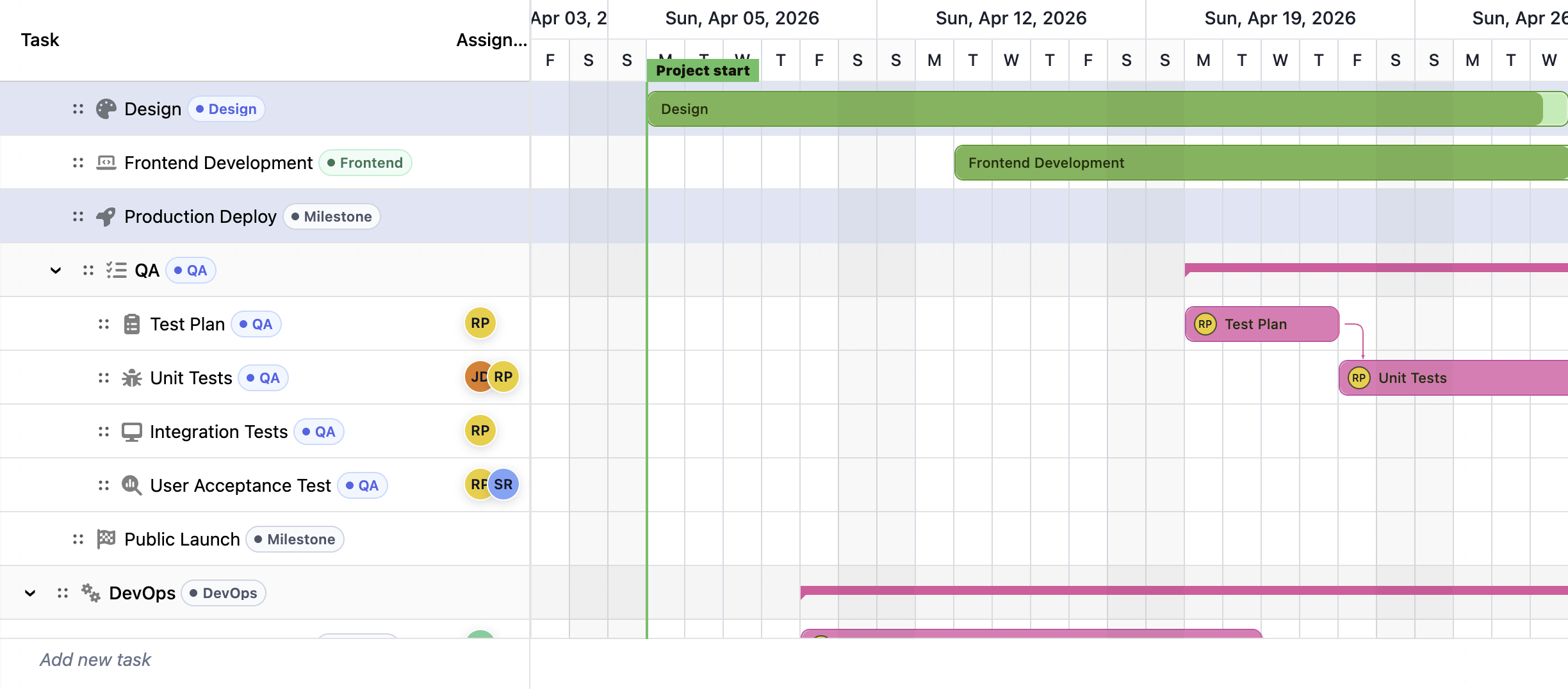
Compare the best JavaScript Gantt chart libraries in 2026: RevoGrid Gantt, Bryntum, DHTMLX, Syncfusion, Webix, Highcharts, AnyGantt, and Frappe Gantt.