
RevoGrid Gantt can replace Microsoft Project-style Gantt workflows inside a custom application. It is not a full Microsoft Project clone or Project Server replacement.
Microsoft Project Gantt Alternative
RevoGrid Gantt product hub
Review the full RevoGrid Gantt feature set, live demos, framework support, pricing, and trial path before comparing migration options.
Deep technical comparison for product teams
RevoGrid Gantt is a grid-first Gantt and scheduling foundation for teams migrating Microsoft Project-style planning workflows into their own web applications. Microsoft Project is best understood as a Microsoft project-management product family whose cloud workflow is shifting toward Planner while Project Online approaches retirement.
This comparison is for teams evaluating Microsoft Project against RevoGrid for Project Online migration, Microsoft Project-style Gantt replacement, embedded project scheduling, task planning, resource planning, critical path workflows, and SaaS planning tools.
Last reviewed: June 4, 2026. Vendor pricing, license terms, and feature packaging can change. Verify official vendor pages before purchase.

Replacement strategy
Do not treat Microsoft Project replacement as a one-to-one product clone. Treat it as a migration of planning concepts: tasks, hierarchy, dependencies, calendars, resources, baselines, deadlines, critical path, and user workflows into the system where the work already happens.
Why migrate from Microsoft Project now
Microsoft Project context
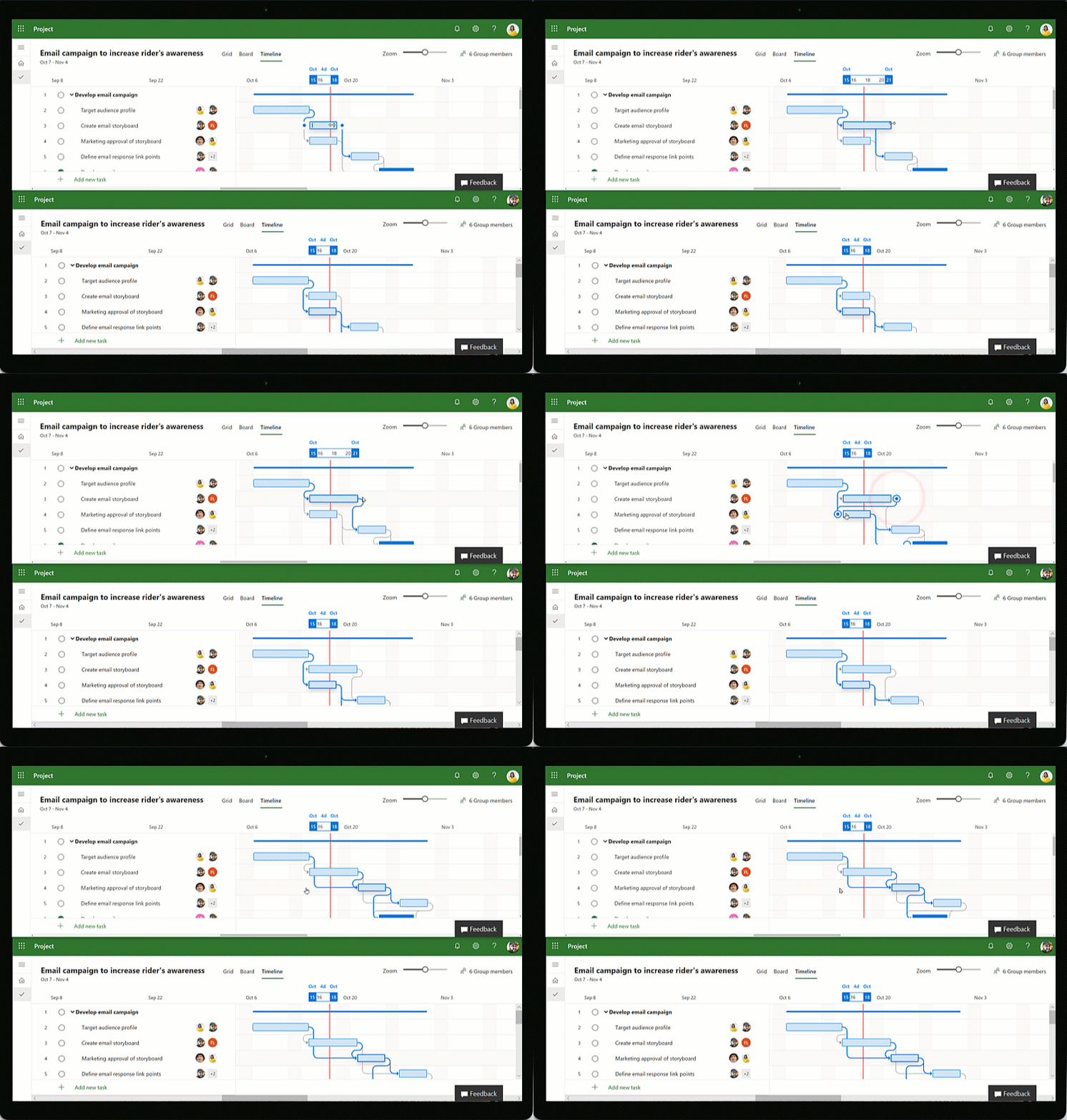
Microsoft Project desktop is still available. The pressure to migrate comes mainly from cloud workflow changes: Project for the web has moved into Planner, and Microsoft has announced Project Online retirement on September 30, 2026. For many product teams, this is the moment to move Gantt planning out of separate project files and into their own applications.
Microsoft Project has been one of the most recognizable tools for project scheduling, Gantt planning, dependencies, resources, and critical path analysis. But the Microsoft Project market is changing.
Project for the web has moved into Microsoft Planner, and Microsoft has announced that Project Online retires on September 30, 2026. Desktop Microsoft Project still exists, but the old Microsoft cloud project-management path is being deprecated. That creates a migration window for teams that relied on Project Online, Project for the web, or Microsoft Project-style Gantt workflows.
It also creates a product opportunity. Many companies want to win the users and workflows that used to default to Microsoft Project: construction planning, manufacturing schedules, PSA delivery plans, ERP work orders, field-service jobs, internal operations, and SaaS project timelines.
For product teams, the strongest replacement is often not another standalone project-management app. It is embedded planning inside the business software users already use.
That means the migration goal is practical:
- preserve the planning model users understand;
- keep task data connected to the business system;
- support dependencies, calendars, resources, baselines, deadlines, and critical path;
- avoid sending users into a separate project-planning island;
- make scheduling work inside ERP, PSA, construction, manufacturing, field-service, or internal operations software.
These products need scheduling inside the software users already operate every day:
- ERP systems;
- PSA platforms;
- construction management software;
- field-service tools;
- manufacturing planning systems;
- internal operations platforms;
- data-heavy SaaS products.
That changes the buying question from:
Which project management app replaces Microsoft Project?
to:
Which Microsoft Project-style workflows should we migrate into our own application?
That is where RevoGrid Gantt fits: not as a full Microsoft Project clone, but as a Gantt and scheduling foundation for rebuilding the planning workflow inside your own product.
What to migrate from Microsoft Project
Start by separating Microsoft Project concepts from Microsoft Project product behavior. The concepts are what users usually need to keep.
| Microsoft Project-style concept | What to preserve in the replacement |
|---|---|
| Task sheet | A structured task table with editable rows, custom columns, status, owner, dates, progress, and domain-specific fields |
| Gantt chart | A timeline projection of the same task rows, not a disconnected second data model |
| Task hierarchy | Parent tasks, child tasks, phases, WBS-like structure, and summary rollups |
| Milestones | Zero-duration events for key dates and checkpoints |
| Dependencies | FS, SS, FF, and SF relationships with lead and lag |
| Manual and automatic tasks | A way to distinguish authored dates from dependency-driven scheduling |
| Constraints | Hard and soft date rules such as no-earlier-than, no-later-than, must-start-on, and must-finish-on behavior |
| Deadlines | Risk indicators that surface missed dates without silently rewriting user intent |
| Calendars | Working days, holidays, working hours, hours per day, and resource-specific availability |
| Resources | Assignments, workload, over-allocation warnings, and resource-aware scheduling |
| Baselines | Stored snapshots for comparing planned and current schedule state |
| Critical path | Visibility into the tasks and dependencies that control project finish |
| Diagnostics | Clear explanations when dates, constraints, calendars, or resources conflict |
How RevoGrid Gantt replaces the workflow
1. Move planning into the product
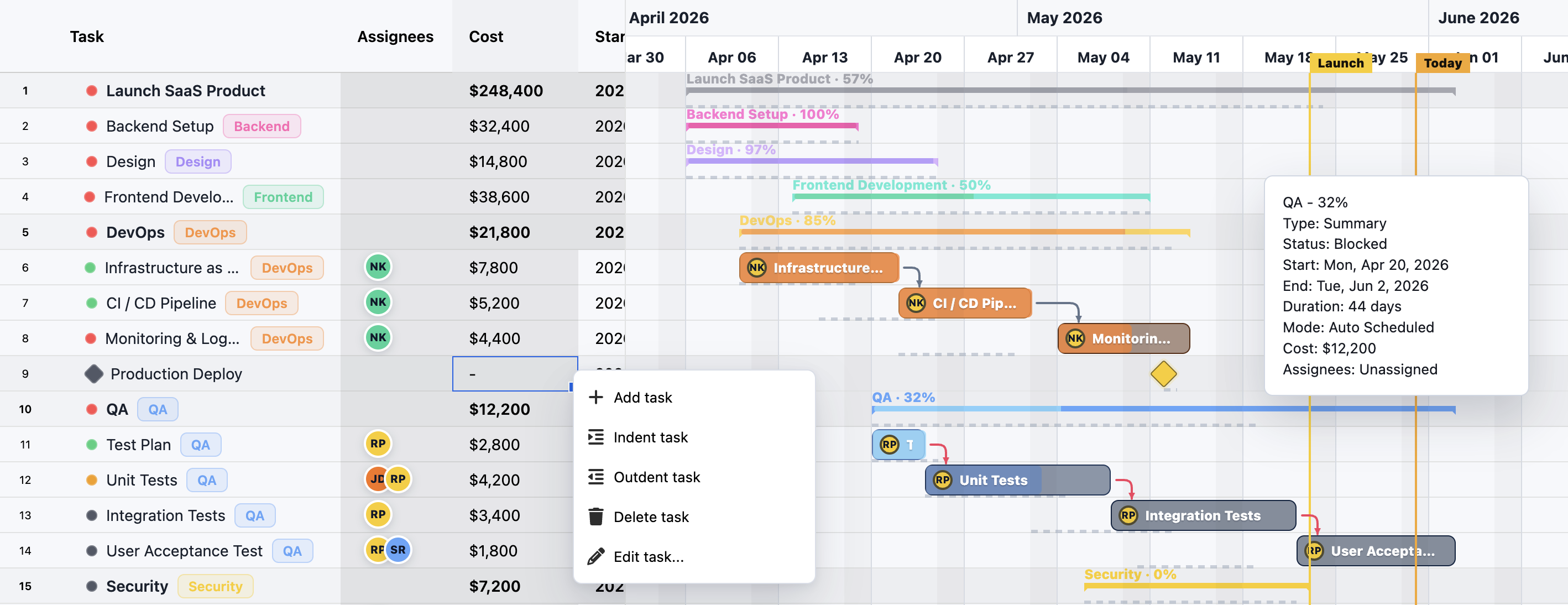
RevoGrid Gantt is designed for teams building scheduling into their own product. The Gantt is not a separate application that users leave your product to maintain. It can sit next to your existing records, permissions, backend workflows, and domain-specific actions.
That matters when the schedule is connected to orders, jobs, sites, resources, materials, invoices, approvals, or operational statuses.
2. Keep the task table as the source of truth
Many Gantt components start with the chart. RevoGrid Gantt starts with the grid.
The same rows can support:
- editable task data;
- custom columns;
- framework-native templates;
- validation and business rules;
- keyboard navigation and selection;
- virtualization for large data sets;
- a Gantt timeline projection of the same records.
This is useful when the Gantt view is one part of a larger operational interface rather than the entire product.
3. Replace the scheduling model, not only the screen
RevoGrid Gantt includes deterministic CPM-style scheduling logic. At a high level, the engine can validate task, dependency, calendar, resource, and assignment data; build an active dependency graph; run forward or backward scheduling; apply constraints; roll up summary tasks; emit diagnostics; and calculate critical path.
For users coming from Microsoft Project, the mental model remains familiar: tasks, durations, calendars, dependencies, constraints, resources, slack, and critical path.
For developers, the important difference is control: the scheduling model can live inside the application instead of forcing users into a separate project file.
4. Rebuild the surrounding workflow
That includes:
- custom task fields;
- product-specific task editors;
- role-based permissions;
- backend validation;
- audit history;
- comments and collaboration;
- domain-specific warnings;
- custom import/export rules.
This is the part most replacement plans miss. A good migration is not only a Gantt chart. It is the task table, timeline, scheduler, permissions, validation, imports, exports, warnings, collaboration, and reporting model working together.
Migration plan
| Phase | Goal | Practical output |
|---|---|---|
| 1. Inventory current plans | Understand what users actually rely on | List active project templates, custom fields, calendars, resources, dependencies, baselines, reports, and export needs |
| 2. Define the replacement data model | Move from project files to product-owned records | Task, dependency, calendar, resource, assignment, baseline, deadline, and diagnostic entities |
| 3. Map task-table fields | Preserve the row experience users expect | RevoGrid columns, editors, validation rules, templates, status badges, and business-specific fields |
| 4. Map scheduling rules | Preserve date behavior users trust | Forward/backward scheduling mode, dependencies, lead/lag, constraints, calendars, manual tasks, actuals, and progress rules |
| 5. Build timeline interactions | Make Gantt editing feel native | Drag, resize, dependency editing, milestone display, timeline zoom, critical path, baseline overlays, and warnings |
| 6. Replace file handoffs | Reduce .mpp context switching | Import/export, audit history, reports, comments, permissions, and backend integrations |
| 7. Validate with real projects | Avoid surprises before rollout | Compare migrated plans against known schedules and review conflicts with project owners |
Microsoft Project to RevoGrid Gantt migration map
| Microsoft Project concept | RevoGrid Gantt replacement direction |
|---|---|
| Project plan rows | RevoGrid task rows |
| Gantt chart view | ✅ Pro Gantt timeline |
| Task table columns | RevoGrid columns with custom renderers, editors, validation, and templates |
| Summary tasks | ✅ Pro task hierarchy and rollups |
| Milestones | ✅ Pro zero-duration milestone tasks |
| Manual scheduling | ✅ Pro task mode configuration |
| Auto scheduling | ✅ Pro dependency and calendar-driven scheduling |
| ASAP-style scheduling | ✅ Pro scheduleFrom: 'project-start' |
| ALAP-style scheduling | ✅ Pro scheduleFrom: 'project-finish' |
| Dependency links | ✅ Pro FS, SS, FF, and SF dependencies |
| Lead and lag | ✅ Pro positive lag and negative lead |
| Constraints | ✅ Pro hard and soft constraints with diagnostics |
| Deadlines | ✅ Pro deadline diagnostics |
| Project calendars | ✅ Pro calendars, working days, holidays, hours per day, and working-hour windows |
| Resource assignments | ✅ Pro resource and assignment models |
| Resource leveling | ✅ Pro forward resource-leveling scenarios |
| Critical path | ✅ Pro critical tasks and critical dependency highlighting |
| Baselines | ✅ Pro baseline snapshots and visual planning workflows |
| Project file import/export | Application-level import/export around your product data model |
| Project Server workflows | Your backend, permissions, collaboration, audit, and reporting model |
What not to copy
A Microsoft Project replacement does not need to reproduce every part of Microsoft Project. In many embedded products, copying too much creates a heavier workflow than users need.
Be careful with:
- rebuilding every Project dialog instead of the workflows users actually use;
- treating
.mppcompatibility as the main product model; - forcing PMO terminology into operational tools for non-PM users;
- making the Gantt view separate from the task table;
- hiding scheduling conflicts instead of surfacing diagnostics;
- migrating reports before validating the core schedule behavior.
The better target is a focused Microsoft Project-style planning experience that fits your own product.
FAQ
Microsoft Project Gantt replacement questions
Replacement recommendation
Use RevoGrid Gantt when you are replacing Microsoft Project-style planning with an embedded workflow and need:
- a powerful editable data grid;
- a Gantt timeline connected to the same data;
- scheduling logic with dependencies, constraints, calendars, resources, and critical path;
- custom templates, editors, and validation;
- a lightweight user experience for business users;
- full control over your product workflow and backend integration.
Build embedded project scheduling with RevoGrid Gantt.
Explore RevoGrid Pro · Compare Pro features · Read the Gantt page
Sources
Microsoft Project is a trademark of its respective owner. This page is an independent migration guide for developers replacing Microsoft Project-style Gantt workflows with embedded scheduling components.