
Gantt
How Gantt Scheduling Works
A business-focused guide to automatic scheduling, calendars, dependency logic, critical path, resource capacity, and planning use cases in RevoGrid Gantt.
Build planning into your product
Start with the RevoGrid Gantt product page for live demos, Microsoft Project-style planning features, framework support, pricing, and trial access.
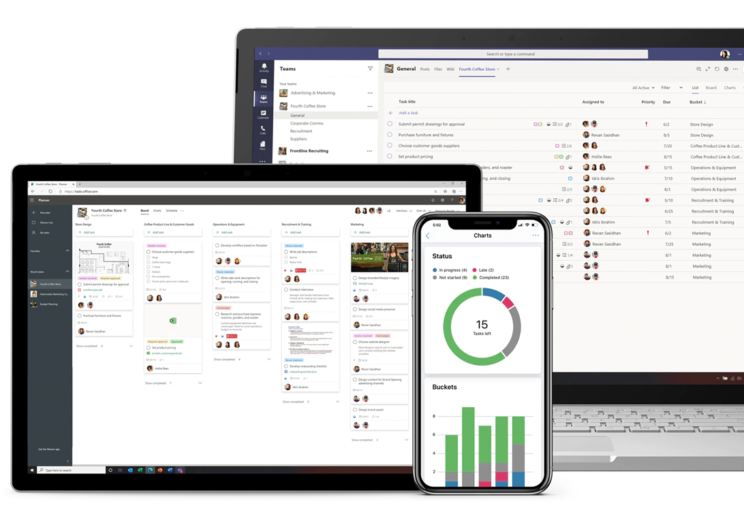
Microsoft states that as of August 2025, Project for the web and the Project and Roadmap apps in Teams were retired and users transitioned to Planner for the web and Planner in Teams. Existing Project for the web work is now accessible in Planner.

For a long time, when people said “Gantt chart”, many users heard “Microsoft Project”.
The classic workflow was familiar: open a project file, define tasks, connect dependencies, check the critical path, level resources, then export the plan for the next meeting. It was not always simple, but it became the mental model for project scheduling.
Now that model is changing.
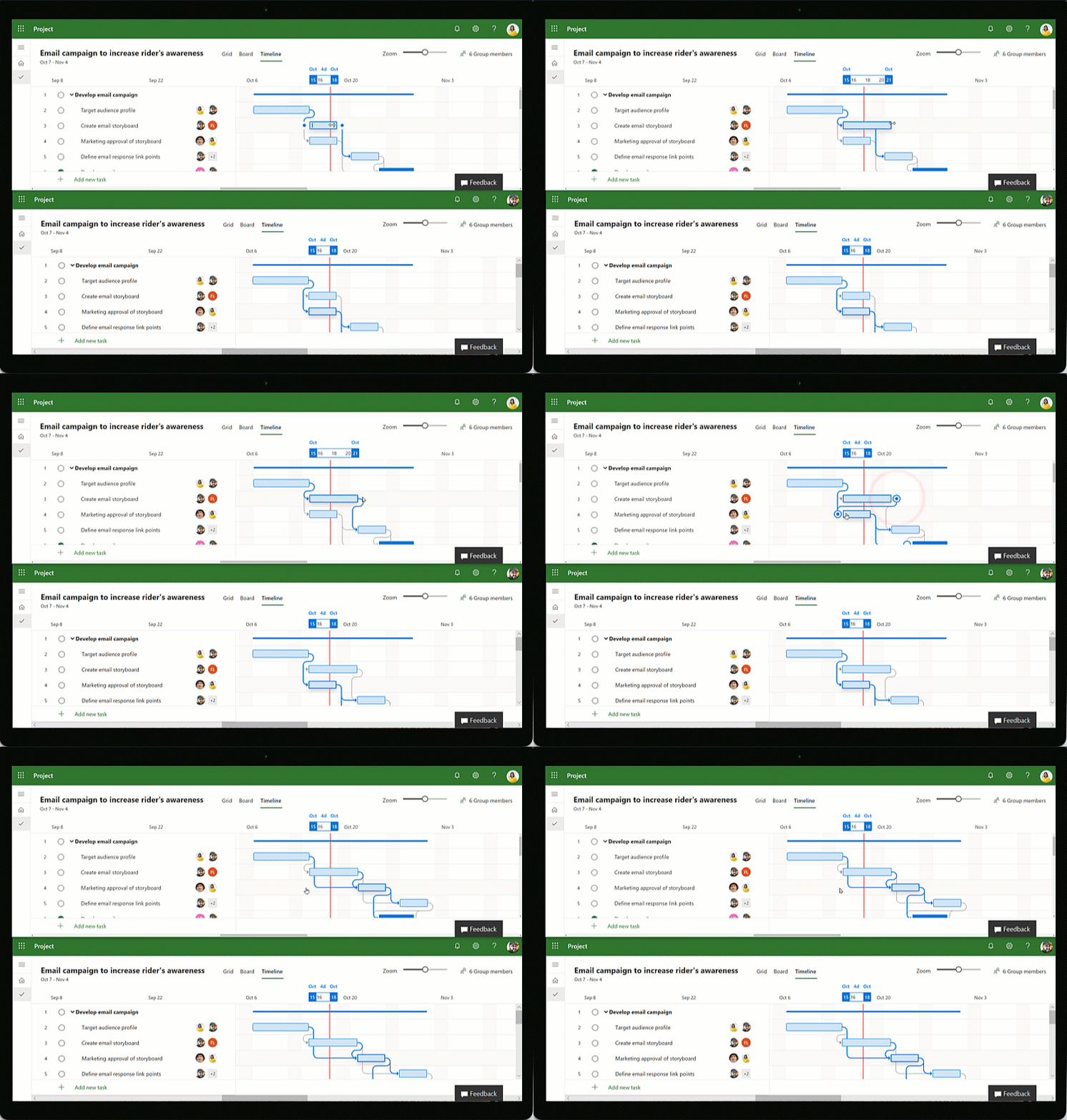
Microsoft has moved Project for the web into Microsoft Planner, and Project Online has an official retirement date. The desktop Project product still exists, but the center of gravity for Microsoft cloud project management is clearly moving toward Planner.
WARNING
MS Project desktop is not disappearing. But the old cloud Project experience is being folded into Planner, and Project Online is being retired. For many teams, this is the moment to rethink where project scheduling belongs.
That creates a big question for software teams, SaaS builders, internal platform teams, ERP vendors, construction tools, manufacturing systems, and operations products:
If users are leaving the old Microsoft Project workflow, where will their schedules live next?
For many products, the answer will not be “another standalone project management app”. It will be inside the application users already work in. That means modern software needs a serious Gantt and scheduling layer.
Let’s separate the noise from the important facts.
That means users who previously opened Project for the web are now expected to work through Planner endpoints and Planner experiences.
Microsoft has also announced that Project Online is being retired.
Important dates:
| Date | What happens |
|---|---|
| October 1, 2025 | End of sale for Project Online-only SKUs for new customers |
| September 30, 2026 | Official Project Online retirement date |
Microsoft says existing customers can continue using Project Online with full support until September 30, 2026.
This is important: the change does not mean every Microsoft Project product is gone.
Microsoft says Project Online retirement does not affect:
Project Standard 2024 and Project Professional 2024 are still listed by Microsoft as on-premises project management products. Project Standard includes traditional capabilities such as Gantt Chart view, task dependencies, milestones, baselines, critical path, resource leveling, calendars, and task sheets.
A lot of companies keep the need for planning.
Each company still needs to answer:
The difference is where those questions are answered.
In the old model, the schedule often lived in a dedicated project planning tool. In the new model, the schedule increasingly lives inside the system where the work already exists:
That is why many teams will not only migrate from Microsoft Project to Planner. They will also move planning into tools they own, customize, and embed deeply into business processes.
And those tools need a strong Gantt.
A simple timeline answers one question:
Where should I draw this bar?
A real scheduler answers a harder question:
Given dependencies, calendars, constraints, deadlines, progress, resources, and manual edits, what should the correct dates be?
That difference matters.
A visual-only Gantt works for demos. It can draw bars, arrows, milestones, maybe even drag and resize tasks. But once users bring real project data, visual-only scheduling breaks down quickly.
Real project planning needs deterministic rules.
If Task B depends on Task A, the system must know what to do. If a task can only start after a permit date, the system must know what to do. If a resource is double-booked, the system must warn or level. If a deadline is missed, the system must show risk without silently changing user intent.
This is where the next generation of Gantt components will be judged.
Not by how beautiful the bars look.
By whether users can trust the schedule.
A useful Gantt for former MSP-style users should support the project management concepts they already understand, but without forcing every product to become a full Microsoft Project clone.
Here is the practical checklist.
| Capability | Why it matters |
|---|---|
| Task hierarchy | Users expect phases, summary tasks, child tasks, WBS-style structure, and rollups. |
| Milestones | Important dates need zero-duration markers, not fake one-day tasks. |
| Dependencies | Real plans need finish-to-start, start-to-start, finish-to-finish, and start-to-finish relationships. |
| Lag and lead | Schedules need waiting time and overlap, not only strict sequential chains. |
| Forward and backward scheduling | Some projects schedule from a start date; others plan backward from a required finish date. |
| Manual and automatic tasks | Users need both authored dates and dependency-driven dates. |
| Constraints | “Start no earlier than”, “must finish on”, and similar rules are essential for real-world planning. |
| Deadlines | Deadlines should show risk without always moving the task. |
| Calendars | Weekends, holidays, working hours, resource calendars, and time zones all affect duration. |
| Actuals and progress | In-progress and completed work should influence remaining schedule logic. |
| Resource planning | Assignments, workload, over-allocation warnings, and leveling matter once people or machines are shared. |
| Critical path and slack | Users need to know which tasks can slip and which tasks control the finish date. |
| Diagnostics | When rules conflict, the system should explain the problem instead of silently producing surprising dates. |
That is the minimum for serious planning.
But there is one more requirement that many Gantt products miss.
Most business applications are not born as Gantt chart.
They start as tables.
A task table may already have:
Then the product team adds a Gantt view.
This is where many implementations fail.
They treat Gantt as a separate screen with a separate data model and a separate editor. The result feels like leaving the app and entering a different tool. Users lose the table context that made the product useful in the first place.
A better approach is:
Keep the table. Add scheduling intelligence and timeline projection on top.
This is the core idea behind RevoGrid Gantt.
RevoGrid Gantt is included in Pro Advanced and built as a plugin on top of the base RevoGrid data grid. RevoGrid owns rendering, virtualization, editing, keyboard interaction, selection, and scrolling. Gantt adds timeline projection, task bars, dependency links, scheduling rules, resources, assignments, baselines, critical path, and timeline tools.
In other words: the Gantt view does not replace the grid.
It extends it.
That means users can move between a classical data table and a Gantt view without losing the context of the data they were already working with.
Former Microsoft Project users already understand the table-plus-timeline mental model.
MS Project was never only a chart. It was always a combination of:
So if those users move into a new web system, they will expect the same conceptual power.
But modern SaaS users also expect something MS Project was not designed around:
This is the gap RevoGrid Gantt is trying to fill.
Not a heavyweight MSP clone.
Not a decorative timeline.
A lightweight, understandable, developer-friendly Gantt and scheduler that fits inside real products.
The important part of RevoGrid Gantt is not only that it renders task bars.
The important part is that the scheduling logic behaves like a deterministic CPM-style engine.
At a high level, the scheduler:
That gives users something much more useful than a painted timeline: a schedule they can reason about.
A reliable Gantt must understand that five calendar days and five working days are not the same thing.
RevoGrid calendars support working weekdays, holidays, working-hour windows, hours per day, and timezone metadata. Tasks and resources can reference calendars, and scheduling can skip non-working time when calculating duration.
This is essential for teams that plan across:
Resource planning is where many Gantt implementations become fragile.
It is easy to draw two tasks assigned to the same person at the same time. It is harder to explain that the person is over-allocated and then resolve the conflict deterministically.
RevoGrid supports resource over-allocation diagnostics and deterministic delay-based leveling for eligible automatic tasks. The goal is predictable behavior: users should be able to understand why a task moved.
Critical path is one of the most important concepts former MS Project users expect.
It answers:
Which tasks have zero slack before they delay the project finish?
RevoGrid computes early and late dates, total slack, and critical state after scheduling rules are applied. Critical tasks and dependencies can then be highlighted in the Gantt view.
For users, this is the difference between “a schedule changed” and “we understand what changed the finish date”.
There are already serious JavaScript Gantt options in the market.
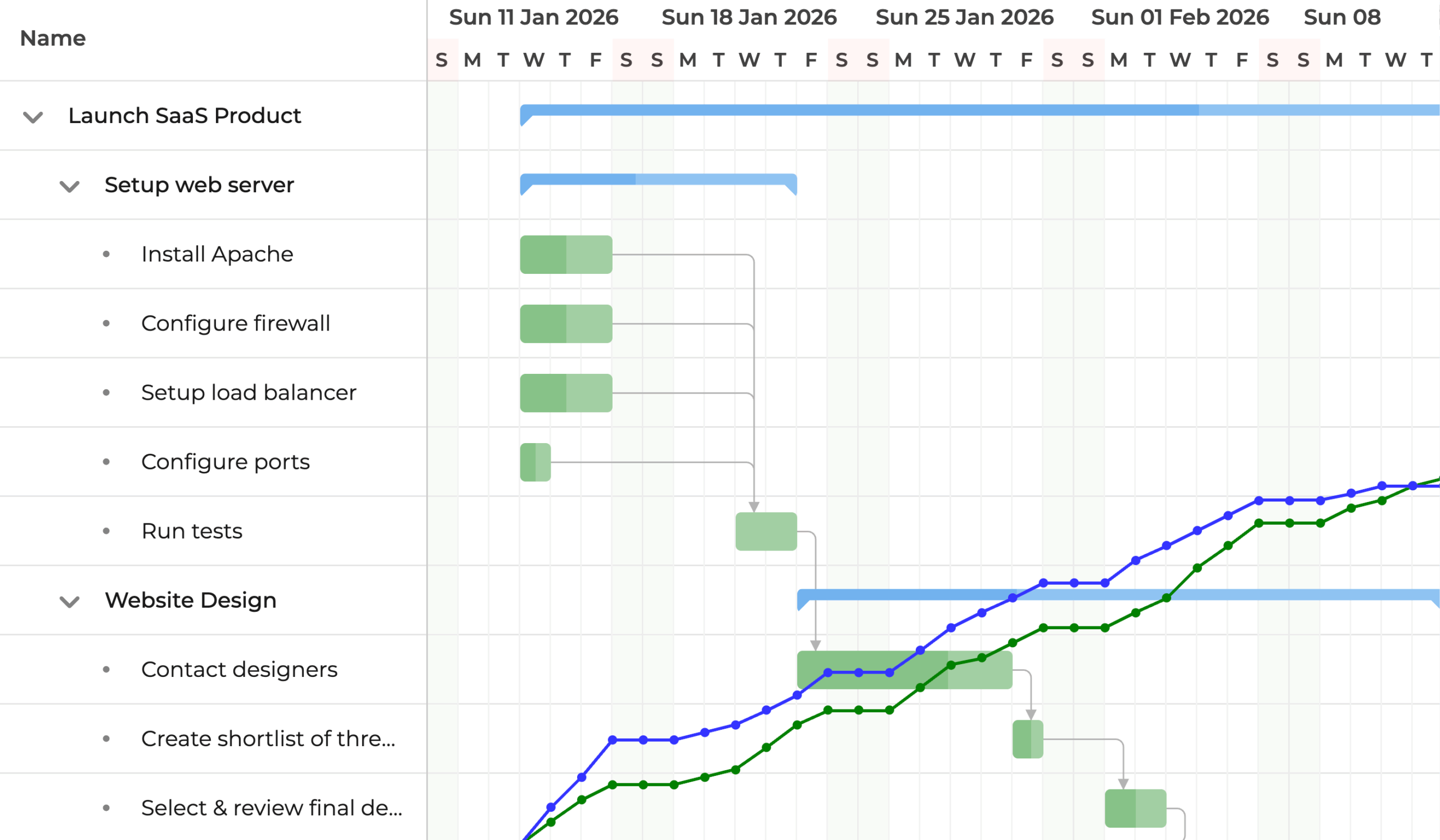
A mature, powerful JavaScript Gantt suite. It positions itself around performance, customization, a strong scheduling engine, dependencies, constraints, scheduling modes, exports, and integration with frameworks such as React, Angular, and Vue.
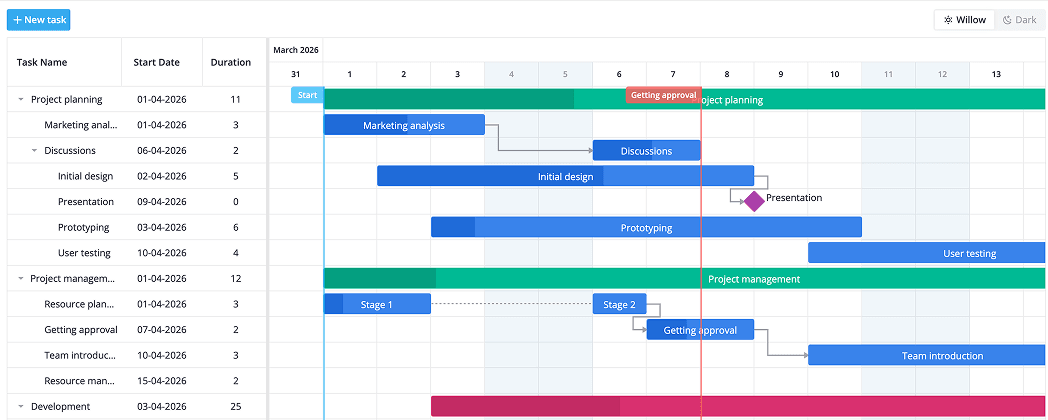
Another complete JavaScript Gantt component. It focuses on project management applications with tasks, projects, milestones, dependencies, working calendars, critical path, resources, workload visualization, and integration into modern web apps.
Both are valid options, and both show the same market signal: companies still need serious Gantt functionality after the Microsoft Project transition.
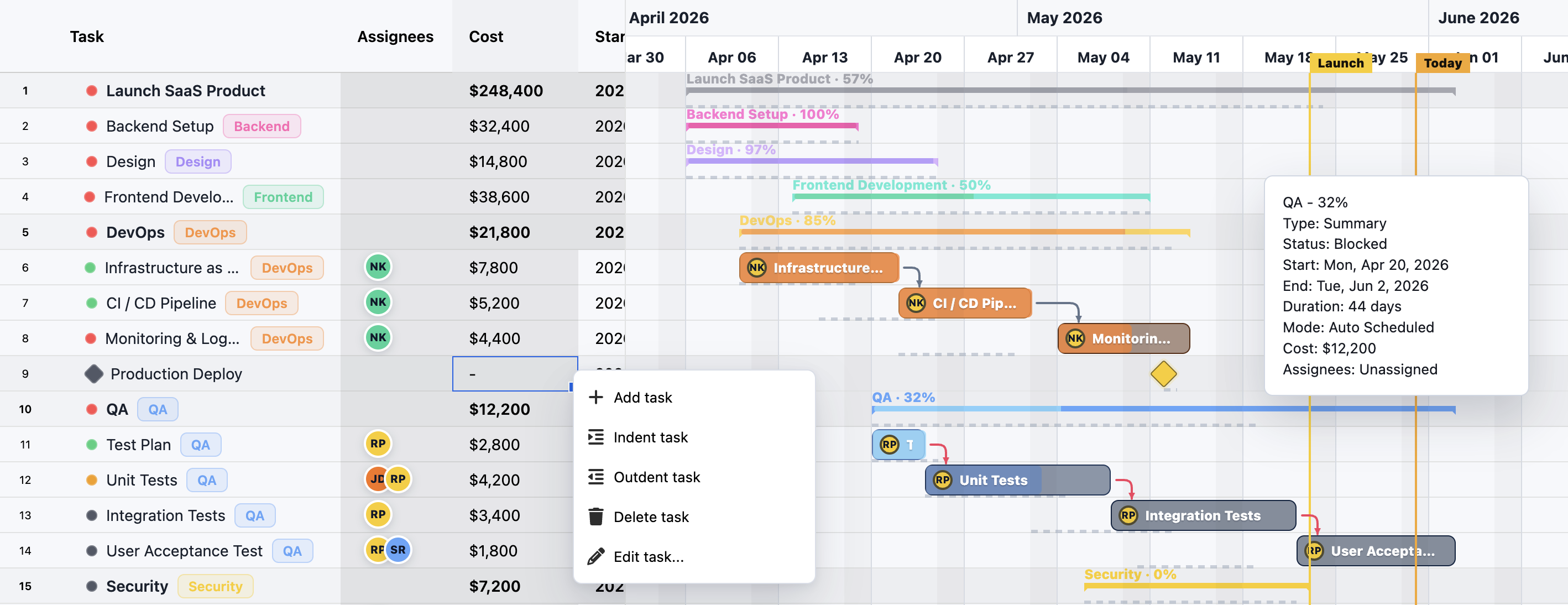
RevoGrid Gantt starts from the grid. That makes it especially interesting when your users already work in a data-heavy application and you want to add Gantt without replacing the user’s workflow.
| Product direction | Best fit |
|---|---|
| Microsoft Planner | Teams already committed to Microsoft 365 work management |
| Bryntum Gantt | Full-featured advanced JavaScript Gantt requirements |
| Webix Gantt | Ready-made enterprise Gantt widget with broad UI toolkit integration |
| RevoGrid Gantt | Table-first products that need Gantt and scheduling without context loss |
This is not about saying one tool wins every use case.
It is about choosing the right abstraction.
If you need a standalone planning suite, choose a standalone planning suite.
If you need a Gantt inside your product, attached to your own rows, columns, editors, templates, validation rules, and business data, a table-first Gantt becomes much more attractive.
It is important to be honest here.
RevoGrid Gantt is close to Microsoft Project in core scheduling concepts, but it is not a bit-for-bit Microsoft Project clone.
That is intentional.
Microsoft Project has decades of scheduling behavior, legacy compatibility, prompts, side effects, import/export expectations, enterprise server models, and advanced edge cases. Recreating all of that would make the product heavy and harder to understand.
RevoGrid focuses on a deterministic web scheduling subset that developers can reason about:
That is the right trade-off for many modern products.
The goal is not to bring every old MSP behavior into the browser.
The goal is to give users the scheduling power they need inside the app where work actually happens.
If your users are coming from Microsoft Project, Project for the web, or Project Online, do not start by drawing bars.
Start with the data and the workflow.
Before choosing a Gantt component, list what your users actually have:
A Gantt that cannot express your core model will create migration pain later.
Will the schedule be owned by:
.mpp migration workflow?For embedded planning, the source of truth is often your application, not the Gantt component. The Gantt should project and update your model without forcing a closed data shape.
If your product already has a powerful task table, do not throw it away.
Users should keep:
Adding a Gantt should feel like adding a timeline dimension to the existing table, not opening a separate project management universe.
Scheduling conflicts are normal.
A task may violate a constraint. A dependency may push a task beyond a deadline. A resource may be over-allocated. A manual task may ignore a predecessor.
The engine should report these conditions clearly so the product can guide the user.
Good diagnostics build trust.
Silent date changes destroy trust.
Most users do not need every MSP scheduling knob on day one.
A good migration path is:
This is how you keep the product understandable.
Microsoft Project shaped how a generation of users thinks about scheduling.
But the future of Gantt is not only in standalone project planning tools.
The future is embedded.
Users want to plan work where the work already exists. Developers want a scheduling engine they can understand. Product teams want a Gantt that does not destroy their table, templates, editors, or data model.
That is why the Microsoft Project transition matters.
It creates a moment where teams will re-evaluate their planning stack.
Some will choose Planner.
Some will choose advanced standalone Gantt suites.
Some will build planning directly into their own products.
For that last group, RevoGrid Gantt offers a strong direction:
Keep the grid. Add the timeline. Preserve the context. Schedule deterministically.
That is the next Gantt users will actually enjoy.
A business-focused guide to automatic scheduling, calendars, dependency logic, critical path, resource capacity, and planning use cases in RevoGrid Gantt.
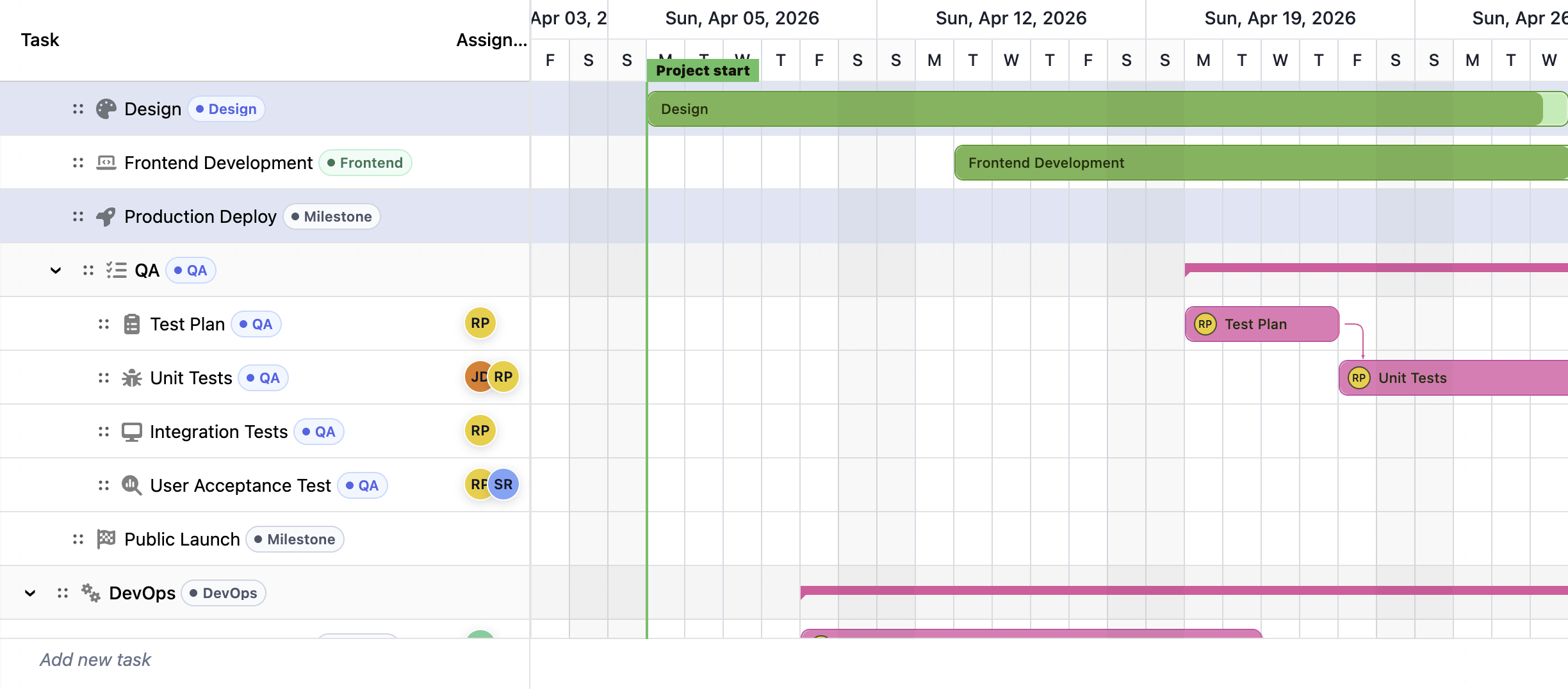
Compare the best JavaScript Gantt chart libraries in 2026: RevoGrid Gantt, Bryntum, DHTMLX, Syncfusion, Webix, Highcharts, AnyGantt, and Frappe Gantt.