Skip to content

How to Choose Advanced Data Grid Filters for E-commerce and Project Management

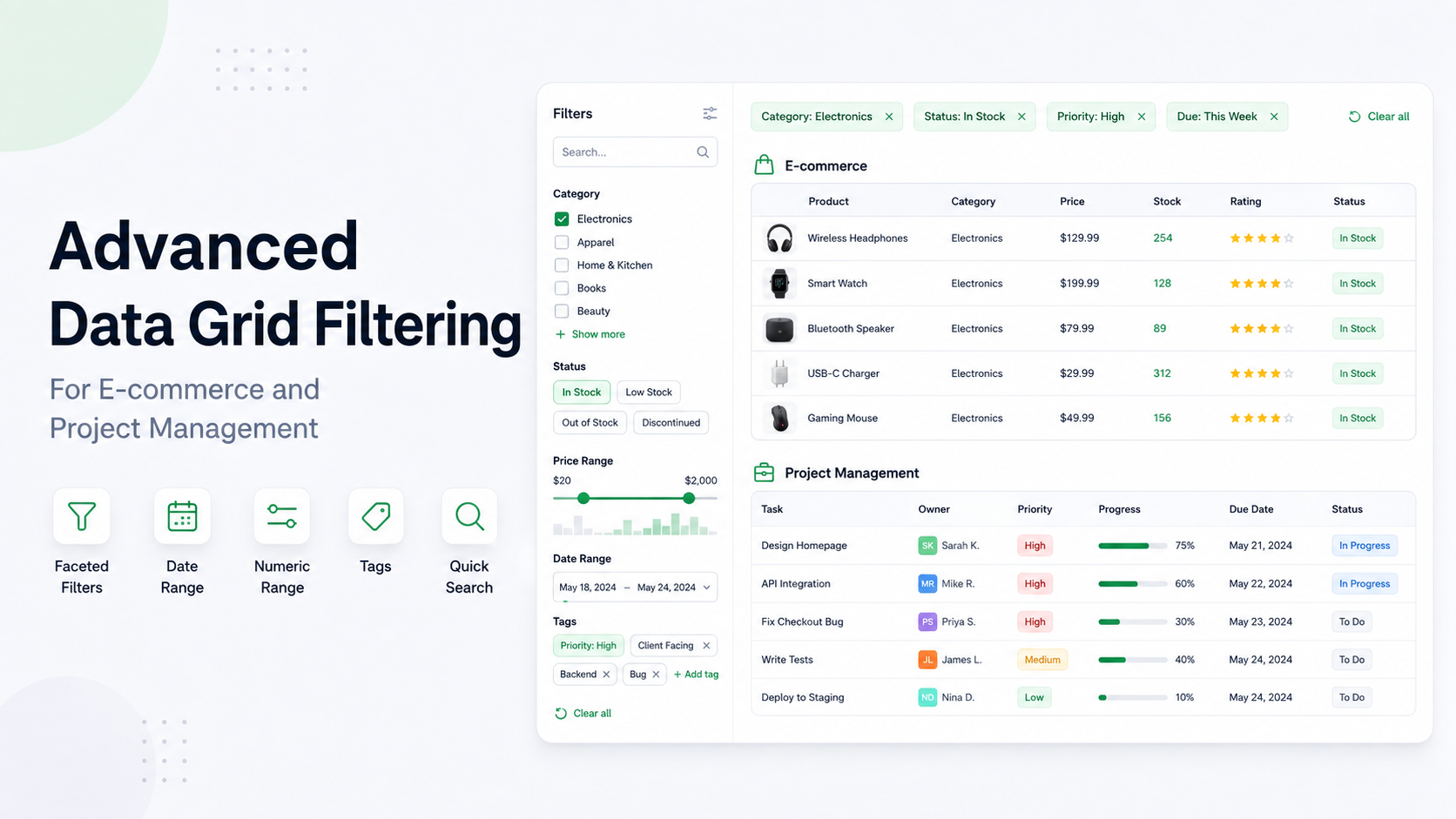
RevoGrid data grid with advanced filters

Filtering is where a data grid becomes a working product rather than a passive table. A customer-service agent needs to find open orders in one region. A merchandiser needs low-stock products from selected suppliers. A portfolio manager needs delayed projects above a risk threshold. An operations analyst needs the same month-end view every morning.

RevoGrid supports these jobs in layers. RevoGrid Core filtering provides familiar text and numeric conditions. RevoGrid Pro adds structured controls, faster interaction patterns, reusable state, nested Boolean logic, and remote-data integration around the same grid. You can explore those workflows in the advanced filtering demo.

The important product decision is not how many filter labels can fit on a checklist. It is which interaction helps a user express the question accurately, quickly, and with enough context to trust the result.

Quick answer: Start with Core text and number filters when users know the value or cutoff. Add a structured Pro filter when they need to explore available values, distributions, dates, or reusable multi-column views. Move evaluation to the server when the browser does not hold the complete dataset.

Filtering at a glance

LayerWhat it providesBest starting point
Core text filtersBlank checks, equality, prefix, and substring matchingNames, labels, IDs, descriptions, and statuses
Core numeric filtersBlank checks, equality, and ordered comparisonsPrices, quantities, durations, scores, and financial measures
Structured Pro filtersPurpose-built controls for lists, distributions, dates, booleans, arrays, and advanced searchData-rich product workflows where a plain input hides useful context
Filtering workflowsExcel-style checklists, cascading options, quick search, expressions, badges, presets, nested logic, and remote executionRepeated, multi-column, collaborative, or large-data tasks

These layers are designed to overlap. A price column can offer ordinary numeric comparisons, a slider, a histogram brush, and a statistical preset because each serves a different user intent. They are not four independent filtering engines, and they should not be added together as one inflated “feature total.” The same principle applies across selection lists, facets, header controls, saved presets, and FilterAst: they are complementary ways to create, present, save, or execute filter state.

1. Find text values

Core text filters answer direct questions about scalar text. They work well when users know the value or phrase they want and do not need the grid to first show a distribution, vocabulary, or visual picker.

An e-commerce team might filter customer names, order IDs, shipping cities, SKUs, or support notes. A project team might filter portfolio names, owners, milestones, or workstream codes.

FilterWhat it doesExampleBusiness valueSuitable columnsChoose it instead of a basic text input when…
Is blankKeeps rows whose source value follows the configured blank-value policy.Find orders with no tracking number or projects with no assigned owner.Surfaces incomplete records, data-quality gaps, and work that cannot progress.Text, identifier, owner, reference, and optional metadata columns.The business question is about missing data, not a word the user can type.
Is not blankKeeps rows that contain a meaningful value.Show support tickets that already have a resolution note.Separates ready or enriched records from incomplete ones.Text, notes, reference codes, contact details, and optional classifications.Presence matters more than the specific content.
EqualsMatches the complete value rather than part of it.Show only orders whose status is exactly Pending.Prevents nearby values such as Pending review from entering a precise operational queue.Status, code, category, country, owner, and exact identifier columns.Exact identity matters and substring matches could mislead.
Does not equalExcludes one exact value while retaining the rest.Show every inventory item except those marked Discontinued.Creates exception views without enumerating every allowed value.Status, category, channel, supplier, and portfolio columns.Users know the single value to exclude.
Begins withMatches values with a known prefix.Find catalog SKUs beginning with EU- or invoices beginning with INV-2026-.Makes hierarchical codes and naming conventions useful without a custom query language.SKU, invoice, ticket, project, account, and region-code columns.The prefix is meaningful but the remainder varies.
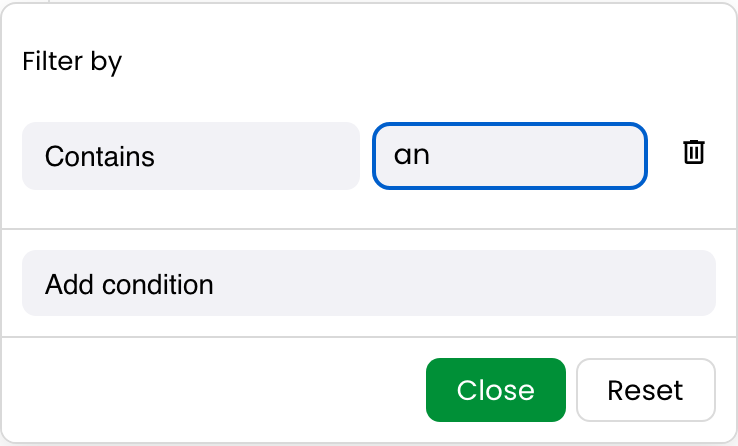
ContainsPerforms a case-insensitive substring match.Find support tickets whose subject contains timeout.Gives users forgiving discovery across titles and descriptions.Names, descriptions, subjects, cities, notes, and free-form labels.Users know a fragment, not the complete value.
Does not containExcludes values containing a phrase.Remove test orders whose reference contains DEMO.Cleans operational or reporting views without changing the underlying data.IDs, names, notes, descriptions, and environment labels.A recognizable fragment defines noise or an exclusion rule.

When to use Core text filters

These operators are intentionally familiar. They require almost no training, serialize into ordinary column filter state, and are often the right answer for administrative screens and focused lookups. Choose a structured Pro filter when users need typo tolerance, a pasted list, visible value counts, visual status choices, or another interaction that a single text box cannot communicate.

2. Compare numeric values

Core numeric filters compare parsed numeric values. They are the foundation for price, inventory, budget, duration, margin, risk, service-level, and performance views.

A merchandiser might find products with fewer than 10 units in stock. A finance analyst might isolate negative margin. A project manager might show initiatives with progress below 70% or budget variance above a materiality threshold.

FilterWhat it doesExampleBusiness valueSuitable columnsChoose it instead of a basic text input when…
Is blankFinds records with no numeric value under the active blank policy.Find catalog products with no cost or projects with no approved budget.Exposes missing financial and operational inputs before they distort decisions.Price, cost, quantity, score, duration, budget, and variance columns.Missing measurement is the issue.
Is not blankKeeps records that have a numeric measurement.Show support tickets that already have a response-time value.Produces analysis-ready populations and separates measured work from pending data.Metrics, amounts, counts, ratings, percentages, and durations.Users need complete observations rather than a threshold.
EqualsMatches one numeric value exactly.Show products with exactly zero units available.Identifies discrete states such as stockouts, zero variance, or a fixed score.Counts, integer states, ratings, codes stored as numbers, and exact amounts.Numeric identity is meaningful; for floating-point business measures, a range may be safer.
Does not equalExcludes one numeric value.Show all portfolio items whose allocation is not zero.Removes inactive or zero-impact records quickly.Counts, allocations, ratings, progress, and operational flags stored numerically.One exact numeric state should be omitted.
Greater thanKeeps values strictly above a threshold.Find orders worth more than €1,000.Focuses teams on high-value transactions, material exceptions, or breached limits.Revenue, order total, cost, quantity, latency, risk, and age.The boundary itself should not qualify.
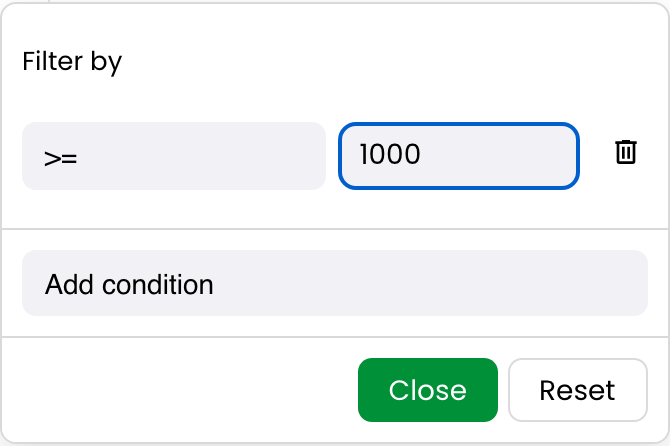
Greater than or equalKeeps values at or above a threshold.Show support tickets with priority score 4 or higher.Builds inclusive queues around service or policy cutoffs.Scores, ratings, quantities, budgets, utilization, and SLA age.The threshold value belongs in the result.
Less thanKeeps values strictly below a threshold.Find inventory items with fewer than 10 units.Highlights shortages and underperformance before they become failures.Stock, progress, margin, coverage, response time, and capacity.Only values below—not equal to—the limit should qualify.
Less than or equalKeeps values at or below a threshold.Show projects with completion at 70% or less.Creates inclusive intervention lists and compliance bands.Percentages, scores, budgets, ages, durations, and quantities.The policy includes the boundary.

When to use Core numeric filters

Direct comparisons are compact, auditable, and ideal when users already know the cutoff. Choose a numeric slider when users need to explore an interval, a histogram brush when distribution matters, or a statistical preset when the question is relative to the dataset rather than a fixed number. The advanced filtering demo lets you compare these interactions in a working order-management grid.

3. Match the filter to the data

Structured filters give each data shape a purpose-built popup body. AdvanceFilterPlugin registers the built-ins, while each column opts into only the relevant types. A structured control can sit beside the base 'string', 'number', 'date', 'boolean', or 'array' family, so users can switch between direct conditions and a richer interaction.

The control is specialized, but the resulting condition still participates in the same filtering lifecycle, active-state presentation, saved view, and canonical FilterAst model.

Structured filterWhat it doesExampleBusiness valueSuitable columnsChoose it instead of a basic text input when…
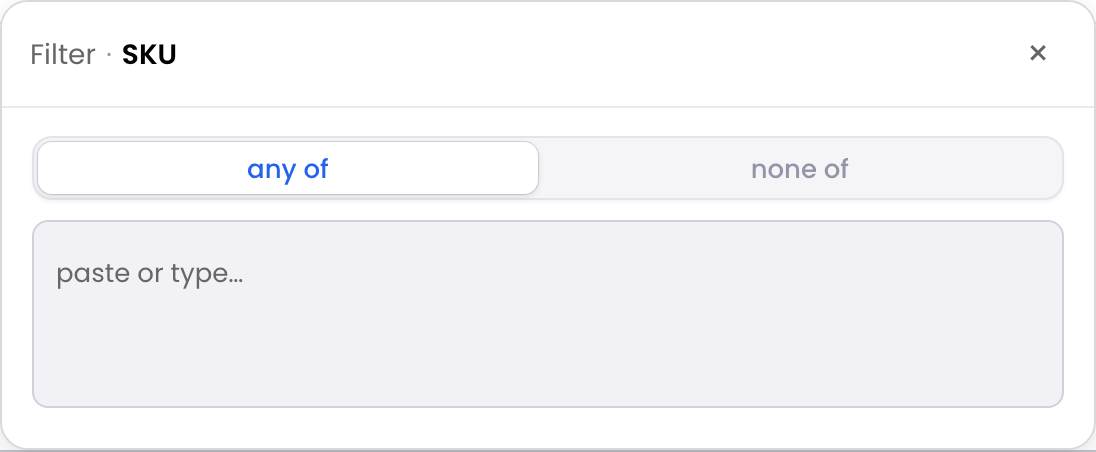
Token listAccepts a pasted or entered list of exact scalar values and matches any or none of them.Paste 200 order IDs from a payment exception report.Turns an external worklist into an immediate grid view without hundreds of manual searches.Order IDs, SKUs, invoice numbers, emails, account IDs, and project codes.Users already possess the exact values, often copied from another system.
Fuzzy searchFinds approximate text matches using a configurable similarity threshold and ranked preview.Search Jon Smth and still find customer John Smith.Reduces failed searches caused by spelling errors, transposed characters, or inconsistent names.Customer names, company names, product titles, owners, and ticket subjects.Human-entered text is inconsistent and exact substring search is too brittle.
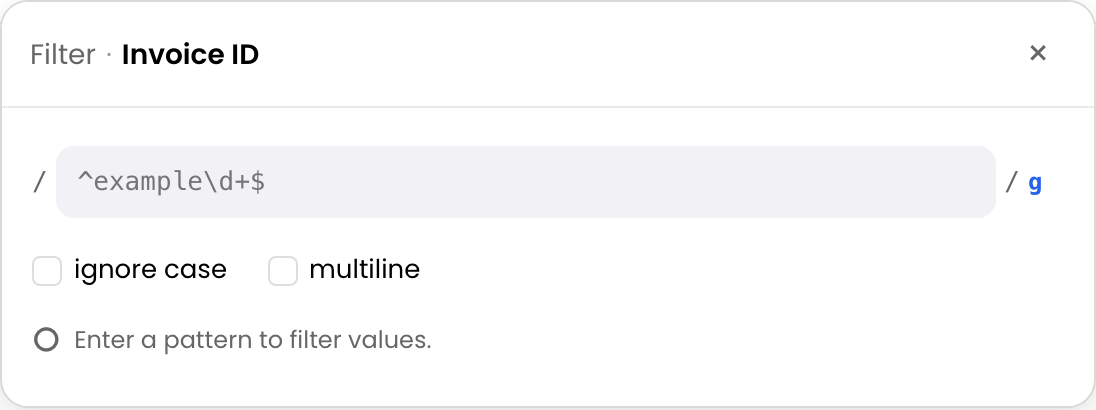
Regular expressionValidates and applies an explicit text pattern, with match and exclude modes.Find invoice IDs matching ^INV-\d{6}$.Supports controlled audits of identifiers, domains, prefixes, and formatting rules.Invoice IDs, SKUs, emails, log codes, references, and structured text.Expert users need a repeatable pattern rather than one literal fragment.
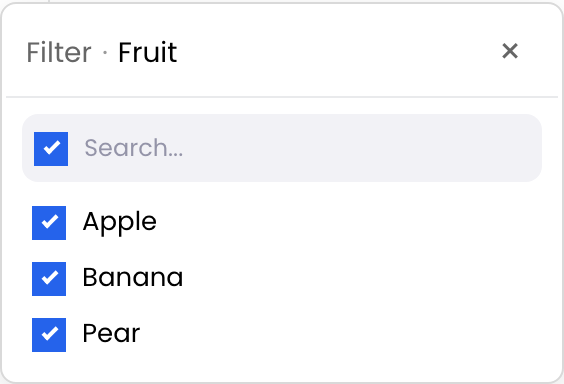
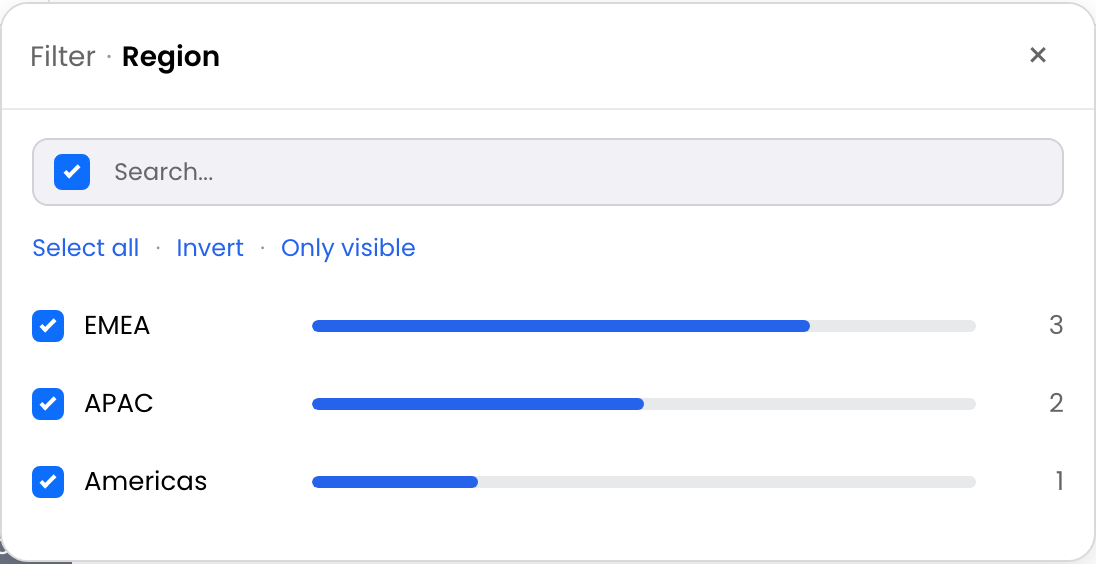
Faceted value list with countsShows searchable typed values with total and currently visible row counts.After selecting EMEA, inspect how many Pending, Shipped, and Returned orders remain.Helps users understand the dataset while filtering and avoids dead-end choices.Region, status, category, channel, supplier, customer tier, and priority.Users should choose from real values and need counts to judge impact.
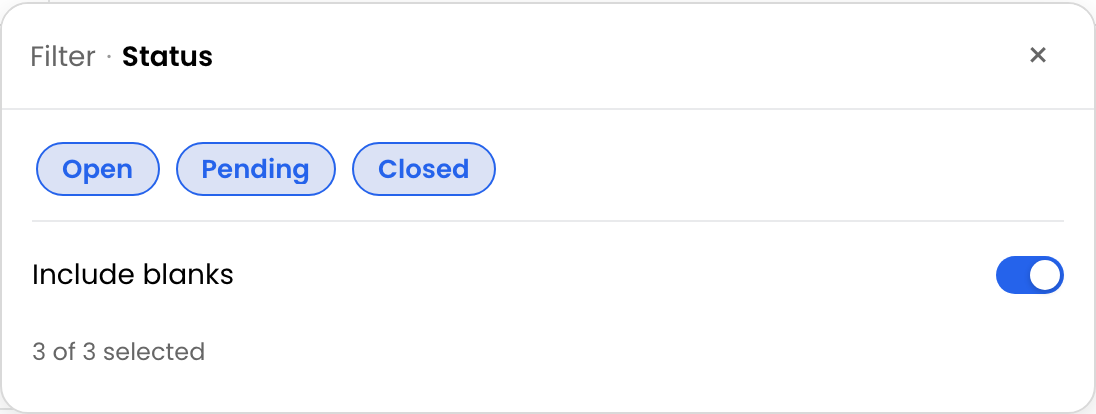
Chip and badge togglesPresents a small typed value set as recognizable visual pills.Toggle Open, Blocked, and At risk project states.Speeds up repeated status filtering and keeps visual language consistent with the product.Status, severity, priority, health, tier, and workflow stage.The option set is small, stable, and better recognized by color or badge than by typing.
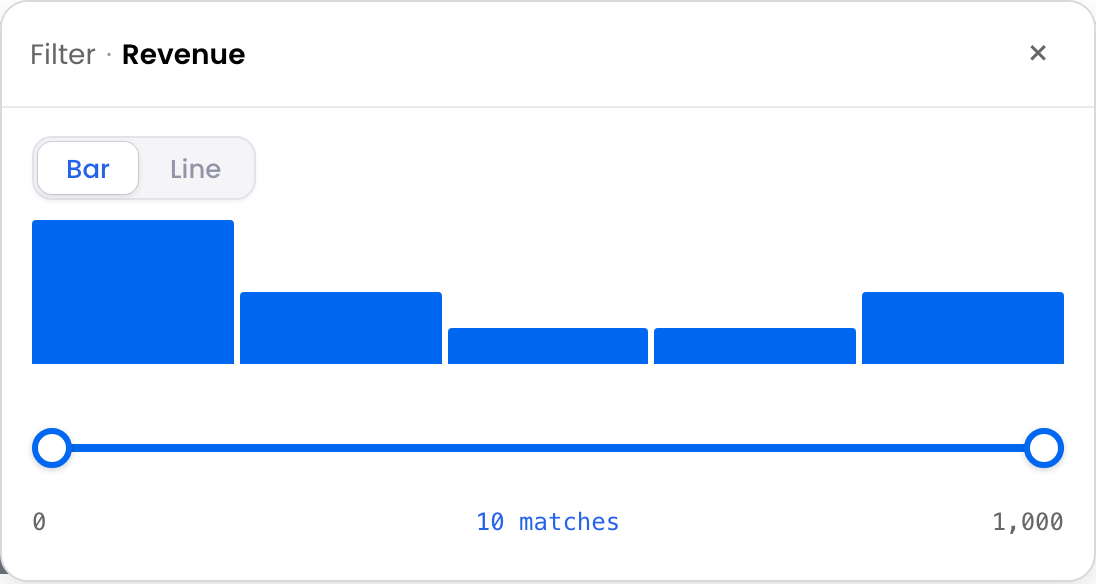
Histogram range brushDisplays a numeric distribution and lets users brush an inclusive interval.Select the dense €50–€150 price band in a product catalog.Combines analysis and filtering, revealing clusters and outliers before a range is chosen.Price, revenue, margin, latency, quantity, duration, and utilization.The user should see how values are distributed before setting bounds.
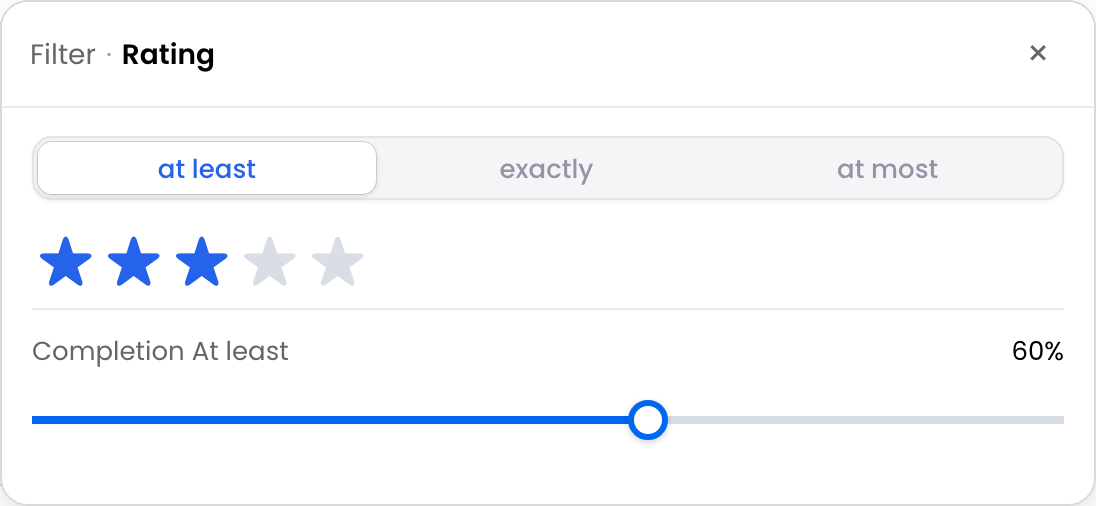
Rating and progress thresholdsProvides at-least, exactly, or at-most controls for bounded numeric values.Show products rated at least 4 stars or projects at most 60% complete.Maps the control to familiar product concepts and reduces operator mistakes.Ratings, completion, health scores, confidence, and bounded service scores.The metric has a known scale and one threshold is the natural question.
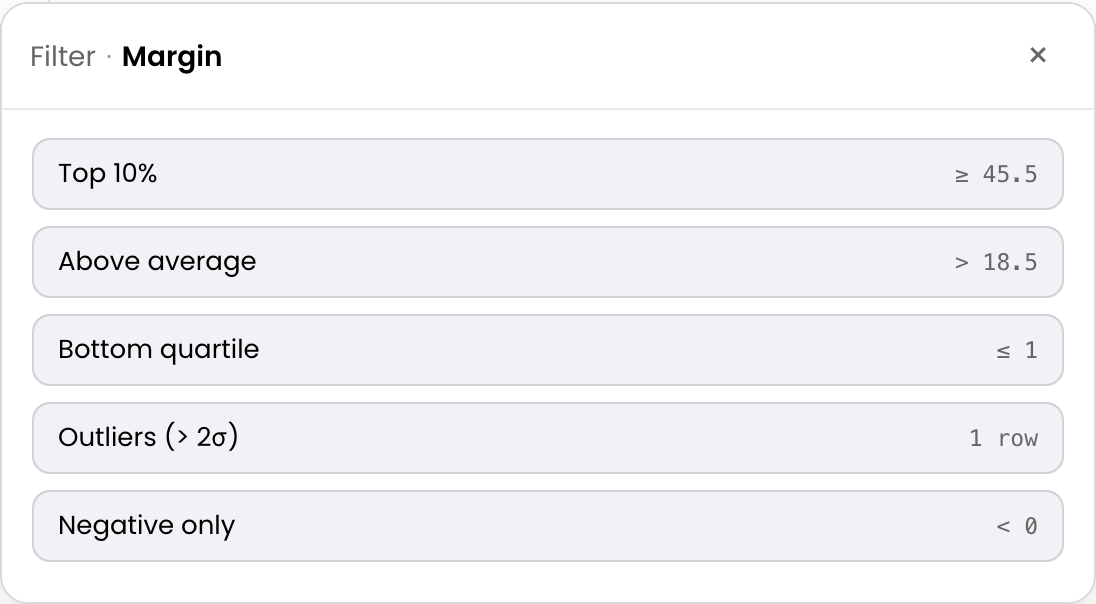
Statistical presetsApplies dataset-derived choices such as top 10%, above average, bottom quartile, two-sigma outliers, or negative values.Show the bottom quartile of portfolio returns.Makes analytical segmentation accessible without asking users to calculate cutoffs.Revenue, margin, return, duration, risk, performance, and operational measures.The question is relative—“top,” “average,” or “outlier”—rather than tied to a fixed value.
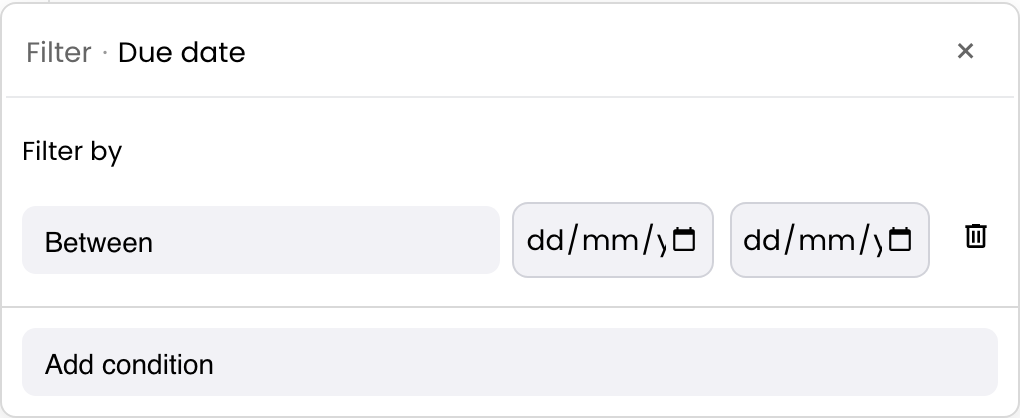
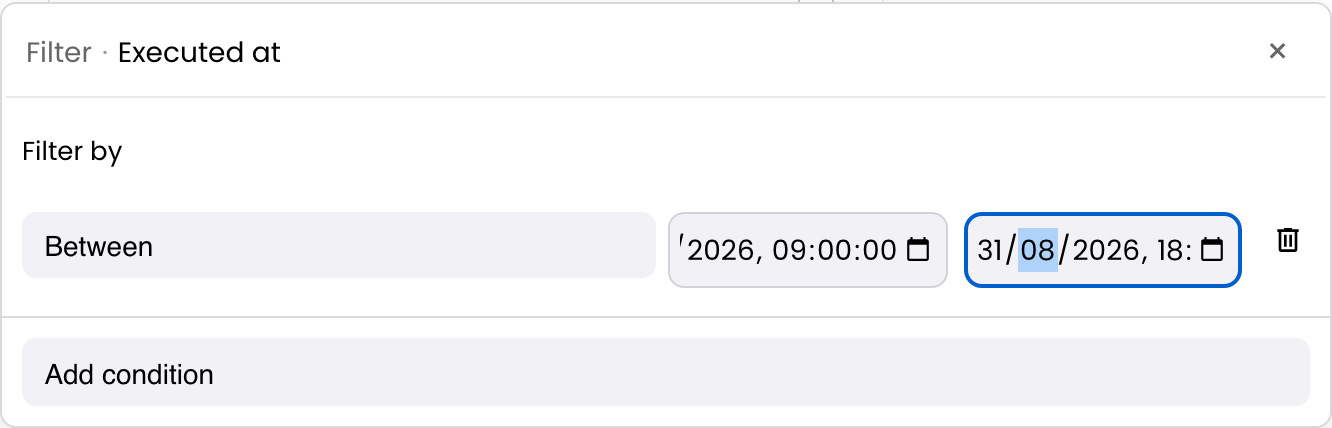
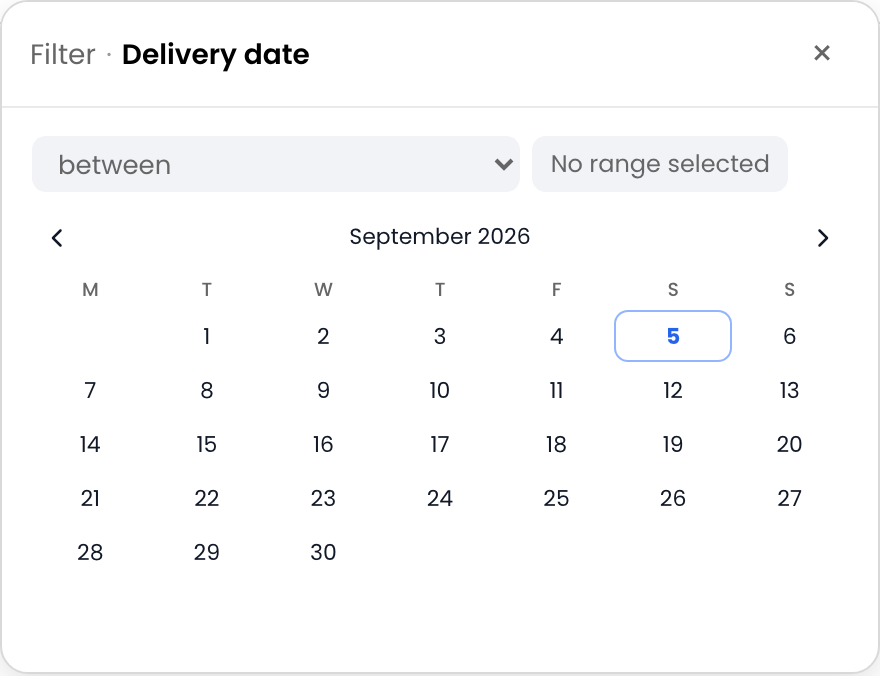
Calendar date rangeSelects an inclusive start and end calendar day.Show orders delivered from 1–30 September.Prevents date-format errors and makes fixed reporting periods easy to communicate.Order date, delivery date, due date, booking date, and accounting date.Users think in calendar days and need a fixed interval.
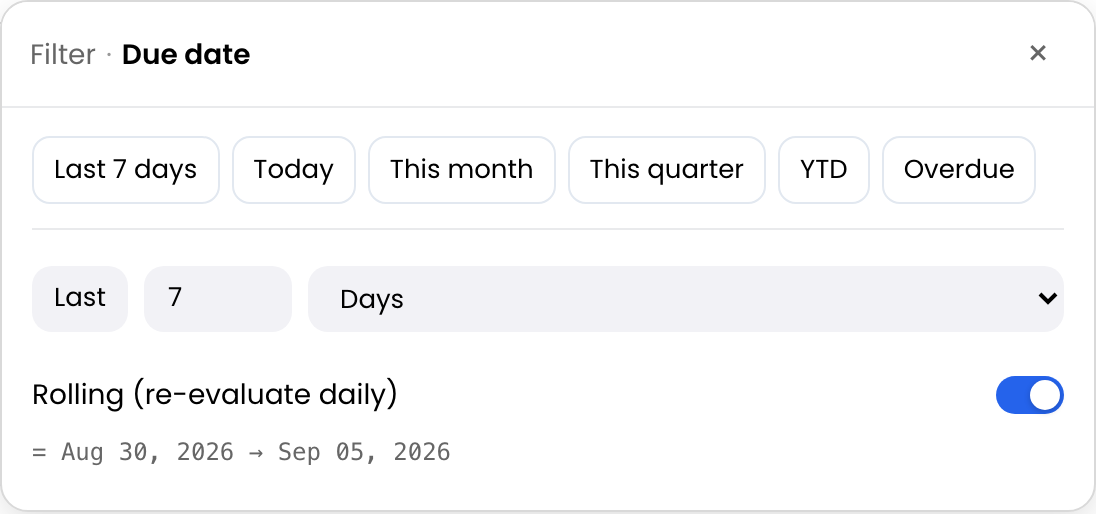
Relative date windowsApplies rolling or calendar-relative periods such as last 7 days, this month, or previous fiscal quarter.Keep a support queue scoped to tickets opened in the last 7 days.Presets stay useful over time, so dashboards do not require daily date edits.Created date, due date, transaction date, renewal date, and reporting period.The view should move with “today” or the business calendar.
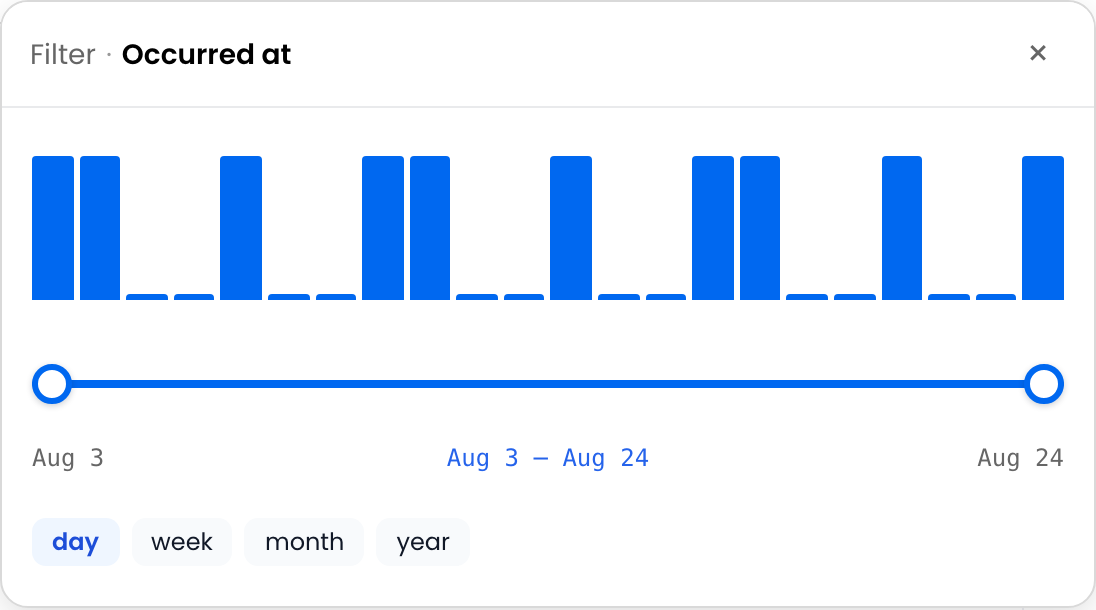
Date and datetime timelineVisualizes temporal density and brushes a date or exact-instant range.Zoom into the cluster of incidents around a deployment window.Reveals bursts, gaps, and seasonality while narrowing the result.Audit timestamps, event times, created-at values, orders, renewals, and milestones.Timing distribution matters, not just two typed endpoints.
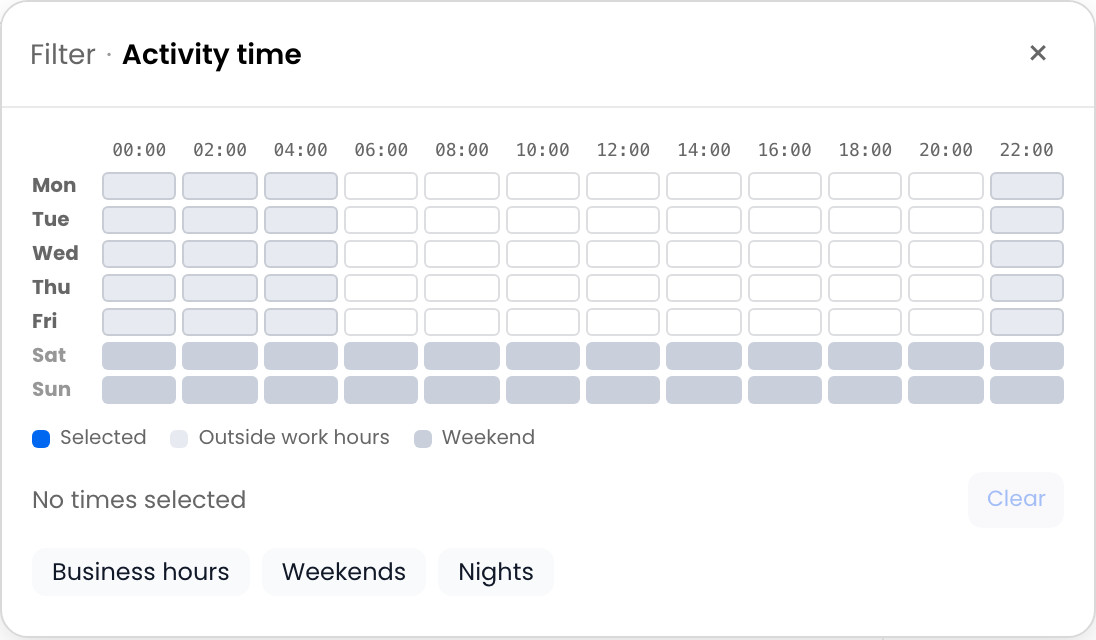
Weekday and time matrixSelects recurring weekday-and-hour ranges in a chosen timezone.Find support incidents occurring on weekdays between 18:00 and 22:00.Makes staffing, coverage, and recurring operational patterns visible.Event timestamps, ticket creation times, transactions, sensor events, and scheduled runs.The question concerns recurring weekly time bands rather than one date.
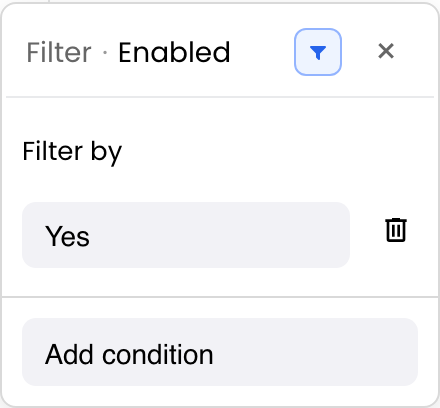
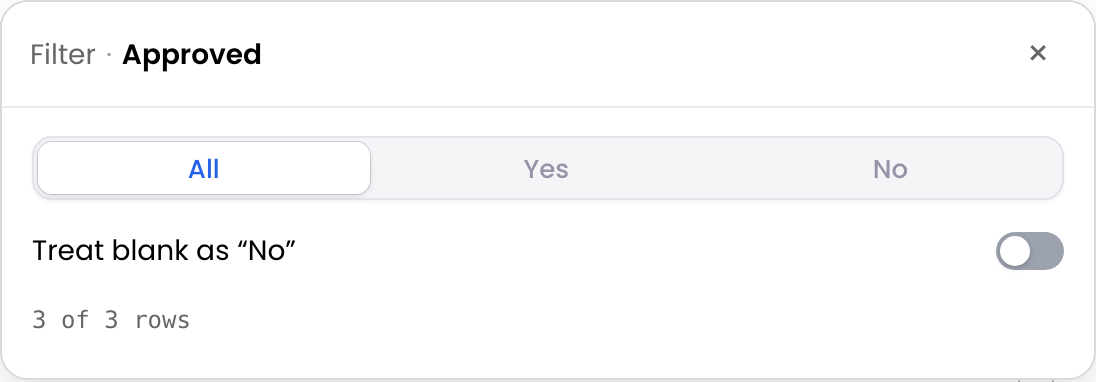
Tri-state booleanOffers All, Yes, and No, with an optional policy that treats blanks as No.Show only verified orders, or unverified orders including missing verification values.Makes incomplete boolean data explicit and avoids ambiguous text conventions.Verified, approved, expedited, billable, active, and compliant flags.Users need clear boolean semantics and may need control over blanks.
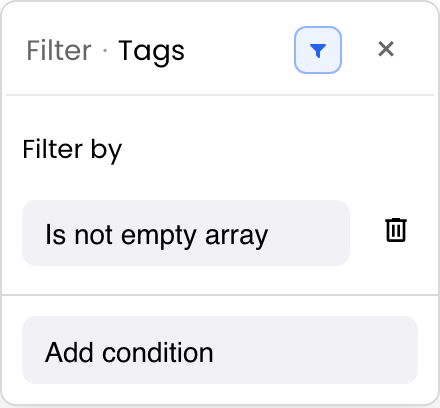
Array and tag matchingMatches array-valued cells using any, all, none, exact-set, or empty-array rules.Find support tickets tagged with both billing and priority, or products with none of the excluded labels.Supports multi-label segmentation without flattening tags into unreliable text.Tags, skills, categories, flags, capabilities, labels, and nested array fields.Each cell contains several typed values and membership logic matters.

When to use structured filters

Structured filters reduce interpretation work. Instead of remembering syntax, users interact with the shape of the data: a calendar for a calendar day, a histogram for a distribution, chips for a short status set, or tags for a multi-valued field. This is especially valuable in products used by mixed audiences, where analysts, operators, and occasional users need the same underlying filter state but different levels of guidance.

4. Build practical filtering workflows

Filter operators describe row tests. Filtering workflows describe how users create, combine, understand, reuse, or delegate those tests. The same status condition might be created from a popup checklist, an inline header trigger, a saved preset, or a nested FilterAst group.

WorkflowWhat it doesExampleBusiness valueSuitable columns or dataChoose it instead of a basic text input when…
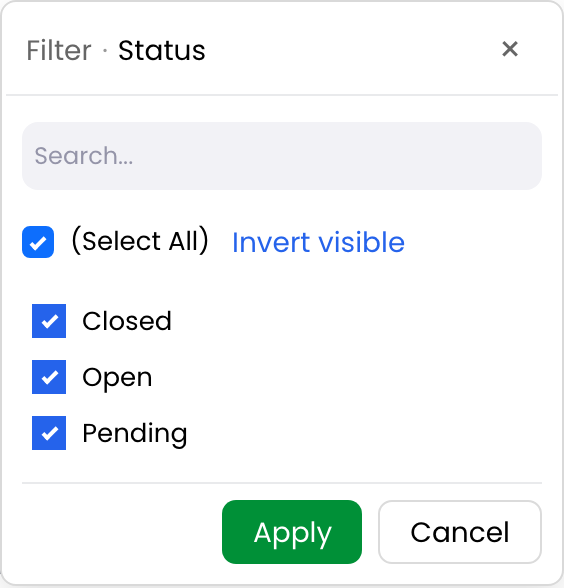
Excel-style selection checklistsProvides a staged Apply/Cancel checklist with mini-search, select-all actions, blanks, and date hierarchies.A finance analyst selects several legal entities and quarters before applying the view.Gives spreadsheet users a familiar, safe workflow for high-impact changes.Statuses, entities, categories, owners, regions, dates, and known dimensions.Users need to review several choices before committing them.
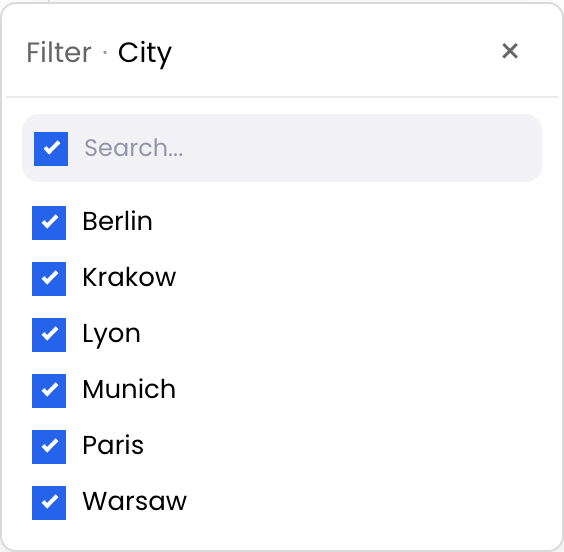
Cascading filter valuesBuilds each selection list from rows that satisfy other active filters while keeping the current column reversible.Selecting Germany narrows City choices to Berlin and Munich.Prevents impossible combinations and guides users through dependent dimensions.Country/city, category/product, portfolio/project, team/owner, and channel/market.Options depend on other filters and a flat list creates dead ends.
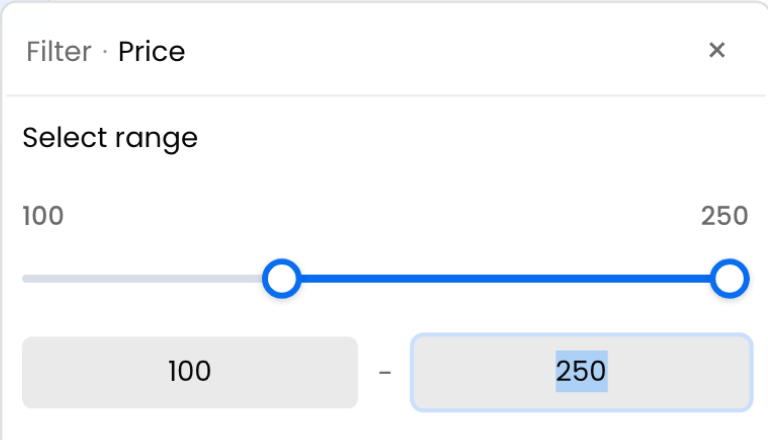
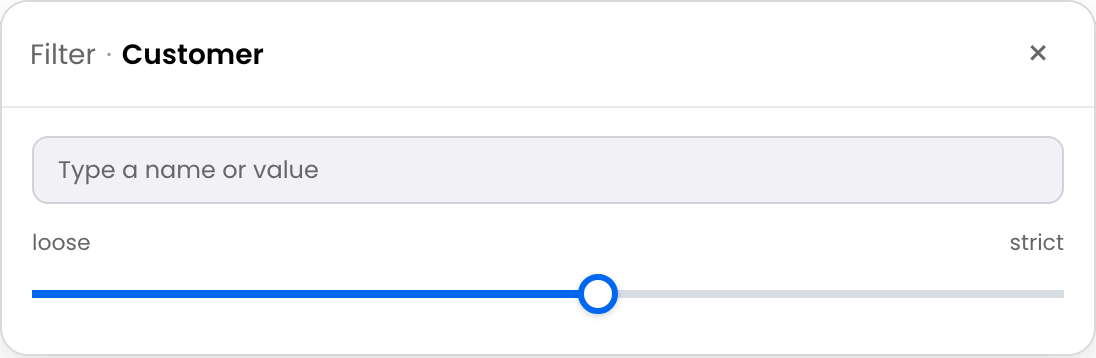
Numeric slidersUses a two-handle control for an inclusive numeric interval, optionally with editable bounds.Select products priced from €50 to €150.Makes exploratory range selection faster and more approachable than two separate comparisons.Price, stock, duration, budget, score, progress, and service metrics.Users think in ranges and do not begin with exact cutoff values.
Date and datetime filteringDistinguishes civil calendar dates from exact instants and supports absolute and relative comparisons with timezone policy.Filter deliveries by business day, but audit events by UTC timestamp.Avoids off-by-one-day and timezone errors in reporting and operations.Date-only fields, created-at timestamps, event logs, due dates, and scheduled times.Temporal meaning matters and a plain string comparison would be unsafe.
Inline header filtersPlaces debounced inputs, sliders, or compact popup triggers directly below column labels.A support lead types timeout under Subject and selects Open under Status.Keeps frequent filters visible and reduces clicks in operational screens.Frequently filtered text, number, selection, date, boolean, array, and structured columns.Filtering is a primary, repeated task and header space is available.
Quick search across multiple columnsSearches whitespace-normalized terms across selected or visible columns; every term must match somewhere in the same row.Search Lisbon pending across customer, city, and order status.Provides a fast “find anything relevant” entry point before users refine by column.Customer, location, status, ID, product, owner, and other searchable scalar fields.Users know fragments but not which column contains them.
Filter expressionsLets power users type current-column logic with operators, parentheses, and AND or OR.On Amount, enter >= 1000 AND <= 5000; on Status, enter is "Open" OR is "Pending".Speeds precise repeatable filtering without removing the normal visual controls.Text, numeric, selection, array, date, datetime, and registered structured-filter columns.One column needs several explicit conditions and keyboard-driven users prefer syntax.
Nested AND, OR, and NOT logic using FilterAstRepresents a validated JSON-safe Boolean tree across columns, including nested groups and negation.Show (Status = Open AND Priority >= 3) OR NOT VIP.Expresses real routing, segmentation, risk, and eligibility rules that flat column filters cannot.Cross-column conditions over text, numbers, booleans, dates, arrays, and custom operators.The rule crosses columns, contains nested alternatives, or must be transported canonically.
Active-filter badgesDisplays synchronized, removable summaries of active filter conditions.Show Region: EMEA, Total: ≥ €1,000, and Status: Pending above an order grid.Makes the reason for a reduced result set visible and reduces “missing data” confusion.Any actively filtered column or projectable condition set.Users need persistent context after the filter popup closes.
Saved filter presetsSaves and restores reusable filter state as a view.Offer High-value Europe, Recent expedited, and Review queue order presets.Standardizes recurring workflows and lets teams return to decision-ready views instantly.Multi-column operational, financial, sales, support, and portfolio datasets.The same business question is asked repeatedly or shared across users.
Custom filters and operatorsRegisters an application-specific predicate and, when needed, a custom value control.Add Within tolerance for manufacturing variance or Ends with market code for SKUs.Keeps domain logic inside the product instead of forcing users to approximate it with generic operators.Parsed values, domain codes, tolerances, hidden model fields, and application-specific measures.The business rule cannot be expressed correctly with built-in comparisons.
Remote and server-side filteringCancels local application when appropriate, sends canonical filter state to the backend, and replaces the source with the latest matching response.Query millions of transactions by entity, amount, and reporting window without loading them all in the browser.Preserves scalable filtering, authorization, and authoritative aggregation over complete datasets.Large, paginated, infinite-scroll, grouped, protected, or centrally governed data.The complete dataset is not resident in the browser or the backend must own evaluation.

E-commerce order operations

Start with quick search so an agent can paste a customer name, order reference, or city. Add a faceted Region list and chip-based Status control for visible segmentation. Use a slider or histogram for Total, a relative window for recent orders, and filter badges so the active queue remains obvious.

For a reusable High-value Europe view, save a FilterAst that combines region membership with an order-total threshold. If the order service holds millions of rows, send the same canonical tree and its temporal execution context to the server instead of filtering only the current page.

Product catalogs and inventory

A product manager can paste supplier SKUs into a token list, choose categories from a faceted list, and brush a price distribution. An inventory planner can add Stock < 10, exclude Discontinued, and save the result as Replenishment candidates.

Array and tag matching becomes useful when products belong to multiple campaigns, channels, or compliance groups. Cascading values can narrow Brand after Category or Model after Brand, preventing combinations that do not exist in the catalog.

Projects and portfolios

A portfolio view can use badge toggles for health, a rating or progress threshold for delivery state, and relative date windows for upcoming milestones. Statistical presets help answer “Which projects are in the top risk decile?” without first calculating a numeric cutoff.

When prioritization rules become more complex, FilterAst can express conditions such as (At risk AND budget variance > 10%) OR NOT sponsor assigned. Saved presets turn those rules into consistent steering-committee views.

Support ticket queues

Quick search helps an agent find a ticket from a customer, error fragment, or ticket ID. Fuzzy search accommodates misspelled customer names, while regex supports controlled log or incident-code patterns. Chips work well for severity, a faceted list explains status counts, and a weekday/time matrix reveals after-hours demand.

An active-filter badge row is particularly valuable in support operations because it makes every queue restriction visible during handoffs.

Financial and operational reporting

Core numeric conditions handle exact policy thresholds. Histogram and statistical filters support exploratory analysis. Calendar ranges produce fixed reporting periods, while relative and fiscal presets keep recurring dashboards current.

For governed reporting, save the filter as JSON-safe FilterAst, capture the execution context used for relative dates and blanks, and evaluate it against the complete backend dataset. This makes the query reproducible without pretending that the currently loaded browser page is the full population.

Choose the right filter

Use the smallest interaction that expresses the user's question accurately:

User intentRecommended starting point
“I know the word or exact cutoff.”Core text or numeric filter
“I know the values because I copied them elsewhere.”Token list
“I need to see which values exist.”Selection checklist or faceted list
“I may have misspelled the name.”Fuzzy search
“I need a controlled identifier pattern.”Regular expression
“I want to explore a numeric interval.”Slider or histogram brush
“I mean top, average, quartile, or outlier.”Statistical preset
“I need a fixed calendar period.”Calendar date range
“I need a rolling reporting period.”Relative date window
“I need recurring days and hours.”Weekday and time matrix
“I need logic across several columns.”FilterAst
“The data is too large or governed for browser-only evaluation.”Remote/server-side filtering

Avoid exposing every control on every column. Productive filtering comes from matching filter families to column semantics and user tasks. A short status vocabulary may deserve chips; a long status vocabulary may need search and counts. A known financial cutoff may need a numeric condition; exploratory analysis may need a histogram. The same data can support multiple workflows, but every control should earn its place.

Combine Core and Pro filters in TypeScript

The following example keeps Core text and number operators, adds Pro selection, facet, slider, date, and array controls, enables inline header filters, applies global quick search, displays active-filter badges, and installs a nested canonical filter tree.

ts
import { defineCustomElements } from '@revolist/revogrid/loader';
import {
  AdvanceFilterPlugin,
  FilterHeaderPlugin,
  FIlTER_SELECTION,
  FIlTER_SLIDER,
  FILTER_ARRAY_TAGS,
  FILTER_DATE,
  FILTER_FACETED_LIST,
  type FilterAst,
} from '@revolist/revogrid-pro';
import '@revolist/revogrid-pro/dist/revogrid-pro.css';

defineCustomElements();

async function mountOrdersGrid() {
  const grid = document.createElement('revo-grid');
  const orders = [
    {
      customer: 'Northwind',
      region: 'EMEA',
      status: 'Pending',
      total: 1450,
      orderedAt: '2026-09-02',
      tags: ['priority'],
    },
  ];

  grid.plugins = [AdvanceFilterPlugin, FilterHeaderPlugin];
  grid.columns = [
    {
      prop: 'customer',
      name: 'Customer',
      filter: 'string', // Core text family
    },
    {
      prop: 'region',
      name: 'Region',
      filter: ['string', FIlTER_SELECTION, FILTER_FACETED_LIST],
    },
    {
      prop: 'status',
      name: 'Status',
      filter: ['string', FIlTER_SELECTION],
    },
    {
      prop: 'total',
      name: 'Total',
      filter: ['number', FIlTER_SLIDER], // Core number + Pro range
    },
    {
      prop: 'orderedAt',
      name: 'Order date',
      filter: [FILTER_DATE],
    },
    {
      prop: 'tags',
      name: 'Tags',
      filter: ['array', FILTER_ARRAY_TAGS],
    },
  ];

  grid.filter = {
    groupedFilter: {}, // exposes the visual FilterAst editor
    selection: {
      cascadeOptions: { enabled: true, optionVisibility: 'hide' },
    },
  };
  grid.filterBadges = true;

  document.querySelector('#orders')!.append(grid);
  grid.source = orders;

  // Toolbar-style search across selected columns.
  grid.quickFilter = {
    text: 'Lisbon pending',
    columns: ['customer', 'region', 'status'],
    debounceMs: 200,
  };

  const highValueOrPriority: FilterAst = {
    type: 'group',
    operator: 'or',
    children: [
      {
        type: 'group',
        operator: 'and',
        children: [
          {
            type: 'condition',
            field: 'region',
            operator: 'equal',
            valueType: 'string',
            value: 'EMEA',
          },
          {
            type: 'condition',
            field: 'total',
            operator: 'greaterThanOrEqual',
            valueType: 'number',
            value: 1000,
          },
        ],
      },
      {
        type: 'group',
        operator: 'and',
        children: [
          {
            type: 'condition',
            field: 'status',
            operator: 'equal',
            valueType: 'string',
            value: 'Pending',
          },
          {
            type: 'not',
            child: {
              type: 'condition',
              field: 'customer',
              operator: 'contains',
              valueType: 'string',
              value: 'test',
            },
          },
        ],
      },
    ],
  };

  const filterPlugin = (await grid.getPlugins()).find(
    (plugin) => plugin instanceof AdvanceFilterPlugin,
  ) as AdvanceFilterPlugin;

  // Preserve the toolbar quickFilter and AND it with the canonical tree.
  await filterPlugin.setFilterAst(highValueOrPriority, {
    preserveQuickFilter: true,
  });
}

void mountOrdersGrid();

In a production application, match every FilterAst operator to the field's real data shape. For array membership, use the array/tag operator and a JSON-safe operand rather than treating an array as display text. When a remote data source owns filtering, listen for the canonical filter event, send the tree and execution context to the backend, and replace the source only with the latest response. See server-side filtering for the request lifecycle and state persistence for durable user views.

Start with the user's question

RevoGrid filtering scales from a familiar Contains or Greater than condition to product-specific exploration, reusable views, nested business rules, and server-owned queries. The best configuration is not the one with the most visible controls. It is the one that gives each column the simplest trustworthy interaction for the decision users need to make.

Start with the Core filtering guide, compare workflows in the advanced filtering demo, and review RevoGrid Pro when your product needs structured controls or nested logic. For reusable or remote filters, continue with state persistence and server-side data.