
Data Grid
The best Angular data grids in 2026
Compare five Angular data grids in 2026 by editing, virtualization, Angular integration, and licensing: AG Grid, RevoGrid, Kendo, Syncfusion, and DevExtreme.
Compare RevoGrid, AG Grid, PrimeVue DataTable, Syncfusion, and Handsontable for Vue 3 apps. The table shows when each option fits and how editing, integration, and licensing differ.
| Library | Best for | Vue 3 support | TypeScript | Virtualization | Editing | Enterprise features | License model |
|---|---|---|---|---|---|---|---|
| RevoGrid | Performance-first grids, spreadsheet-like product UIs, custom cells, SaaS/internal tools | Yes | Yes | Strong | Strong | Pro modules and advanced plugins | Open source core + Pro |
| AG Grid | Large enterprise apps, advanced grouping, pivoting, server-side row model | Yes | Strong | Very strong | Strong | Very strong | MIT Community + commercial Enterprise |
| PrimeVue DataTable | Vue-native dashboards and admin panels inside a PrimeVue app | Yes | Good | Good | Good | Medium | MIT core + optional paid ecosystem |
| Syncfusion Vue Grid | Enterprise teams that want a full commercial UI suite and support | Yes | Good | Strong | Strong | Strong | Commercial + community license eligibility |
| Handsontable | Spreadsheet-like editing, copy/paste-heavy workflows, matrix data | Yes | Strong | Strong | Very strong | Strong for spreadsheet UX | Proprietary/commercial |
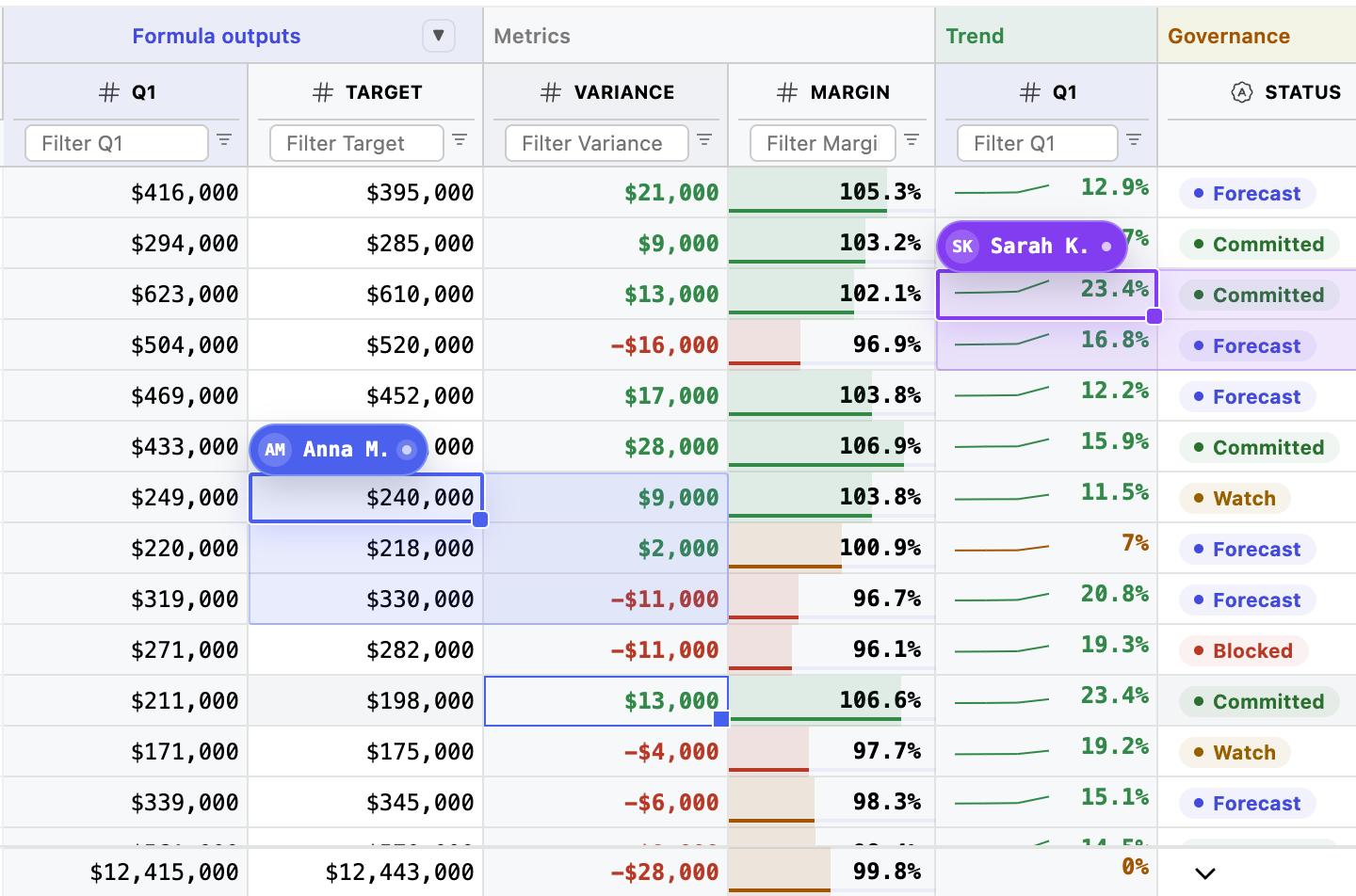
Choosing a Vue data grid in 2026 is no longer just about rendering rows and columns. Most Vue teams eventually need fast scrolling, editable cells, keyboard navigation, pinned columns, custom renderers, filtering, export, validation, server-side data loading, and a UI that still feels stable after the first 100,000 rows.
That is where the decision gets harder. A simple table component can be enough for a dashboard. But when the table becomes a real data workflow, the grid becomes infrastructure.
This comparison looks at the strongest Vue data grid libraries for modern Vue 3 and TypeScript applications:
There is also an honorable mention for DevExtreme DataGrid, because it is a serious option for backend-driven business applications.
Quick recommendation
Use RevoGrid when you need a fast, deeply customizable Vue data grid for complex product UIs. Use AG Grid when you need the broadest enterprise feature set. Use PrimeVue DataTable when you already use PrimeVue and need a Vue-native table. Use Syncfusion when you want a large commercial component suite. Use Handsontable when your users expect spreadsheet-like editing.
A grid library should be judged by the workflow it can support, not by the first demo page.
For small Vue apps, basic sorting and pagination can be enough. For serious SaaS, ERP, analytics, finance, scheduling, logistics, or operations software, the grid needs to handle much more:
That last point is easy to underestimate. For commercial Vue projects, licensing friction can matter almost as much as feature depth. A grid that is technically good but commercially confusing can slow down adoption inside a product team.
RevoGrid angle
For data-heavy Vue applications, RevoGrid is designed around the idea that the grid should be a framework for data workflows, not just a table widget. That is why features like virtualization, custom rendering, spreadsheet-like editing, plugins, and Pro modules matter more than a long list of visual components.
Explore the Vue Data Grid, live Vue demo, and Vue 3 getting-started guide to evaluate RevoGrid in a working app.
RevoGrid is a strong choice for Vue teams building data-heavy product interfaces where performance, customization, and spreadsheet-like behavior matter. It is built as a web component and integrates with Vue, React, Angular, and Svelte, which makes it practical for teams that need a grid layer that can survive framework changes or multiple frontend stacks.
For Vue developers, the important point is that RevoGrid is not just a decorative table. It is closer to a grid engine for building custom data views: editable cells, large datasets, keyboard interactions, templates, custom editors, column types, plugins, and advanced Pro features.
RevoGrid is especially relevant when your application has one of these patterns:
| Use case | Why RevoGrid fits |
|---|---|
| Editable admin interfaces | Users need to edit data directly in the grid instead of opening a form for every row. |
| ERP and operational systems | The UI needs dense records, statuses, validation, custom formatting, and fast scrolling. |
| Analytics and reporting tools | Users need large datasets, column configuration, filtering, export, and custom views. |
| Spreadsheet-like SaaS features | Users expect copy/paste, keyboard navigation, range selection, and familiar grid behavior. |
| Framework-flexible products | A web component grid can be reused across Vue and non-Vue parts of the product. |
RevoGrid’s biggest advantage is its focus. It does not try to be a full UI component suite. It focuses on the data grid problem: rendering, interaction, extensibility, and performance.
That matters because complex tables tend to expand over time. A customer starts with “we only need a table,” then later asks for pinned rows, formula-like behavior, cell validation, column presets, filters, audit history, export, role-based editing, grouping, scheduling, or pivot-like analysis. If the foundation is too simple, the team ends up rebuilding grid infrastructure inside the app.
RevoGrid is a good fit when you want the team to own the product logic, not spend months rebuilding low-level grid behavior.
<script setup lang="ts">
import { ref } from 'vue'
import VGrid from '@revolist/vue3-datagrid'

type InvoiceRow = {
  id: number
  customer: string
  status: 'Draft' | 'Approved' | 'Paid'
  amount: number
}

const rows = ref<InvoiceRow[]>([
  { id: 1, customer: 'Acme Corp', status: 'Approved', amount: 12500 },
  { id: 2, customer: 'Northwind', status: 'Draft', amount: 8400 },
  { id: 3, customer: 'Globex', status: 'Paid', amount: 17300 }
])

const columns = ref([
  { prop: 'id', name: 'ID', size: 90 },
  { prop: 'customer', name: 'Customer' },
  { prop: 'status', name: 'Status' },
  { prop: 'amount', name: 'Amount' }
])
</script>

<template>
  <VGrid
    theme="default"
    :source="rows"
    :columns="columns"
    style="height: 420px"
  />
</template>Choose RevoGrid when your Vue application has a serious data workflow: editable tables, large data, custom cells, spreadsheet-like interactions, and a need for deep customization. It is a strong fit for SaaS products, ERP-like systems, planning tools, analytics screens, and internal platforms where the grid is central to the product.
Explore RevoGrid Pro if you need advanced grid modules, implementation examples, and production-focused features beyond the open-source core.
For a focused two-product analysis, see RevoGrid vs AG Grid.
AG Grid remains one of the most complete JavaScript data grid libraries available for Vue. It has a very mature feature set, extensive documentation, a large ecosystem, and serious enterprise adoption.
The main reason teams choose AG Grid is not because it is the lightest option. It is because it has a high ceiling. If your Vue app may eventually need server-side data loading, tree data, grouping, pivoting, aggregation, charts, master-detail views, complex filtering, row grouping, advanced selection, and enterprise support, AG Grid is hard to ignore.
| Use case | Why AG Grid fits |
|---|---|
| Enterprise admin platforms | Broad feature set and mature configuration model. |
| Data-heavy analytics screens | Strong grouping, aggregation, filtering, and server-side row model. |
| Large operational systems | Good performance architecture and extensive docs. |
| Teams needing enterprise support | Commercial Enterprise edition and dedicated support channel. |
AG Grid has strong documentation around Vue compatibility, DOM virtualization, server-side row model, custom Vue components, and accessibility. That makes it one of the safest choices for large organizations that need a proven enterprise grid.
It is also strong for TypeScript-heavy teams. The API is extensive, and the generic typing model can be very useful when row data, cell values, and grid context need to be typed carefully.
Choose AG Grid when your Vue app needs maximum enterprise feature coverage and you are comfortable adopting a large grid platform. It is usually the safest choice when the grid is part of a large, long-lived enterprise application and the requirements are likely to grow.
PrimeVue DataTable is not trying to be the most powerful enterprise grid in the market. Its strength is different: it feels natural in Vue applications, especially if your app already uses PrimeVue.
PrimeVue DataTable provides sorting, filtering, pagination, scrolling, frozen rows and columns, lazy loading, selection, row expansion, editing, templates, and virtual scrolling. For many Vue dashboards and admin panels, that is enough.
| Use case | Why PrimeVue fits |
|---|---|
| Vue dashboards | Good table features with low setup cost. |
| Admin panels | Works naturally with the rest of the PrimeVue component ecosystem. |
| Design-system-driven apps | Styled and unstyled modes give teams control over visual direction. |
| Small-to-medium datasets | Easier to adopt than full enterprise grid engines. |
PrimeVue’s strongest advantage is developer experience. The API is Vue-first, template-friendly, and easy to understand. You can use Vue slots and templates to customize columns without learning a heavy grid-specific architecture.
PrimeVue also has a strong theming story. It supports styled and unstyled usage, and integrates well with modern styling approaches, including Tailwind-oriented setups through the broader PrimeVue ecosystem.
Choose PrimeVue DataTable when you want a Vue-native table inside a PrimeVue application and your requirements are mostly sorting, filtering, selection, pagination, templates, and moderate editing. It is a good default for dashboards, CRUD screens, and product admin pages.
For a focused vendor comparison, see RevoGrid vs Syncfusion Grid.
Syncfusion Vue Grid is a commercial data grid that belongs to the larger Syncfusion Vue component suite. That matters because some teams do not want to choose a separate library for every UI problem. They want a vendor-backed suite with grids, charts, calendars, Gantt, schedulers, document tools, inputs, and support.
Syncfusion’s Vue Grid supports common enterprise grid features: editing, sorting, filtering, grouping, paging, exporting, virtualization, remote data binding, frozen columns, and more.
| Use case | Why Syncfusion fits |
|---|---|
| Enterprise internal tools | Broad suite and commercial support. |
| Accessibility-sensitive apps | Syncfusion publishes explicit accessibility documentation. |
| Teams standardizing on one vendor | Grid is part of a much larger component ecosystem. |
| Business apps with remote data | DataManager and server-side integration options are available. |
Syncfusion has strong documentation around performance, accessibility, and Vue 3 setup. It is a practical option when the buying decision includes compliance, support, and suite coverage.
The accessibility documentation is one of Syncfusion’s strongest points. For teams building enterprise software that must satisfy procurement, compliance, or public-sector requirements, clear accessibility claims and documented keyboard behavior matter.
Choose Syncfusion Vue Grid when you want a commercial vendor suite, support, accessibility documentation, and a broad set of components around the grid. It is especially relevant for enterprise teams that need more than a grid library.
Handsontable is different from most Vue data grid libraries because it is designed around a spreadsheet-like experience. If your users think in rows, columns, copy/paste, formulas, validation, and keyboard editing, Handsontable deserves serious consideration.
It is less about “display this table nicely” and more about “let users work with structured data like they do in Excel.”
| Use case | Why Handsontable fits |
|---|---|
| Spreadsheet-like tools | Familiar editing, selection, copy/paste, and keyboard behavior. |
| Financial and planning interfaces | Users often expect matrix-style editing. |
| Import/export workflows | Good fit for data cleanup and spreadsheet-style manipulation. |
| Internal operations tools | Strong UX for dense editable data. |
Handsontable has strong documentation around Vue integration, row virtualization, accessibility, performance, and bundle-size optimization.
Its main value is the spreadsheet interaction model. Users can move around with the keyboard, select ranges, paste data, edit cells quickly, and work with grid data in a way that feels closer to Excel than a normal web table.
Choose Handsontable when the product should feel like a spreadsheet. If users need fast cell editing, copy/paste, formulas, and range-based interaction, Handsontable is often a better fit than a standard data grid.
DevExtreme DataGrid is not in the top five here only because this article keeps the list focused. It is still a serious option for Vue teams building backend-driven line-of-business applications.
DevExtreme is especially strong when your grid depends on remote operations: server-side paging, filtering, sorting, grouping, custom stores, and adaptive layouts. Its remoteOperations model is useful for applications where the backend owns the data shape.
Consider DevExtreme if your company already uses DevExpress products, or if your Vue grid is part of a larger business application stack where support and vendor ecosystem matter more than open-source adoption.
| Requirement | Best choices |
|---|---|
| Very large row counts | RevoGrid, AG Grid, Handsontable |
| Server-side data operations | AG Grid, DevExtreme, Syncfusion |
| Virtual scrolling in Vue dashboards | PrimeVue DataTable, RevoGrid, AG Grid |
| Spreadsheet-like large datasets | Handsontable, RevoGrid |
| Editing need | Best choices |
|---|---|
| Basic row/cell editing | PrimeVue, Syncfusion, AG Grid |
| Spreadsheet-like editing | Handsontable, RevoGrid |
| Custom editors | RevoGrid, AG Grid, Handsontable |
| Validation-heavy workflows | RevoGrid, Handsontable, AG Grid |
| Customization need | Best choices |
|---|---|
| Vue templates and slots | PrimeVue |
| Custom cell components | RevoGrid, AG Grid, Handsontable |
| Full design-system control | RevoGrid, PrimeVue, AG Grid |
| Plugin/module architecture | RevoGrid, AG Grid, Syncfusion |
| Enterprise concern | Best choices |
|---|---|
| Mature enterprise feature set | AG Grid |
| Full commercial UI suite | Syncfusion, DevExtreme |
| Spreadsheet workflows | Handsontable |
| Simpler grid-focused positioning | RevoGrid |
| Open-source-friendly starting point | RevoGrid, AG Grid Community, PrimeVue |
Before choosing a Vue datagrid, answer these questions:
A table displays data. A data grid lets users work with data. A spreadsheet lets users manipulate data in a cell-first workflow.
If you only display rows, PrimeVue DataTable may be enough. If users edit, paste, validate, filter, and configure views, choose a real grid. If users expect Excel-like behavior, evaluate RevoGrid or Handsontable.
Do not test with 100 rows if the real customer will load 100,000 rows. Test with realistic data volume, column count, custom renderers, and scrolling behavior.
If the dataset is too large for client-side processing, you need a clean server-side model. AG Grid, DevExtreme, and Syncfusion are strong here. RevoGrid can also be used in server-driven architectures, but you should design the data-loading layer intentionally.
The moment a cell contains tags, buttons, status chips, icons, validation messages, embedded components, or conditional formatting, you need strong custom rendering. RevoGrid and AG Grid are especially relevant here.
For SaaS products, check whether the library charges per developer, per deployment, per application, per tenant, or through an OEM agreement. A technically good grid can become expensive if the license does not match your product model.
A simple licensing model is easier for developers and procurement. For example, per-developer licensing with clear project/application usage is usually easier to understand than deployment-based pricing.
These three are often compared because they all target serious data interfaces, but they are not the same product category.
| Question | RevoGrid | AG Grid | Handsontable |
|---|---|---|---|
| Best overall identity | Performance-first customizable grid | Enterprise data grid platform | Spreadsheet-like data grid |
| Best for Vue SaaS product UIs | Strong | Strong but heavier | Good if spreadsheet-like |
| Best for enterprise reporting | Good | Very strong | Medium |
| Best for Excel-like editing | Strong | Medium to strong | Very strong |
| Best open-source starting point | Strong | Strong Community edition | Limited for commercial use |
| Best when requirements are unknown | Strong if customization is key | Strong if enterprise features are likely | Strong if spreadsheet UX is likely |
The practical difference is this:
| Scenario | Recommended library |
|---|---|
| Building a custom Vue SaaS with data-heavy screens | RevoGrid |
| Building an enterprise analytics/admin platform | AG Grid |
| Building a PrimeVue-based dashboard | PrimeVue DataTable |
| Buying a full commercial Vue component suite | Syncfusion Vue Grid |
| Building an Excel-like editing tool | Handsontable |
| Building a backend-driven business app with remote operations | DevExtreme DataGrid |
| Building an open-source or low-friction prototype | RevoGrid, PrimeVue, AG Grid Community |
There is no single best Vue data grid for every project. RevoGrid is a strong choice for performance-first, customizable Vue data workflows. AG Grid is the strongest all-around enterprise grid. PrimeVue DataTable is best for Vue-native dashboards. Syncfusion is best for teams that want a commercial UI suite. Handsontable is best for spreadsheet-like editing.
For open-source-friendly projects, start with RevoGrid, PrimeVue DataTable, or AG Grid Community. The right choice depends on whether you need a customizable grid engine, a Vue UI table, or an enterprise-style grid with a community edition.
PrimeVue DataTable is enough for many dashboards, admin panels, and moderate data workflows. It becomes less ideal when the grid is the core of the product and you need deeper spreadsheet behavior, advanced server-side models, custom editing infrastructure, or enterprise-grade grid features.
AG Grid has a broader enterprise feature set and a larger ecosystem. RevoGrid can be a better fit when you want a lighter, more focused grid foundation for highly customized Vue data workflows, especially when spreadsheet-like UX and product-specific customization matter.
Handsontable is a data grid with a spreadsheet-like experience. It is best when users need Excel-like editing, copy/paste, range selection, formulas, and dense cell-based workflows.
AG Grid and Handsontable have strong TypeScript stories. RevoGrid is also a good fit for TypeScript-heavy Vue teams because grid configuration, row models, and custom editors benefit from explicit typing. PrimeVue and Syncfusion can work well with TypeScript, but you should test complex templates and custom components before committing.
For a SaaS product, look beyond the feature list. You need performance, customization, licensing clarity, and a grid that can grow with product requirements. RevoGrid is a strong default for custom SaaS data workflows. AG Grid is safer for large enterprise feature requirements. Handsontable is better when the SaaS workflow is spreadsheet-like.
For most Vue teams, the decision should start with the user workflow:
The biggest mistake is choosing a simple table because the first version looks simple. Data interfaces usually grow. Filters become saved views. Cells become editors. Exports become workflows. Tables become operational tools.
Choose the library that matches the product you are likely to build, not just the table you need this week.
Build advanced Vue data workflows with RevoGrid
RevoGrid is built for developers who need more than a table: virtualization, editing, custom cells, framework integrations, plugins, and Pro examples for complex data-heavy applications.
Explore RevoGrid Pro · Review Pro pricing · Open the Vue demo · Read the Vue 3 guide
Compare five Angular data grids in 2026 by editing, virtualization, Angular integration, and licensing: AG Grid, RevoGrid, Kendo, Syncfusion, and DevExtreme.
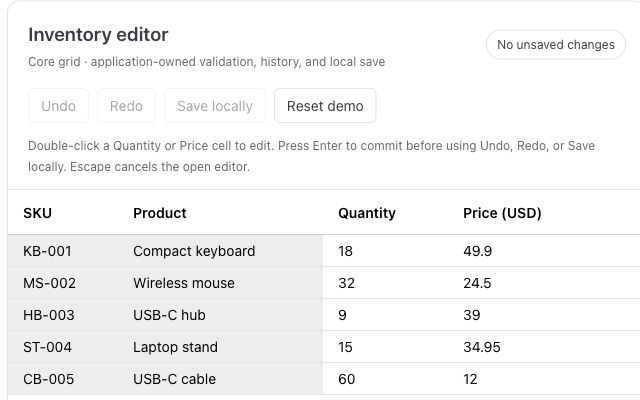
Paste from Excel, validate inventory, and add undo and redo to a working editor.