

Data Grid
The best Vue data grids in 2026
Compare five Vue data grids in 2026 by editing, Vue 3 integration, virtualization, and licensing: AG Grid, RevoGrid, PrimeVue, Syncfusion, and Handsontable.
Compare RevoGrid, AG Grid, Kendo UI, Syncfusion, and DevExtreme for Angular applications. The table shows their editing, virtualization, Angular integration, and licensing trade-offs.
| Library | Best for | Virtualization | Editing | Angular integration | Advanced analytics | License model |
|---|---|---|---|---|---|---|
| RevoGrid | Performance-first SaaS, editable data products, spreadsheet-like workflows | Rows and columns by default | Strong | Standalone and NgModule wrapper over a Web Component core | Pivot and Gantt in Pro | MIT core + commercial Pro |
| AG Grid | Large enterprise apps needing maximum feature depth | Very strong; multiple row models | Strong | Mature Angular package | Strong grouping, aggregation, pivoting, charts | MIT Community + commercial Enterprise |
| Kendo UI for Angular | Angular-native enterprise applications and design systems | Strong | Strong | Purpose-built Angular components | Grouping and aggregates; separate PivotGrid | Commercial subscription |
| Syncfusion Angular Data Grid | Teams standardizing on a broad commercial component suite | Strong | Strong | Current Angular packages and broad documentation | Separate Pivot Table/PivotView | Commercial + qualifying Community License |
| DevExtreme Angular DataGrid | Responsive line-of-business apps and remote-data workflows | Local, remote, and horizontal virtualization | Strong | Declarative Angular components | Separate PivotGrid with OLAP support | Commercial subscription |
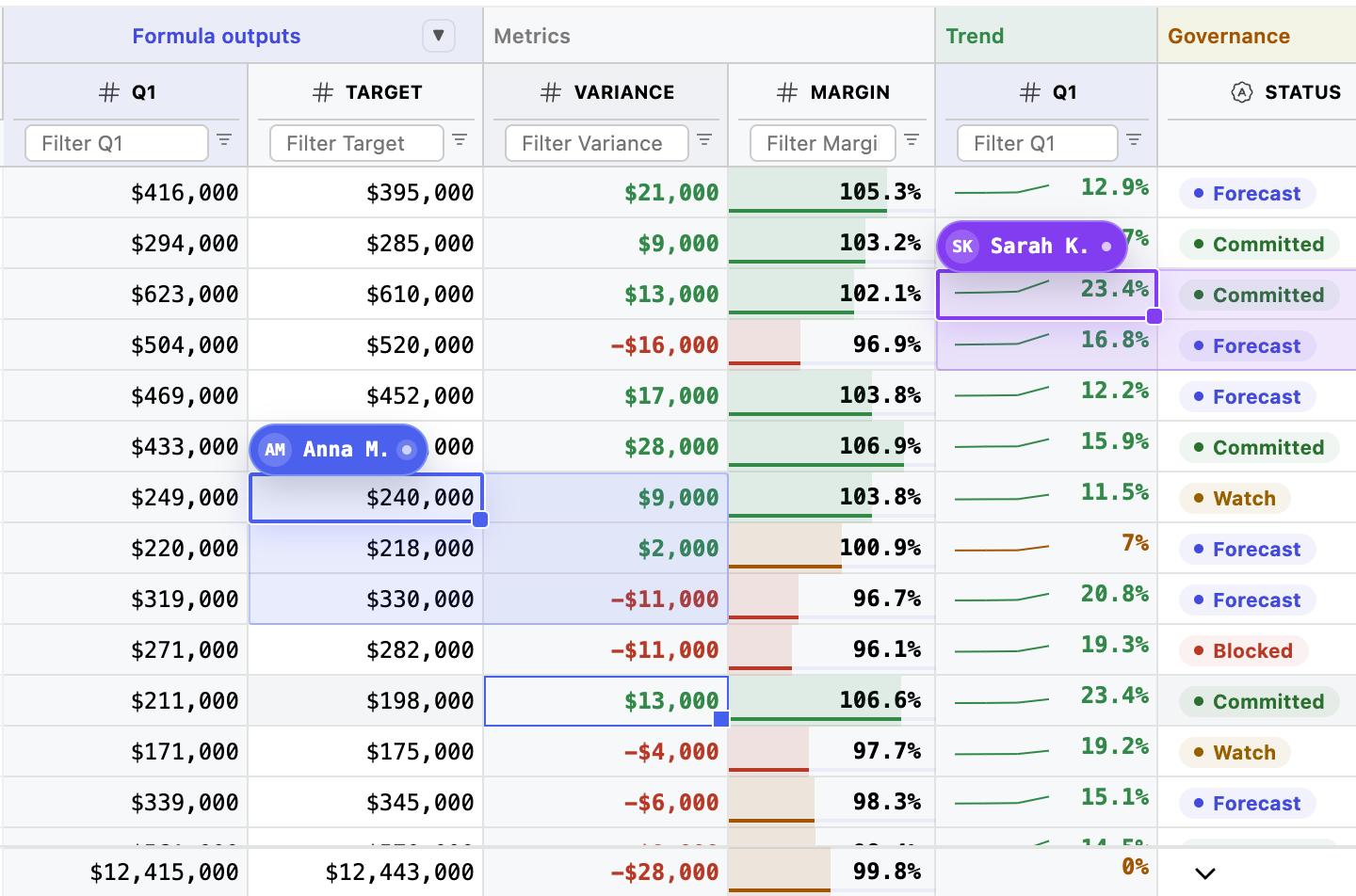
Choosing an Angular data grid in 2026 is not a matter of finding the longest feature list. The real question is what kind of application you are building—and what the grid will need to become after the first release.
A dashboard may only need sorting and pagination. A serious SaaS, ERP, finance, logistics, planning, or operations product usually needs much more: virtualized rows and columns, reliable editing, custom Angular components inside cells, keyboard navigation, pinned regions, validation, clipboard support, remote data, saved state, accessibility, and a licensing model that still makes sense when the product grows.
Based on those practical requirements, our ranking is:
Quick recommendation
Choose RevoGrid when you want a fast, focused, highly customizable Angular grid with a flexible license. Choose AG Grid for the broadest enterprise feature catalog. Choose Kendo UI for a polished Angular-native commercial suite.
This ranking weights the concerns that tend to matter after a grid reaches production:
We prioritized official documentation, product pages, pricing pages, package information, and repositories. We did not find a recent independent benchmark that measures all five libraries under the same Angular workload. Performance claims should therefore be treated as directional until you test your own dataset, custom renderers, update rate, and browser targets.
That caveat matters. A grid that scrolls smoothly with plain text cells can behave very differently after each row contains Angular components, validation, tooltips, menus, and live updates.
Explore the Angular Data Grid, live Angular demo, and Angular getting-started guide to evaluate RevoGrid in a working app.
RevoGrid ranks first because it offers an unusually strong balance of performance architecture, customization, framework portability, and open-core economics.
Its core is a Web Component, while @revolist/angular-datagrid provides the Angular integration. That shared foundation is useful for organizations with several frontend stacks, but it also keeps the Angular layer relatively focused: the grid engine owns virtualization and interaction while Angular is available where framework-native composition is valuable.
RevoGrid renders the visible row and column viewports plus a small buffer. Pinned rows and columns use coordinated viewports rather than turning frozen regions into a separate afterthought. This architecture makes RevoGrid especially relevant for dense, scroll-heavy interfaces.
| Use case | Why RevoGrid fits |
|---|---|
| Editable SaaS products | Strong cell editing, validation, custom editors, clipboard workflows, and product-specific rendering. |
| ERP and operations screens | Dense records, large datasets, keyboard use, pinned regions, and fast navigation. |
| Financial and analytics interfaces | Spreadsheet-like interaction, custom formatting, filtering, summaries, and Pro analytics modules. |
| Planning products | The Pro layer extends the grid foundation with Pivot and Gantt workflows. |
| Multi-framework platforms | The same core can be used from Angular, React, Vue, Svelte, and vanilla JavaScript. |
RevoGrid does not try to sell an entire general-purpose UI suite. It focuses on the data surface itself.
That distinction becomes important as requirements expand. A basic table often grows into a workflow with custom status cells, inline actions, pinned totals, role-based editing, saved column state, server-side operations, audit history, formulas, pivot analysis, or scheduling. Starting with a grid foundation can be less expensive than rebuilding those interactions around a display-oriented table.
The open-source core is MIT-licensed and remains useful on its own. RevoGrid Pro adds advanced workflows and modules for teams that need more than the core grid. This lets teams prototype with the real grid architecture before deciding whether the commercial layer is necessary.
import { Component } from '@angular/core';
import { RevoGrid } from '@revolist/angular-datagrid';

type OrderRow = {
  id: number;
  customer: string;
  status: 'New' | 'Processing' | 'Complete';
  total: number;
};

@Component({
  selector: 'app-orders-grid',
  standalone: true,
  imports: [RevoGrid],
  template: `
    <revo-grid
      style="height: 480px; width: 100%"
      [source]="rows"
      [columns]="columns">
    </revo-grid>
  `,
})
export class OrdersGridComponent {
  rows: OrderRow[] = [
    { id: 1, customer: 'Acme', status: 'Complete', total: 1280 },
    { id: 2, customer: 'Globex', status: 'Processing', total: 740 },
  ];

  columns = [
    { prop: 'id', name: 'ID', size: 80 },
    { prop: 'customer', name: 'Customer' },
    { prop: 'status', name: 'Status' },
    { prop: 'total', name: 'Total' },
  ];
}
The same package can also be used in NgModule-based applications, which lowers migration friction for Angular codebases that have not fully moved to standalone components.
Choose RevoGrid when the grid is part of the product—not just a table placed inside it. It is particularly strong for teams that value fast rendering, custom cells, direct editing, framework flexibility, and a commercial path that does not require adopting a full enterprise component suite.
For a focused two-product analysis, see RevoGrid vs AG Grid.
AG Grid remains the reference point for enterprise feature breadth. It has mature support for grouping, aggregation, pivoting, tree data, master-detail, advanced filtering, charts, state management, and several client- and server-side row models.
For organizations that want a single grid platform to cover a wide range of known and unknown enterprise requirements, AG Grid is often the safest conventional choice. Its documentation and ecosystem are extensive, and its Angular integration supports modern Angular patterns, including zoneless applications.
| Use case | Why AG Grid fits |
|---|---|
| Enterprise analytics | Deep grouping, aggregation, pivoting, charts, and server-side workflows. |
| Very large remote datasets | Mature Server-Side Row Model and lazy-loading patterns. |
| Long-lived enterprise platforms | Broad documentation, support, and a large ecosystem. |
| Complex reporting grids | Many advanced behaviors are already modeled by the product. |
Choose AG Grid when maximum feature coverage is more important than keeping the grid layer small. It is strongest when server-side grouping, pivoting, aggregation, charts, and other enterprise behaviors must come from one mature platform.
For a focused vendor comparison, see RevoGrid vs Kendo UI Grid.
Kendo UI for Angular Grid is the strongest choice for teams that want a commercial grid designed specifically around Angular rather than a shared cross-framework core.
Its setup, templates, component model, and release compatibility are aligned closely with Angular. Kendo also has one of the clearest accessibility positions in the category, documenting WCAG and Section 508 support along with screen-reader testing combinations.
| Use case | Why Kendo fits |
|---|---|
| Angular-first organizations | Components and documentation are designed specifically for Angular teams. |
| Regulated enterprise software | Strong public accessibility documentation and testing detail. |
| Design-system-heavy applications | Mature themes, templates, and a larger UI suite. |
| Teams buying vendor support | Commercial subscription and established enterprise support. |
Choose Kendo UI when Angular-native ergonomics, accessibility documentation, cohesive theming, and commercial vendor support are the main selection criteria.
Syncfusion Angular Data Grid is a capable enterprise grid inside a very broad commercial component ecosystem. The suite includes charts, schedulers, Gantt, document tools, editors, diagramming, and many other controls.
That breadth is the main reason to choose it. A team standardizing on one vendor may get more value from the suite than from selecting a specialized library for each interface category. Qualifying individuals and smaller organizations may also benefit from Syncfusion's Community License.
| Use case | Why Syncfusion fits |
|---|---|
| Enterprise applications using many UI controls | One suite covers grids, charts, schedulers, Gantt, documents, and more. |
| Cost-sensitive qualifying teams | The Community License can materially change the economics. |
| Business apps with standard grid requirements | Editing, sorting, filtering, grouping, frozen regions, export, and virtualization are available. |
| Teams wanting one vendor relationship | Procurement and support can be consolidated around the suite. |
Choose Syncfusion when suite breadth is an advantage rather than overhead—especially if your application needs many non-grid controls or your organization qualifies for the Community License.
DevExtreme Angular DataGrid is a mature choice for line-of-business applications that need responsive layouts, touch support, remote operations, and a large catalog of practical demos.
It supports local and remote virtual scrolling, horizontal virtualization, grouping, summaries, state persistence, editing, and custom cell templates. A separate PivotGrid supports analytical and OLAP-oriented scenarios.
| Use case | Why DevExtreme fits |
|---|---|
| Responsive enterprise applications | Strong mobile, touch, adaptive layout, and business-widget story. |
| Remote-data CRUD systems | Mature stores and remote operation patterns. |
| DevExpress customers | Fits naturally into an existing DevExpress toolchain and vendor relationship. |
| Demo-driven implementation teams | Large catalog of examples for common data-management patterns. |
Choose DevExtreme when your application is a responsive, backend-driven business system and your team values DevExpress tooling, remote data patterns, and a large demo catalog.
| Requirement | Strongest options |
|---|---|
| Large client-rendered datasets | RevoGrid, AG Grid |
| Server-side grouping and aggregation | AG Grid |
| Remote virtual scrolling | AG Grid, DevExtreme, Syncfusion |
| Dense editable product interfaces | RevoGrid, AG Grid |
| Requirement | Strongest options |
|---|---|
| Angular-native commercial component model | Kendo UI for Angular |
| Standalone component setup | RevoGrid, Kendo UI, AG Grid |
| Cross-framework reuse | RevoGrid, AG Grid |
| Broad Angular UI suite | Kendo UI, Syncfusion, DevExtreme |
| Requirement | Strongest options |
|---|---|
| Open-source-friendly starting point | RevoGrid, AG Grid Community |
| Focused grid plus optional advanced modules | RevoGrid |
| Maximum enterprise grid breadth | AG Grid Enterprise |
| Full commercial Angular suite | Kendo UI, Syncfusion, DevExtreme |
| Potential free commercial use for qualifying teams | Syncfusion Community License |
Before choosing a library, test the questions that will matter in production.
A table displays records. A data grid lets users edit, select, paste, validate, filter, rearrange, and act on those records. If the grid becomes a daily operational tool, evaluate it as product infrastructure.
Do not benchmark 100 plain rows if customers will load 100,000 records with 40 columns and custom Angular components. Test realistic row counts, column counts, pinned regions, cell complexity, updates, and scrolling patterns.
For very large datasets, filtering, sorting, grouping, aggregation, and pivoting may need server contracts. AG Grid has the most extensive built-in server-side model. Other grids can support remote architectures, but the integration model and responsibilities differ.
Framework components are convenient, but thousands of component instances can dominate performance. Prefer lightweight renderers where possible, reuse stable column definitions, and avoid full data resets when a targeted update is sufficient.
Do not stop at a general compliance statement. Test keyboard paths, focus order, screen readers, high zoom, pinned content, custom editors, tooltips, and any drag-and-drop workflow your users rely on.
Check developer seats, applications, deployments, OEM use, SaaS customers, support, renewals, and which features sit behind a commercial edition. The cheapest prototype is not always the least expensive production choice.
These three libraries often reach the same Angular shortlist, but they optimize for different priorities.
| Question | RevoGrid | AG Grid | Kendo UI for Angular |
|---|---|---|---|
| Core identity | Performance-first customizable grid | Broad enterprise grid platform | Angular-native commercial UI suite |
| Best advantage | Focus, extensibility, open-core value | Maximum enterprise feature depth | Angular polish and accessibility posture |
| Open-source starting point | MIT core | MIT Community | No production OSS edition |
| Server-side analytics | Available through application/Pro architecture | Most mature built-in model | Supported through app/data integration; PivotGrid separate |
| Cross-framework reuse | Strong | Strong | Not the primary goal |
| Best fit | Custom SaaS and editable data products | Large enterprise analytics platforms | Angular-first enterprise design systems |
The practical difference is simple:
| Scenario | Recommended library |
|---|---|
| Custom Angular SaaS with dense, editable screens | RevoGrid |
| Enterprise analytics with advanced server-side grouping and pivoting | AG Grid |
| Angular-native commercial design system | Kendo UI for Angular |
| Broad component suite with favorable eligibility-based licensing | Syncfusion |
| Responsive DevExpress-based business application | DevExtreme |
| Framework-flexible grid shared across several frontend stacks | RevoGrid |
For performance-first, customizable Angular product interfaces, RevoGrid is our top choice. AG Grid is stronger when maximum enterprise feature breadth is the priority. Kendo UI for Angular provides the most Angular-native commercial experience. Syncfusion is attractive for suite buyers and qualifying Community License users, while DevExtreme is a strong fit for responsive line-of-business applications.
Start with RevoGrid or AG Grid Community. Both have MIT-licensed foundations. RevoGrid is especially compelling for focused, editable, spreadsheet-like product interfaces; AG Grid Community benefits from a larger ecosystem and a broad upgrade path.
It depends on the application. AG Grid has more built-in enterprise features and a larger ecosystem. RevoGrid can be a better fit when performance, customization, framework portability, a focused API surface, and open-core economics matter more than having every enterprise feature in one platform.
RevoGrid and AG Grid should be high on the shortlist. AG Grid is particularly strong for server-side grouping and aggregation. RevoGrid is a strong choice for fast, virtualized, editable data surfaces. Test both with the actual dataset and cell components used by your product.
Kendo UI for Angular and AG Grid publish the most detailed accessibility guidance among these five. Syncfusion also documents accessibility support. Regardless of the vendor, test your exact configuration—especially custom cells, editors, pinned regions, keyboard navigation, and drag-and-drop interactions.
RevoGrid is a strong default for custom B2B SaaS products because it combines a useful MIT core, deep customization, spreadsheet-like interaction, and optional Pro workflows. AG Grid is the safer choice when the SaaS product requires the broadest enterprise feature set from day one.
Not necessarily. A framework-native component can offer familiar templates and lifecycle integration, but a well-designed Web Component core can provide consistent performance and portability. The better choice depends on how heavily your cells depend on Angular-specific composition and whether the product spans multiple frameworks.
For most Angular teams, the right decision begins with the workflow—not the vendor feature matrix.
The most common mistake is choosing for today's table instead of tomorrow's workflow. Filters become saved views. Cells become editors. Exports become operational processes. A harmless-looking table becomes one of the most frequently used parts of the application.
Choose the grid that matches the product you expect to build—not just the first screen you need to ship.
Build advanced Angular data workflows with RevoGrid
RevoGrid is built for developers who need more than a table: row and column virtualization, editing, custom cells, framework integrations, plugins, and Pro modules for complex data-heavy applications.
Explore RevoGrid Pro · Review Pro pricing · Open the Angular demo · Read the Angular guide
Compare five Vue data grids in 2026 by editing, Vue 3 integration, virtualization, and licensing: AG Grid, RevoGrid, PrimeVue, Syncfusion, and Handsontable.
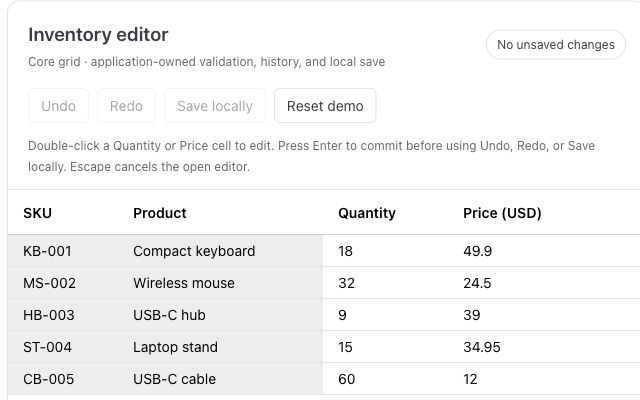
Paste from Excel, validate inventory, and add undo and redo to a working editor.