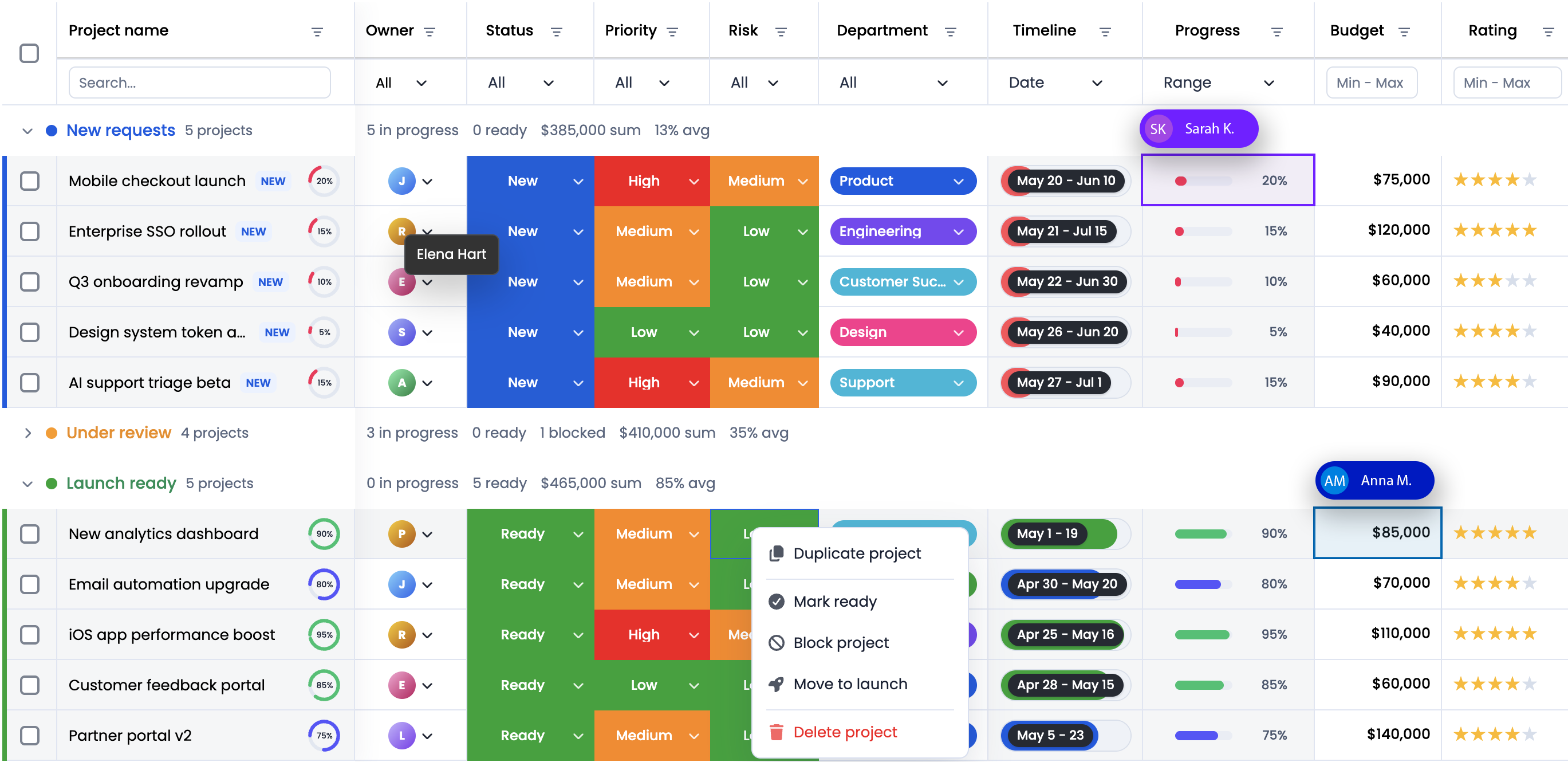
Yes. RevoGrid Kanban supports React, Vue, Angular, Svelte, JavaScript, and TypeScript-oriented projects through the same Web Component foundation. The public showcase includes TypeScript, React, Vue, and Angular reference applications.
Introducing the RevoGrid Kanban Component
Today we are releasing RevoGrid Kanban: a high-performance JavaScript Kanban board component for building visual workflows in React and JavaScript applications.
This is not a separate task-board application that forces your data into a second store. The RevoGrid Kanban board component projects ordinary RevoGrid source rows into workflow columns and optional swimlanes. Your application keeps one canonical dataset while users gain a fast, visual way to plan, prioritize, and move work.
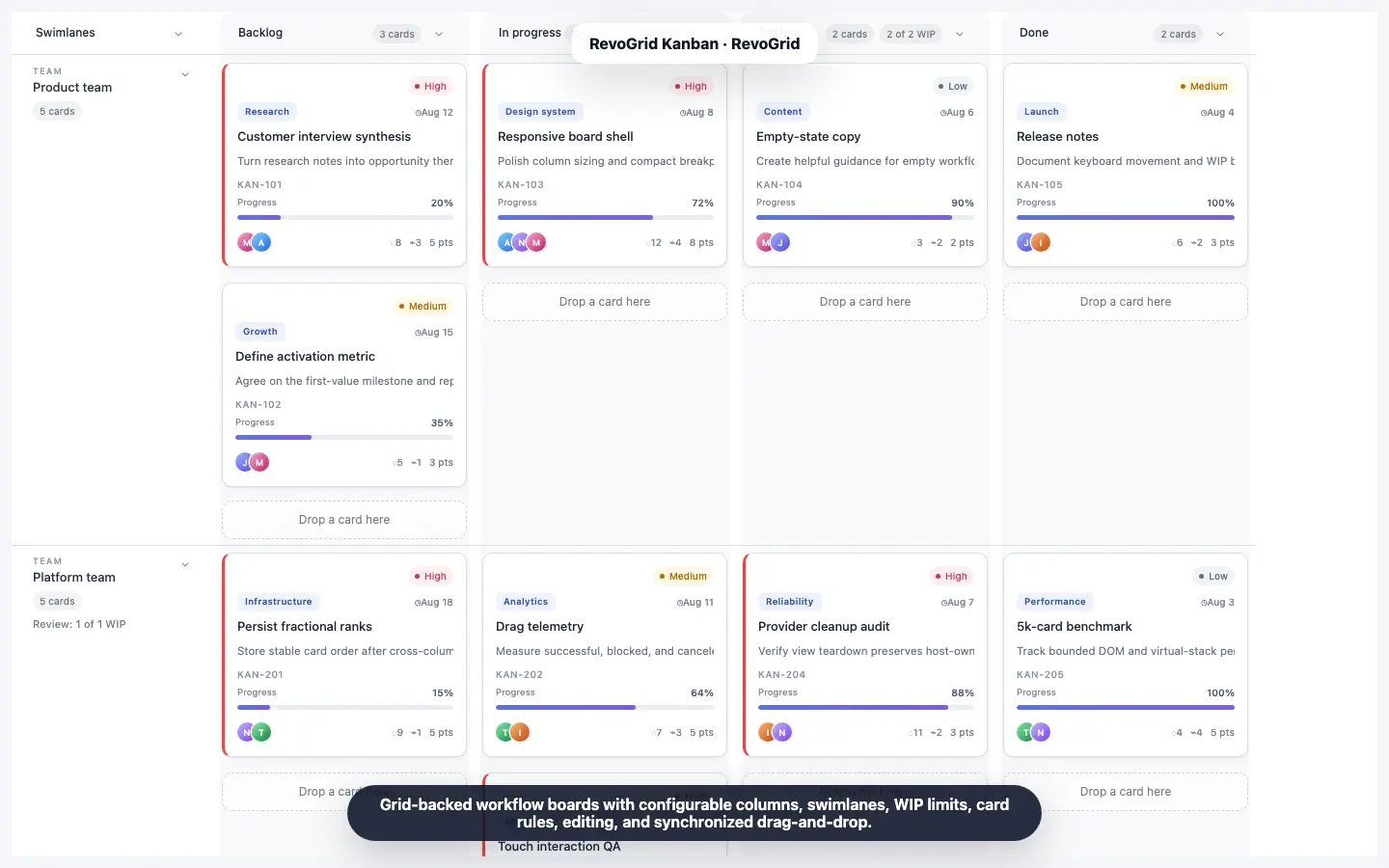
The first release includes accessible drag-and-drop, keyboard interaction, WIP limits, custom cards, multi-selection, filtering, stable card ordering, editing flows, and remote-data support. Because the board is built on RevoGrid's virtualization model, it is designed for workflows that can grow far beyond a few dozen cards.

Try RevoGrid Kanban
Open the JavaScript Kanban demo, explore the Kanban documentation, or review the installation guide.
What is a Kanban component?
A Kanban component is a reusable UI component that displays work as cards organized into workflow columns such as Backlog, In Progress, Review, and Done. Users can move cards as the work changes state, making bottlenecks and priorities visible without reading a long table of records.
A production-ready Kanban board component needs more than columns and draggable cards. It must also answer practical application questions:
- How are card moves validated and saved?
- What happens when a column reaches its work-in-progress limit?
- Can users operate the board without a mouse?
- Can the board handle thousands of records without rendering every card at once?
- Can the same records appear in a data grid, Gantt chart, or scheduler?
- Can product teams customize card content without replacing interaction and accessibility behavior?
RevoGrid Kanban is designed around those requirements.
One data model, multiple ways to work
Many boards begin with a second, board-specific copy of application data. That approach works for a prototype, but synchronization becomes difficult once users can edit records in several views.
RevoGrid Kanban takes a different approach. KanbanPlugin reads and updates the same grid.source rows used by RevoGrid. Each card needs a stable ID and a workflow-column value; a numeric order field is recommended for deterministic positioning. The plugin projects those rows into a board instead of creating a competing model.
That architecture makes a practical multi-view workflow possible:
- Use the grid for dense editing, filtering, and reporting.
- Use the Kanban board for flow, prioritization, and daily planning.
- Use Gantt for dependencies and project timelines.
- Use Scheduler or Calendar for time and resource allocation.
Changes can remain attached to the same underlying records as users move between views.
A Kanban board component built for scale
Traditional boards often render every card in the DOM. Performance can deteriorate quickly as the number of cards, columns, swimlanes, and custom elements grows.
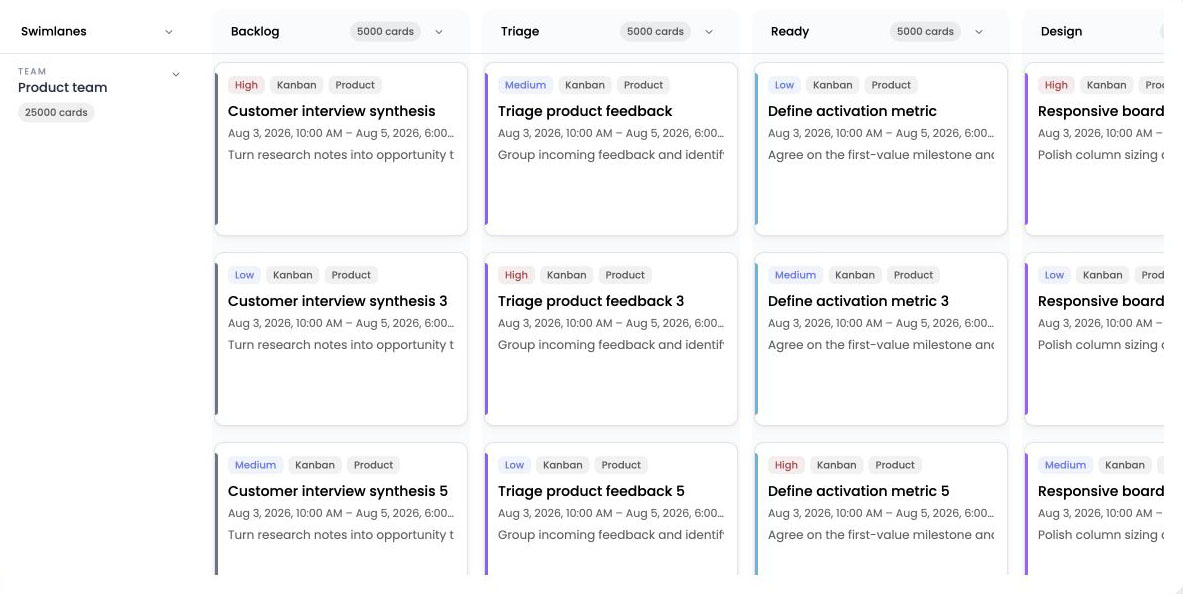
RevoGrid Kanban uses the grid's native horizontal and vertical virtualization. Workflow columns become RevoGrid columns, optional swimlanes expand into native card rows, and each workflow cell contains at most one card. The component renders the visible window instead of mounting the entire board at once.
The current demos make that difference tangible:
- The 50K Cards Board projects 50,000 cards across 10 workflow columns with team swimlanes, WIP limits, custom cards, and accessible drag-and-drop.
- The 100K Kanban Server Loading example pages through 100,000 cards from a remote offset stream.
Large demo numbers are useful, but the product benefit is simpler: teams can design a real workflow without treating every extra card as a future rendering problem.
What is included in RevoGrid Kanban?
Drag, drop, and stable card ordering
Cards can be reordered within a column or moved across workflow columns and swimlanes. Pointer capture keeps an active drag stable outside the card, while drop indicators expose the proposed destination.
Ordering is source-backed. When a card moves, the plugin can assign a fractional rank between neighboring cards. If the available gap becomes unsafe, RevoGrid rebalances only the affected destination bucket and reports the changed records, ready for persistence.
Swimlanes, WIP limits, and workflow rules
Swimlanes split each workflow column by team, project, release, class of service, or another card field. They can use a dedicated row-header column or a more compact top layout.
WIP limits add capacity policies to columns or lanes. Transition rules can allow, warn, or block a move based on the origin, destination, selected cards, permissions, or application-specific business logic. This lets the board represent the way your team actually works instead of assuming every transition is valid.
Custom cards without losing built-in behavior
Card renderers can show the fields that matter to your users: title, owner, assignees, priority, tags, progress, schedule, due date, or any application-specific content.
The managed card shell keeps selection, focus, read-only state, validation, dragging, and accessibility semantics separate from custom content. You can create a distinctive card design without rebuilding the hard interaction layer around it.
Keyboard and touch interaction
The Kanban component supports pointer, touch, and keyboard workflows. A keyboard user can focus a card, pick it up with Space, use the arrow keys to choose a destination, drop it with Space, or cancel with Escape. Selection supports single, toggle, and range behavior, including atomic moves for multiple cards.
Auto-scroll covers both directions: the board scrolls horizontally while RevoGrid virtualizes vertically. Localized announcements expose the proposed and completed move to assistive technology.
Editing, history, and persistence events
RevoGrid Kanban includes request events for create, edit, and delete flows. The packaged card-editor dialog can map common fields or arbitrary application fields, while teams with an existing form can replace the dialog with their own UI.
Cancelable beforekanbancardmove events let your application validate a proposed change. Committed kanbancardmove events include the moved cards, previous and next locations, changed canonical records, and any records affected by rank rebalancing. That creates a clear integration point for an API, local store, or audit trail.
Undo and redo can coordinate with RevoGrid history, while filtering combines the host grid filters with Kanban search and custom predicates.
React Kanban component quick start
This quick start uses RevoGrid Kanban in React through the RevoGrid React data-grid wrapper. After configuring access to the RevoGrid package registry, install the React wrapper and standalone Kanban package:
bash
npm install @revolist/react-datagrid @revolist/kanbanThen keep the source, columns, plugins, and Kanban configuration stable across React renders:
tsx
import { useMemo, useState } from 'react'
import { RevoGrid, type ColumnRegular } from '@revolist/react-datagrid'
import { KanbanPlugin, type KanbanConfig } from '@revolist/kanban'
import '@revolist/kanban/styles.css'

type WorkItem = {
  id: string
  title: string
  status: 'backlog' | 'progress' | 'review' | 'done'
  order: number
  owner: string
  priority: 'low' | 'medium' | 'high'
  progress: number
}

const initialItems: WorkItem[] = [
  {
    id: 'RG-101',
    title: 'Add onboarding checklist',
    status: 'progress',
    order: 1000,
    owner: 'Ava',
    priority: 'high',
    progress: 60,
  },
  {
    id: 'RG-102',
    title: 'Review accessibility states',
    status: 'review',
    order: 1000,
    owner: 'Noah',
    priority: 'medium',
    progress: 90,
  },
]

export function ProductBoard() {
  const [source] = useState(initialItems)

  const columns = useMemo<ColumnRegular[]>(
    () => [
      { prop: 'title', name: 'Work item' },
      { prop: 'status', name: 'Status' },
      { prop: 'owner', name: 'Owner' },
      { prop: 'progress', name: 'Progress' },
    ],
    [],
  )

  const plugins = useMemo(() => [KanbanPlugin], [])

  const kanban = useMemo<KanbanConfig>(
    () => ({
      columns: [
        { prop: 'backlog', name: 'Backlog' },
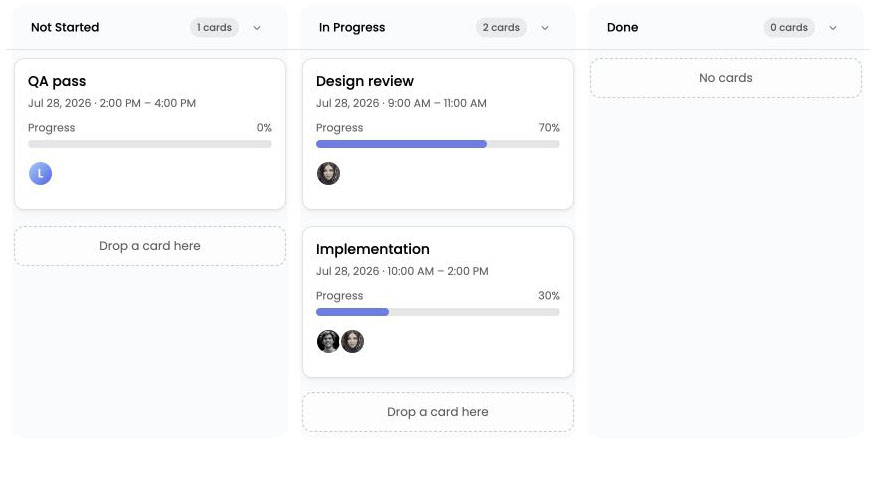
        { prop: 'progress', name: 'In Progress', wipLimit: 5 },
        { prop: 'review', name: 'Review', wipLimit: 3 },
        { prop: 'done', name: 'Done' },
      ],
      idField: 'id',
      columnField: 'status',
      orderField: 'order',
      selection: { mode: 'multiple' },
      card: {
        titleField: 'title',
        assigneeField: 'owner',
        priorityField: 'priority',
        progressField: 'progress',
      },
    }),
    [],
  )

  return (
    <RevoGrid
      source={source}
      columns={columns}
      plugins={plugins}
      kanban={kanban}
      theme="compact"
    />
  )
}
This example is intentionally small. The same configuration model extends to swimlanes, card rules, custom renderers, localized labels, context menus, remote data, and persistence events. See the Kanban examples for complete implementations.
When should you use a Kanban board component?
A Kanban view is valuable when the state and movement of work are more important than scanning every field at once. Common use cases include:
- Software delivery and issue tracking
- Product discovery and roadmap planning
- Sales and CRM pipelines
- Support queues and service operations
- Content production and approval workflows
- Hiring and candidate pipelines
- Order, fulfillment, and quality-control processes
For applications that already use RevoGrid, the new component is especially useful when users need both a dense table and a visual board. You do not have to choose one permanent representation or build a synchronization layer between them.
A visual workflow, without a second application architecture
The central idea behind RevoGrid Kanban is straightforward: a board should be another powerful view of application data, not a reason to duplicate it.
With the new Kanban board component, RevoGrid applications can add visual workflow columns, swimlanes, capacity policies, accessible card movement, customizable content, and large-data performance while keeping source records at the center of the architecture.
If you are evaluating a Kanban component for a new project—or need a JavaScript Kanban component that can share data with an existing grid—start with the live examples and test the component against your real workflow.
Try the JavaScript Kanban demo · Read the Kanban documentation · See cards, columns, and ordering
FAQ