Resource timelines with the full picture
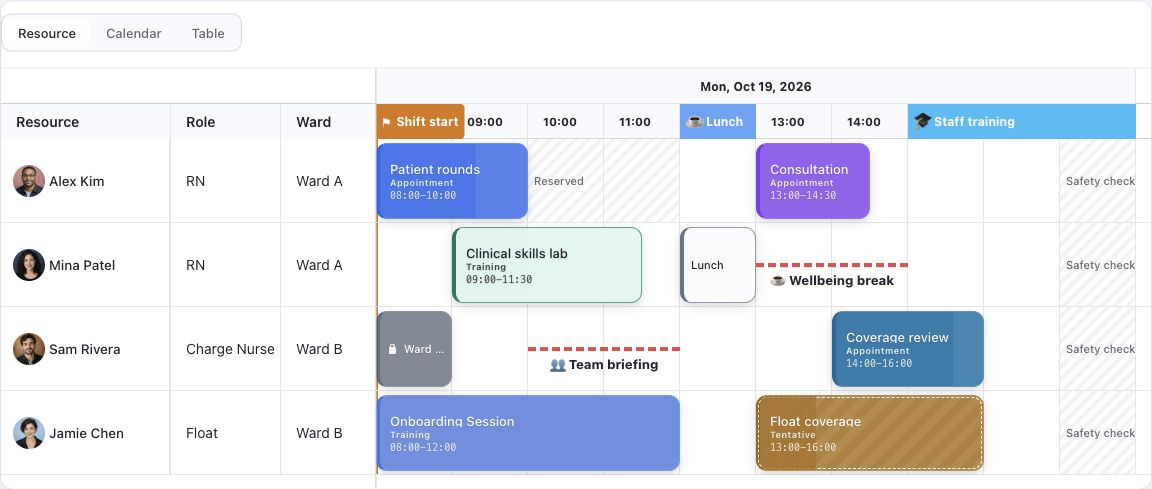
Keep people, roles, and locations beside a horizontal schedule. Show progress, shift markers, reserved time, and different event styles without losing resource context.
Explore resource schedulingBuild interactive calendars and resource timelines in your app. Move shifts, manage reservations, and check availability while keeping control of your data.
Give users the right view of their day, the context behind every assignment, and the controls to change plans. These screenshots come from the working demos.
Keep people, roles, and locations beside a horizontal schedule. Show progress, shift markers, reserved time, and different event styles without losing resource context.
Explore resource scheduling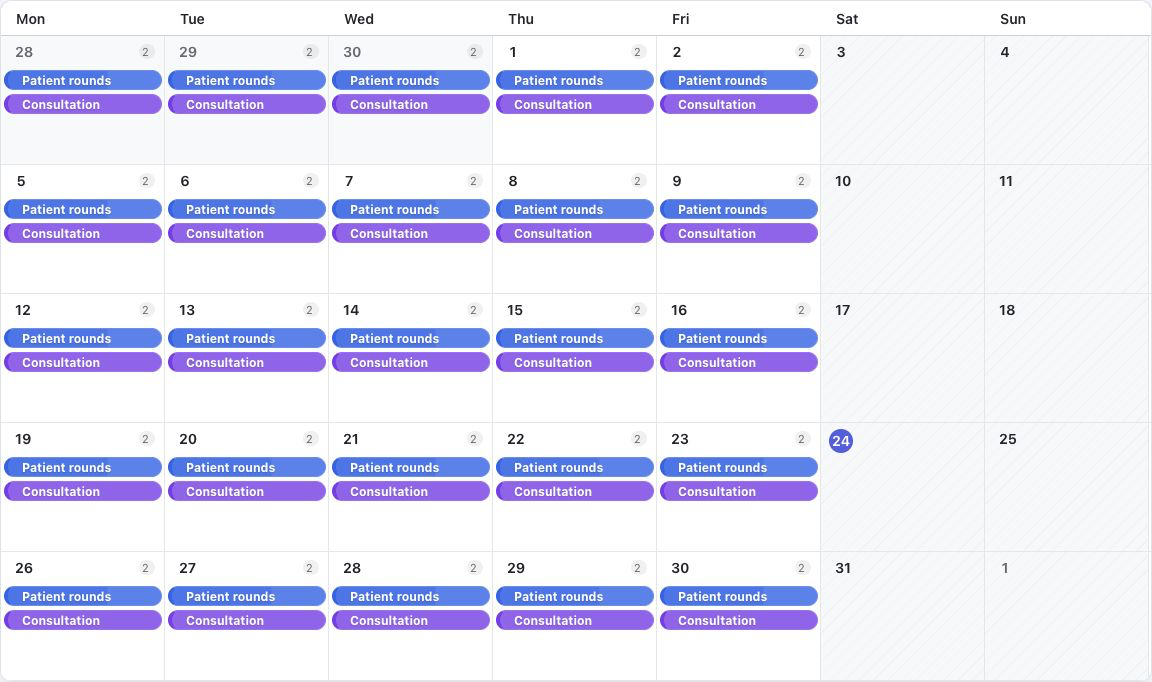
Switch from detailed time slots to a broader calendar overview. Keep event colors, assignees, locked events, and availability visible as the date range changes.
Try the calendar views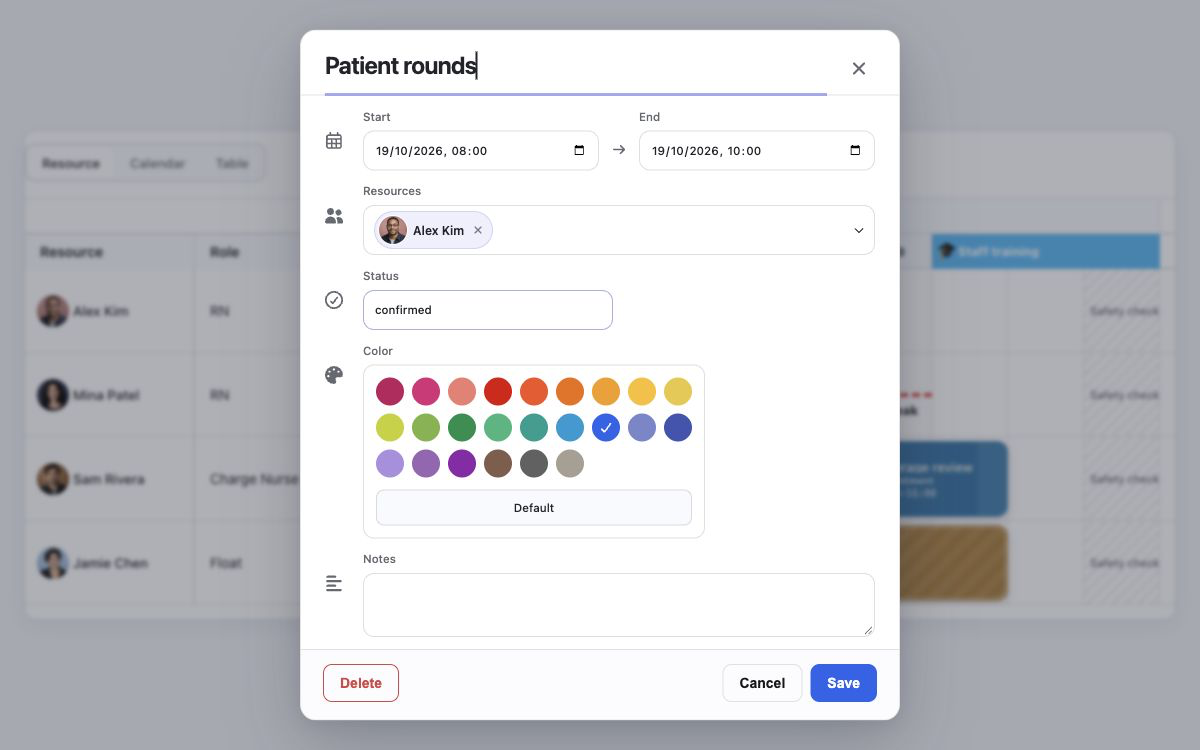
Create, move, and resize events, then open the editor to adjust dates, resources, status, color, and notes. Use locked events to protect fixed commitments.
Open an event in the demo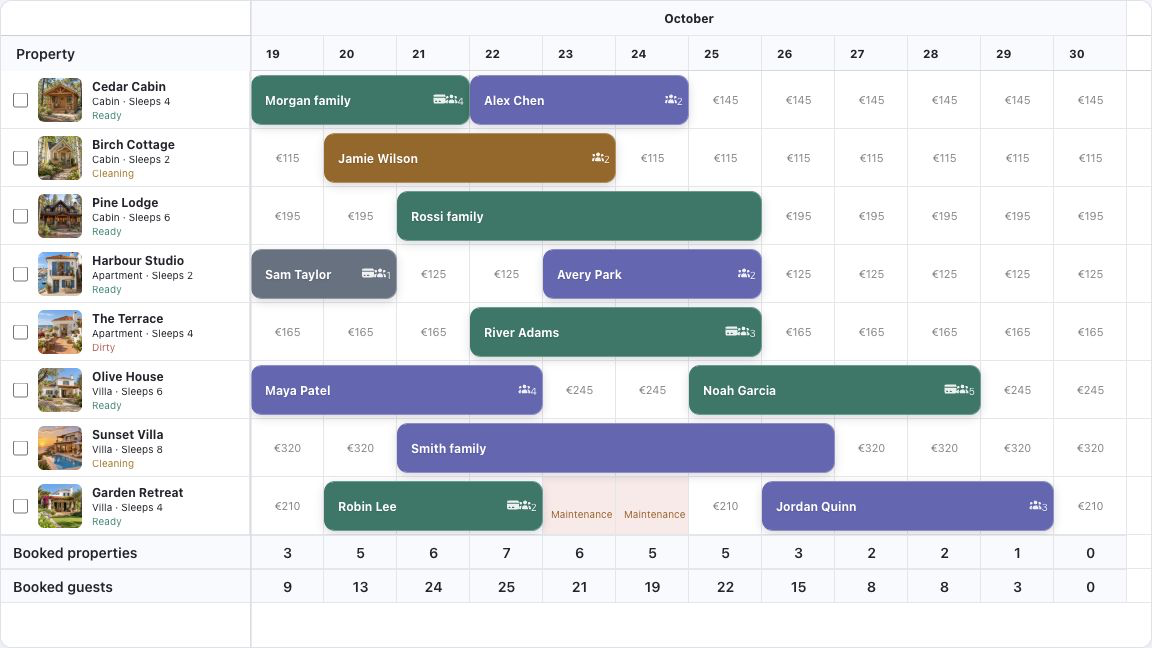
Plan nightly stays across properties. Check booking overlaps and guest capacity, and compare daily totals for booked properties and guests in the same timeline.
Try the booking calendar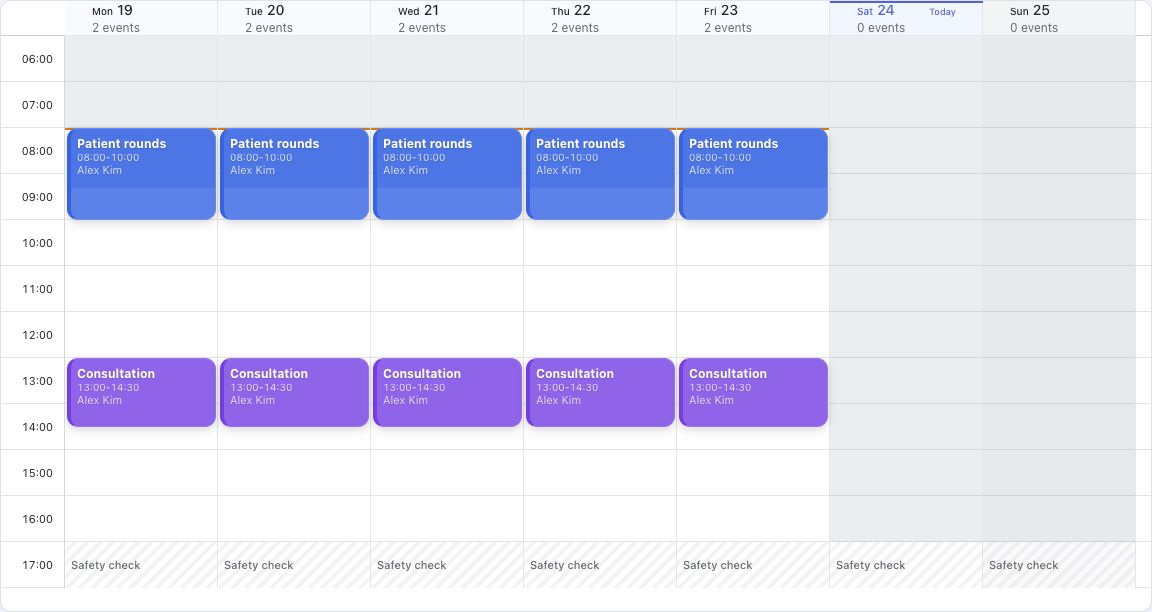
See the week's assignments with assignee labels, event colors, and time slots. Switch calendar presets to compare working hours and availability for different schedules.
Explore the weekly calendar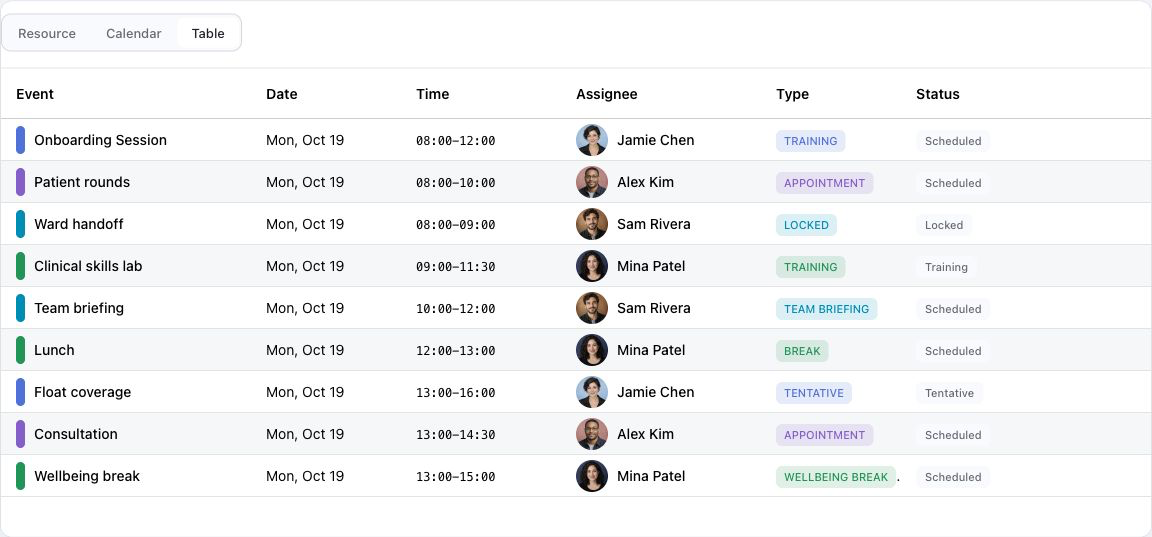
Build different views over the same scheduling data. The demo pairs its resource and calendar views with an event table showing dates, times, assignees, types, and statuses.
Explore the event tableDefine working hours, holidays, breaks, and blocked time. Surface overlaps and capacity warnings, then use validation hooks to apply your own scheduling rules.
Use event templates and recurrence helpers for repeated schedules. Support series edits, copy and paste, duplication, and bulk actions for everyday planning.
Keep persistence in your application. Load remote date ranges and resources, handle optimistic changes, and roll back a mutation when your server rejects it.
Adapt event bars, resource headers, labels, context menus, and keyboard shortcuts to your workflow. Match the rest of your application with themes and custom renderers.
Build the same scheduler product surface across JavaScript, Vue, React, Angular, and Svelte with RevoGrid's Web Component foundation.
Explore two working examples for scheduling people and booking properties inside your product.
Plan employee shifts in a weekly calendar, move assignments between resources, and check scheduling conflicts while editing.
Explore shift scheduling →Manage nightly stays across properties with booking conflict checks, guest capacity, and daily totals for booked properties and guests.
Explore property booking →FAQ
Use this JavaScript Scheduler example in a TypeScript application with a <div id="app"></div> mount point. The public trial registry requires no login or token. These aliases keep the same imports when you switch to licensed packages.
pnpm config set @revolist:registry https://trial.rv-grid.com --location=project
pnpm add @revolist/revogrid @revolist/revogrid-pro@npm:@revolist/rv-pro-trial @revolist/scheduler@npm:@revolist/scheduler-trialimport { defineCustomElements } from '@revolist/revogrid/loader'
import { EventSchedulerPlugin } from '@revolist/scheduler'
import '@revolist/revogrid-pro/styles.css'
import '@revolist/scheduler/styles.css'
await defineCustomElements()
const grid = document.createElement('revo-grid')
grid.style.height = '440px'
grid.plugins = [EventSchedulerPlugin]
grid.eventScheduler = {
view: 'resourceTimeline',
weekStartDate: '2026-06-08',
dateRange: { start: '2026-06-08', end: '2026-06-08' },
slotMinutes: 60,
timeRange: { start: '08:00', end: '18:00' },
editable: true,
allowCreate: true,
allowMove: true,
allowResize: true,
}
grid.eventSchedulerResources = [
{ id: 'room-a', name: 'Room A' },
{ id: 'room-b', name: 'Room B' },
]
grid.source = [
{
id: 'booking-1',
resourceId: 'room-a',
title: 'Customer workshop',
startDateTime: '2026-06-08T09:00:00.000Z',
endDateTime: '2026-06-08T11:00:00.000Z',
},
]
document.querySelector('#app')!.append(grid)The example renders a resource timeline with editable sample data. Connect accepted changes to your backend using the remote data guide, or start from the runnable Scheduler repository.
For task dependencies, baselines, and critical path, explore RevoGrid Gantt.
Explore the examples, then use the guides to configure views, editing, scheduling rules, and data loading.
RevoGrid Scheduler is included with Pro Advanced, together with original private source access, unlimited product usage, and priority support.
Add event calendars, resource timelines, validation rules, and controlled persistence to your app without sending users to a separate scheduling tool.