
Support Operations Kanban for Customer Service
A ticket count does not explain which customer is waiting, how close an SLA is, or who owns the next response. When triage, specialist work, and customer communication live apart, teams spend valuable time rebuilding the story.
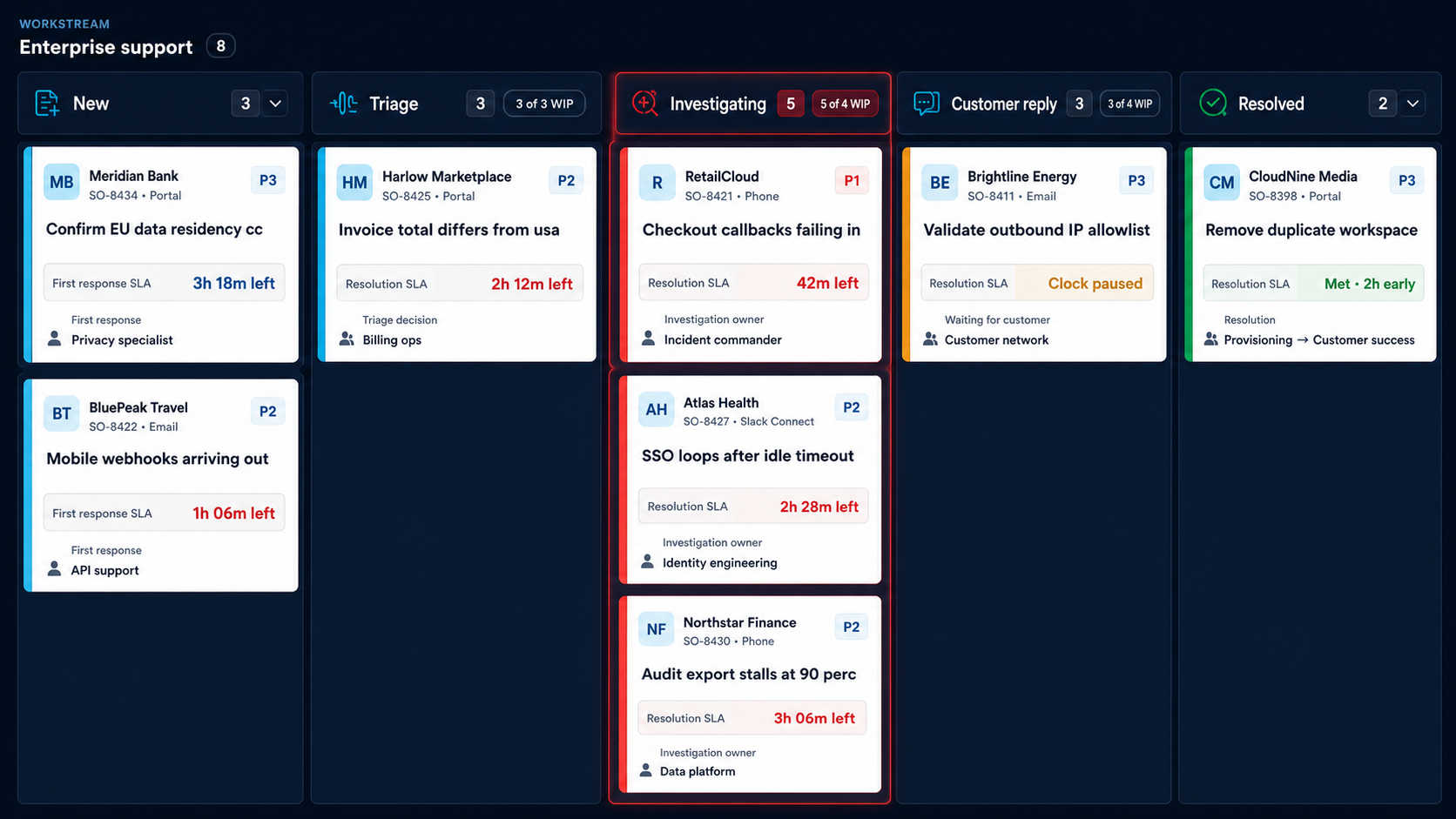
This service view puts the customer identity first. New cases emphasize first response, investigations emphasize the SLA clock and escalation owner, waiting cases show that the clock is paused, and resolved cases show the promise that was met.
Make the next customer promise visible
Each card should answer three questions quickly: who is affected, how much time remains, and who owns the next action. Stage-specific cards prevent a paused customer reply from looking like an active incident and keep resolved work calm rather than urgent.
Let capacity signal risk early
WIP is most useful around triage and investigation, where specialist capacity constrains response time. A warning belongs beside the affected queue and SLA, not as a full-screen color treatment.
Integrate without replacing the help desk
The host application should continue to own customer records, entitlements, SLAs, permissions, messages, and persistence. Kanban provides the operational view and movement model while your services validate accepted changes.
Evaluate with a real support shift
- Include P1, paused, escalated, and resolved cases.
- Keep account, SLA, next action, and owner readable without opening a card.
- Test lane collapse and a move into an overloaded investigation column.
- Verify keyboard announcements and the language used when a move is blocked.
Related guidance: RevoGrid Kanban, card customization, and Pro trial access.