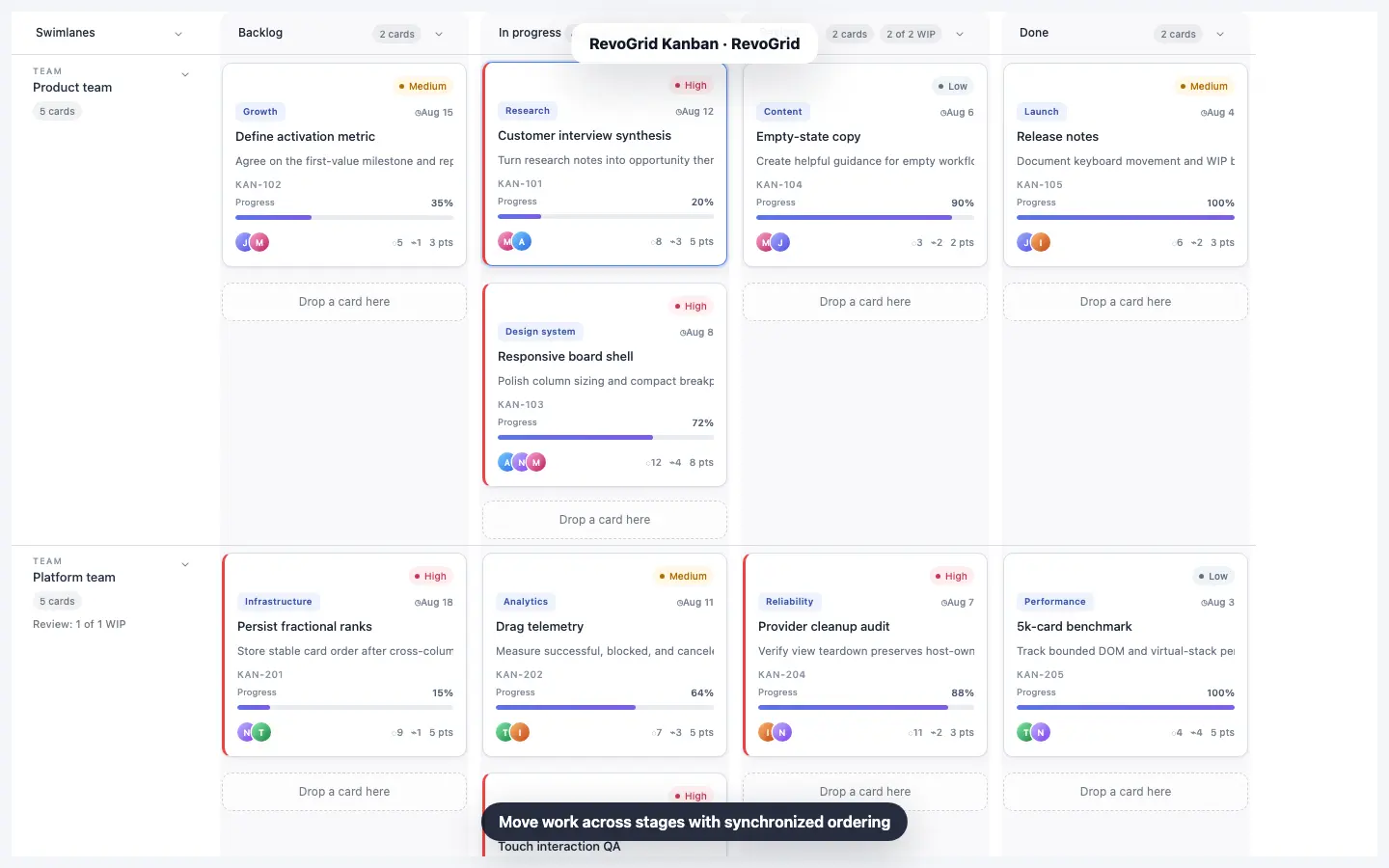
React Kanban Board Tutorial: Build a Drag-and-Drop Board with TypeScript
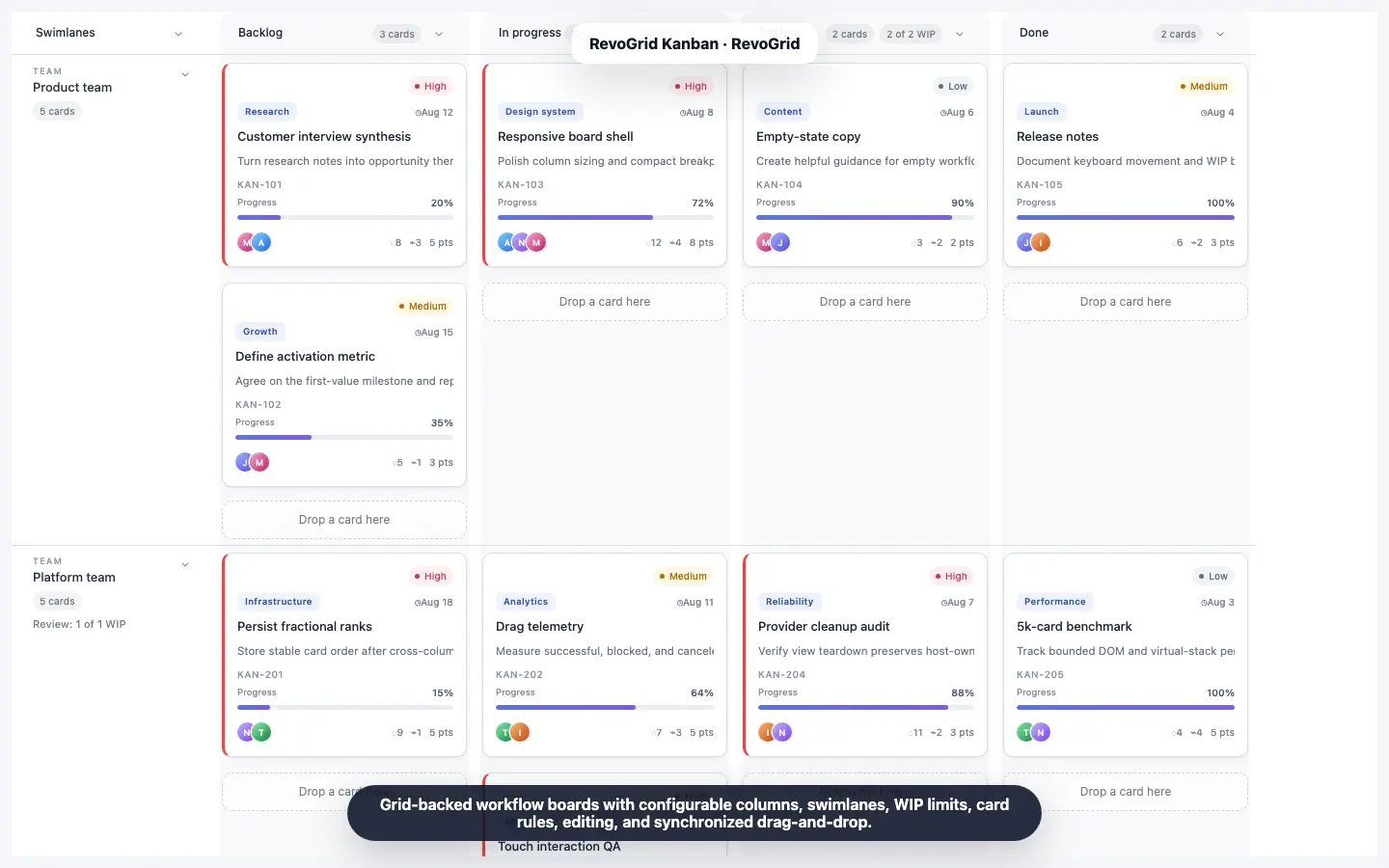
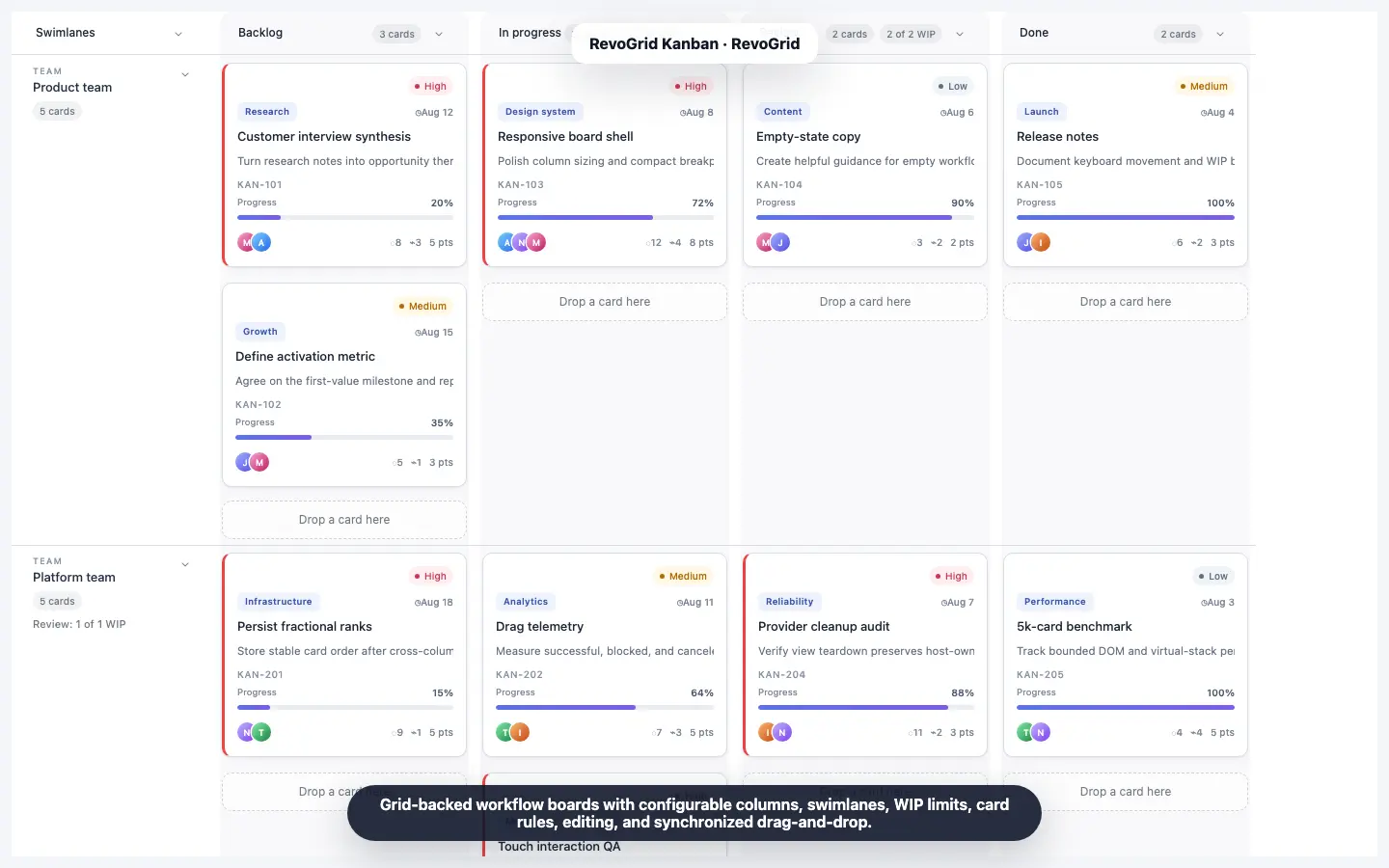
A basic React Kanban board is easy to sketch: map a few arrays into columns, make each task draggable, and update state in an onDragEnd callback.
The difficult part starts after the demo works.
A production board also needs stable card ordering, editing, validation, capacity rules, keyboard interaction, persistence, and a data model that can still be used in tables, reports, APIs, and other product views. Rebuilding all of that around a generic drag-and-drop library quickly turns a small UI feature into a maintained subsystem.
In this tutorial, we will build a complete React Kanban board with TypeScript using the RevoGrid Kanban component. The final app includes:
- typed cards and workflow columns;
- drag-and-drop within and between columns;
- a card editor for creating, updating, and deleting tasks;
- WIP limits that block invalid moves;
- persistence in
localStorage; - an event model ready for REST, GraphQL, or real-time backends;
- a complete runnable Vite example.
You can also inspect the live Kanban showcase and the React, Vue, Angular, and TypeScript reference source.
RevoGrid Kanban availability
The RevoGrid core data grid is MIT licensed. Kanban and its packaged card editor are part of RevoGrid Pro Advanced. The installation below uses the private npm trial packages so the example can be evaluated before switching to the licensed production package names.
What we are building
Our board has four workflow stages:
| Column | Purpose | WIP limit |
|---|---|---|
| Backlog | Work not yet started | No limit |
| In progress | Active implementation | 3 cards |
| Review | Work waiting for verification | 2 cards |
| Done | Completed work | No limit |
Each card is an ordinary TypeScript object with an ID, title, description, workflow status, numeric order, priority, story points, assignees, tags, and a due date.
The important architectural decision is that we will not store a separate array inside every column. A RevoGrid Planning model owns one canonical flat array:
TaskCard[]The board projects those records into columns using the status field and sorts them using the order field. That gives us one data model for the Kanban board, a normal data grid, API payloads, exports, reporting, and persistence.
Why use a React Kanban component instead of building drag-and-drop from scratch?
A drag-and-drop package solves pointer movement. It does not automatically solve the workflow model around it.
For a maintained product, you still need to decide:
- how cards are identified and ordered;
- how a move across columns changes the source data;
- what happens when two cards receive nearby order values;
- whether a move is allowed by WIP, permissions, or transition rules;
- how touch and keyboard users move cards;
- how card creation, editing, and deletion reach the backend;
- how the board behaves with thousands of cards;
- how board state stays consistent with a table or another view.
RevoGrid Kanban treats the board as a workflow projection over a shared Planning model. PlanningPlugin synchronizes that model with the grid, while KanbanPlugin owns the board projection and interactions. Pointer, touch, keyboard, context-menu, and programmatic moves pass through the same board rules. Your React application still controls model creation and persistence rather than surrendering its records to a closed task-management model.
That distinction is especially useful when the Kanban board belongs inside an operational application rather than being the entire application.
Prerequisites
This guide assumes you are comfortable with:
- React functional components;
- TypeScript interfaces or type aliases;
- React state and effects;
- basic npm and Vite usage.
Use a current Node.js LTS release and request RevoGrid Pro trial access before running the private-registry installation commands.
Step 1: Create the React and TypeScript project
Start with the Vite React TypeScript template:
npm create vite@latest react-kanban-board -- --template react-ts
cd react-kanban-board
npm installConfigure the RevoGrid trial registry and authenticate with the credentials provided for your trial:
npm config set "@revolist:registry=https://trial.rv-grid.com"
npm login --registry=https://trial.rv-grid.comInstall the RevoGrid core, React wrapper, Pro trial package, and Enterprise trial package:
npm install \
@revolist/[email protected] \
@revolist/rv-pro-trial@latest \
@revolist/rv-enterprise-trial@latestThis tutorial targets the Planning-model Kanban API. Keep the Pro and Enterprise trial packages on the same release and verify that @revolist/rv-enterprise-trial exports createPlanningModel and PlanningPlugin. Earlier direct-source Kanban releases use a different ownership API and should not be mixed with this example.
The React wrapper renders the same RevoGrid core used by other framework integrations. Kanban is supplied by the Enterprise plugin package, while its visual styles are loaded from the Pro and Enterprise stylesheets.
For a licensed project, replace the trial package imports with @revolist/revogrid-pro and @revolist/revogrid-enterprise according to the production installation guide.
Step 2: Model cards as canonical TypeScript records
A Kanban card needs three workflow fields:
- a stable ID;
- a column value;
- a numeric order value.
The shared Planning model also requires a title and a valid start/end interval so the same records can power Kanban, Gantt, Scheduler, and grid views. The field names are configured once in PlanningModel.fields.
import type { DataType } from '@revolist/revogrid';
type TaskStatus = 'backlog' | 'in-progress' | 'review' | 'done';
type TaskPriority = 'High' | 'Medium' | 'Low';
export type TaskCard = DataType & {
id: string;
title: string;
description: string;
status: TaskStatus;
order: number;
priority: TaskPriority;
points: number;
tags: string[];
assignees: string[];
dueDate: string;
color: string;
start: string;
end: string;
};The status value decides which workflow column receives the card. The order value decides its position inside that column.
Use spaced numeric ranks such as 1000, 2000, and 3000 for seed data. When a card is dropped between two existing cards, the board can assign an intermediate rank instead of rewriting every record on every move. If ranks eventually become too close, the destination bucket is rebalanced and the affected records are included in the move event.
Here is a small initial dataset:
const INITIAL_CARDS: TaskCard[] = [
{
id: 'TASK-101',
title: 'Define onboarding metrics',
description: 'Agree on activation and first-value events.',
status: 'backlog',
order: 1000,
priority: 'High',
points: 5,
tags: ['Product'],
assignees: ['Maya'],
dueDate: '2026-08-14',
color: '#7c3aed',
start: '2026-08-10T09:00:00.000Z',
end: '2026-08-14T17:00:00.000Z',
},
{
id: 'TASK-102',
title: 'Build account checklist',
description: 'Add a reusable checklist to the setup flow.',
status: 'in-progress',
order: 1000,
priority: 'Medium',
points: 3,
tags: ['Frontend'],
assignees: ['Jon'],
dueDate: '2026-08-12',
color: '#2563eb',
start: '2026-08-09T09:00:00.000Z',
end: '2026-08-12T17:00:00.000Z',
},
];This flat source is simpler to persist than a nested object such as { backlog: [], inProgress: [], done: [] }. A move changes fields on records instead of moving objects between competing state containers.
Step 3: Define data-grid columns and workflow columns
RevoGrid Kanban uses two related column definitions plus one canonical field map:
grid.columnsdescribes the canonical fields for table mode, editing, and the underlying source schema.kanban.columnsdescribes workflow stages displayed by the board.planning.fieldsmaps domain fields to shared planning concepts such as identity, title, schedule, status, order, and color.
The data-grid columns can remain useful even when the board is active:
import type { ColumnRegular } from '@revolist/revogrid';
const GRID_COLUMNS: ColumnRegular[] = [
{ prop: 'id', name: 'ID', size: 110, readonly: true },
{ prop: 'title', name: 'Title', size: 260 },
{ prop: 'status', name: 'Status', size: 130 },
{ prop: 'priority', name: 'Priority', size: 110 },
{ prop: 'points', name: 'Points', size: 90 },
{ prop: 'dueDate', name: 'Due date', size: 130 },
];Now define the workflow:
import type { KanbanConfig } from '@revolist/rv-enterprise-trial';
const KANBAN_CONFIG: KanbanConfig<TaskCard> = {
columns: [
{ prop: 'backlog', name: 'Backlog', size: 300 },
{
prop: 'in-progress',
name: 'In progress',
size: 300,
wipLimit: 3,
},
{
prop: 'review',
name: 'Review',
size: 300,
wipLimit: 2,
},
{ prop: 'done', name: 'Done', size: 300 },
],
wipBehavior: 'block',
card: {
descriptionField: 'description',
priorityField: 'priority',
tagsField: 'tags',
assigneeField: 'assignees',
dueDateField: 'dueDate',
},
labels: {
emptyColumn: 'Drop a task here',
},
cardRowHeight: 180,
};The Planning field map and optional card metadata map keep domain field names under your control. You do not need to rename your API model to match a fixed visual component schema.
Step 4: Create the Planning model and enable Kanban
The current Kanban architecture has two explicit owners:
PlanningPluginconnects the canonicalPlanningModelto RevoGrid;KanbanPluginprojects those records into workflow columns and owns board interaction.
KanbanPlugin automatically installs the packaged KanbanCardEditorDialogPlugin. You only register the editor explicitly when you need to control its plugin instance yourself.
import {
createPlanningModel,
KanbanPlugin,
PlanningPlugin,
} from '@revolist/rv-enterprise-trial';
const KANBAN_PLUGINS = [PlanningPlugin, KanbanPlugin];
const planning = createPlanningModel<TaskCard>({
items: cards,
fields: {
id: 'id',
title: 'title',
start: 'start',
end: 'end',
status: 'status',
order: 'order',
color: 'color',
},
});Keep plugin, model, column, and configuration references stable. Recreating a Planning model or large configuration objects on every React render discards model history and causes avoidable work.
Module-level constants are ideal for static configuration. Use useMemo when configuration depends on component props.
The generated React wrapper types contain core grid properties, but they do not currently include properties contributed by Enterprise plugins. Assign planning and kanban through the typed underlying element instead of suppressing TypeScript errors on JSX props:
import { useEffect, useRef } from 'react';
import { RevoGrid } from '@revolist/react-datagrid';
export function TaskBoard({ cards }: { cards: TaskCard[] }) {
const gridRef = useRef<HTMLRevoGridElement | null>(null);
useEffect(() => {
const grid = gridRef.current;
if (!grid) return;
const planning = createPlanningModel<TaskCard>({
items: cards,
fields: {
id: 'id', title: 'title', start: 'start', end: 'end',
status: 'status', order: 'order', color: 'color',
},
});
grid.planning = planning;
grid.kanban = KANBAN_CONFIG;
grid.plugins = KANBAN_PLUGINS;
return () => {
grid.kanban = false;
grid.plugins = [];
grid.planning = undefined;
planning.destroy();
};
}, [cards]);
return (
<RevoGrid
ref={gridRef}
columns={GRID_COLUMNS}
theme="compact"
resize
/>
);
}At this point, cards render in their workflow columns and can be reordered or moved across columns. For a long-lived controlled component, keep the model stable and call planning.replace(nextCards) when an external owner supplies a new canonical dataset; the complete example below shows the stable lifecycle.
Step 5: Handle drag-and-drop without rebuilding card order yourself
Many drag-and-drop Kanban React tutorials perform three manual steps after a drop:
- remove a card from its old array;
- insert it into a new array;
- renumber every card in one or both columns.
RevoGrid emits a canonical move result instead. PlanningPlugin applies it to the Planning model automatically. Listen for the exported KANBAN_CARD_MOVE_EVENT when you also need a move-specific API call, audit record, or analytics event.
import {
KANBAN_CARD_MOVE_EVENT,
type KanbanCardMoveDetail,
} from '@revolist/rv-enterprise-trial';The event batch matters because a move can change more than the card under the pointer. When fractional ranks are rebalanced, every affected card appears in changedCards. Persisting only the visibly moved card can leave the backend with a different order from the UI.
In React, attach the custom event to the wrapped grid element through a ref:
const gridRef = useRef<HTMLRevoGridElement | null>(null);
useEffect(() => {
const grid = gridRef.current;
if (!grid) return;
const onMove = (event: Event) => {
const { changedCards } = (
event as CustomEvent<KanbanCardMoveDetail<TaskCard>>
).detail;
void persistMove(changedCards);
};
grid.addEventListener(KANBAN_CARD_MOVE_EVENT, onMove);
return () => grid.removeEventListener(KANBAN_CARD_MOVE_EVENT, onMove);
}, []);Do not merge the same batch into separate React-owned card state. The Planning model has already committed the canonical mutation before the public event is observed.
The same move pipeline is used for pointer, touch, keyboard, context-menu, and public API movement. That prevents business rules from being applied only to mouse dragging.
Step 6: Add card creation, editing, and deletion
The editor plugin provides a schema-driven dialog. It maps standard card fields automatically and lets you add domain-specific fields.
This configuration adds a validated points field, generates stable card IDs, and creates sensible defaults:
import type {
KanbanCardEditorDialogOptions,
} from '@revolist/rv-enterprise-trial';
const EDITOR_CONFIG: KanbanCardEditorDialogOptions<TaskCard> = {
fields: [
{
id: 'points',
label: 'Story points',
kind: 'number',
field: 'points',
fullWidth: false,
format: (value) =>
value === undefined ? '' : String(value),
parse: (value) => Number(value),
validate: (value) =>
Number(value) > 0
? undefined
: 'Story points must be greater than zero.',
},
],
createCardId: () => `TASK-${crypto.randomUUID()}`,
createDraft: () => {
const start = new Date();
const end = new Date(start.getTime() + 7 * 86_400_000);
return {
title: '',
description: '',
priority: 'Medium',
points: 3,
tags: ['New'],
assignees: [],
dueDate: end.toISOString().slice(0, 10),
color: '#2563eb',
start: start.toISOString(),
end: end.toISOString(),
};
},
confirmDelete: true,
confirmDiscard: true,
};Assign it through the same typed grid ref used for planning and kanban:
grid.kanbanCardEditorDialog = EDITOR_CONFIG;The editor applies the mutation to the board and emits canonical CRUD events:
kanbancardcreate;kanbancardupdate;kanbancarddelete.
PlanningPlugin applies those mutations to the Planning model. Subscribe to the model for canonical state and use the events only when you need operation-specific side effects.
Step 7: Enforce WIP limits
A WIP limit is a workflow rule, not just a number displayed beside a column title.
We already configured:
{
prop: 'in-progress',
name: 'In progress',
wipLimit: 3,
}and:
wipBehavior: 'block'With block, a proposed move is rejected when its final result would exceed the destination limit. With warn, the move is allowed but the board reports the capacity problem.
The validation runs against the whole proposed operation. This becomes important when users move multiple selected cards together: RevoGrid evaluates the final batch instead of accepting the first card and rejecting the rest halfway through.
For more advanced workflows, you can also add:
allowedFromto restrict source columns;- lane-specific limits when using swimlanes;
canDrag,canEdit,canSelect, andcanDroprules;beforekanbancardmoveto synchronously cancel a move.
See the Kanban workflow documentation for the complete rules surface.
Step 8: Persist the React Kanban board
For the runnable tutorial, we will use localStorage. Persist model snapshots rather than maintaining a second independently mutated card collection.
Load state lazily so storage is read only during initial state creation:
const STORAGE_KEY = 'revogrid-react-kanban-cards-v2';
const PLANNING_FIELDS = {
id: 'id',
title: 'title',
start: 'start',
end: 'end',
status: 'status',
order: 'order',
color: 'color',
} as const;
function loadCards(): TaskCard[] {
if (typeof window === 'undefined') return cloneInitialCards();
try {
const saved = localStorage.getItem(STORAGE_KEY);
if (!saved) return cloneInitialCards();
const parsed = JSON.parse(saved);
return Array.isArray(parsed) ? parsed : cloneInitialCards();
} catch {
return cloneInitialCards();
}
}Subscribe to the Planning model and mirror its canonical snapshot into React for storage or surrounding UI:
const [cards, setCards] = useState<TaskCard[]>(loadCards);
const unsubscribe = planning.subscribe((_change, snapshot) => {
setCards([...snapshot.items]);
});
useEffect(() => {
localStorage.setItem(STORAGE_KEY, JSON.stringify(cards));
}, [cards]);Call unsubscribe() during teardown. localStorage is appropriate for a tutorial and a personal board. A multi-user product should use a Planning adapter or persist typed event payloads to a server and return versioned canonical records.
Complete runnable React Kanban board example
The following files form a complete Vite application.
src/App.tsx
import {
useEffect,
useRef,
useState,
} from 'react';
import { RevoGrid } from '@revolist/react-datagrid';
import type {
ColumnRegular,
DataType,
} from '@revolist/revogrid';
import {
createPlanningModel,
KANBAN_CARD_MOVE_EVENT,
KanbanPlugin,
PlanningPlugin,
type KanbanCardEditorDialogOptions,
type KanbanCardMoveDetail,
type KanbanConfig,
type PlanningModel,
} from '@revolist/rv-enterprise-trial';
type TaskStatus =
| 'backlog'
| 'in-progress'
| 'review'
| 'done';
type TaskPriority = 'High' | 'Medium' | 'Low';
type TaskCard = DataType & {
id: string;
title: string;
description: string;
status: TaskStatus;
order: number;
priority: TaskPriority;
points: number;
tags: string[];
assignees: string[];
dueDate: string;
color: string;
start: string;
end: string;
};
const STORAGE_KEY = 'revogrid-react-kanban-cards-v2';
const INITIAL_CARDS: TaskCard[] = [
{
id: 'TASK-101',
title: 'Define onboarding metrics',
description: 'Agree on activation and first-value events.',
status: 'backlog',
order: 1000,
priority: 'High',
points: 5,
tags: ['Product'],
assignees: ['Maya'],
dueDate: '2026-08-14',
color: '#7c3aed',
start: '2026-08-10T09:00:00.000Z',
end: '2026-08-14T17:00:00.000Z',
},
{
id: 'TASK-102',
title: 'Write empty-state copy',
description: 'Explain the next action for a new workspace.',
status: 'backlog',
order: 2000,
priority: 'Low',
points: 2,
tags: ['Content'],
assignees: ['Ari'],
dueDate: '2026-08-18',
color: '#64748b',
start: '2026-08-11T09:00:00.000Z',
end: '2026-08-18T17:00:00.000Z',
},
{
id: 'TASK-103',
title: 'Build account checklist',
description: 'Add a reusable checklist to the setup flow.',
status: 'in-progress',
order: 1000,
priority: 'Medium',
points: 3,
tags: ['Frontend'],
assignees: ['Jon'],
dueDate: '2026-08-12',
color: '#2563eb',
start: '2026-08-09T09:00:00.000Z',
end: '2026-08-12T17:00:00.000Z',
},
{
id: 'TASK-104',
title: 'Instrument trial events',
description: 'Track each step from signup to first project.',
status: 'in-progress',
order: 2000,
priority: 'High',
points: 5,
tags: ['Analytics'],
assignees: ['Nora'],
dueDate: '2026-08-13',
color: '#0891b2',
start: '2026-08-09T10:00:00.000Z',
end: '2026-08-13T17:00:00.000Z',
},
{
id: 'TASK-105',
title: 'Review keyboard flow',
description: 'Verify focus, card pickup, movement, and cancel.',
status: 'review',
order: 1000,
priority: 'High',
points: 3,
tags: ['Accessibility'],
assignees: ['Iris'],
dueDate: '2026-08-11',
color: '#d97706',
start: '2026-08-08T09:00:00.000Z',
end: '2026-08-11T17:00:00.000Z',
},
{
id: 'TASK-106',
title: 'Publish release notes',
description: 'Summarize the completed onboarding changes.',
status: 'done',
order: 1000,
priority: 'Medium',
points: 2,
tags: ['Release'],
assignees: ['Theo'],
dueDate: '2026-08-08',
color: '#059669',
start: '2026-08-04T09:00:00.000Z',
end: '2026-08-08T17:00:00.000Z',
},
];
const GRID_COLUMNS: ColumnRegular[] = [
{ prop: 'id', name: 'ID', size: 110, readonly: true },
{ prop: 'title', name: 'Title', size: 260 },
{ prop: 'status', name: 'Status', size: 130 },
{ prop: 'priority', name: 'Priority', size: 110 },
{ prop: 'points', name: 'Points', size: 90 },
{ prop: 'dueDate', name: 'Due date', size: 130 },
];
const KANBAN_CONFIG: KanbanConfig<TaskCard> = {
columns: [
{ prop: 'backlog', name: 'Backlog', size: 300 },
{
prop: 'in-progress',
name: 'In progress',
size: 300,
wipLimit: 3,
},
{
prop: 'review',
name: 'Review',
size: 300,
wipLimit: 2,
},
{ prop: 'done', name: 'Done', size: 300 },
],
wipBehavior: 'block',
card: {
descriptionField: 'description',
priorityField: 'priority',
tagsField: 'tags',
assigneeField: 'assignees',
dueDateField: 'dueDate',
},
labels: {
emptyColumn: 'Drop a task here',
},
cardRowHeight: 180,
};
const EDITOR_CONFIG: KanbanCardEditorDialogOptions<TaskCard> = {
fields: [
{
id: 'points',
label: 'Story points',
kind: 'number',
field: 'points',
fullWidth: false,
format: (value) =>
value === undefined ? '' : String(value),
parse: (value) => Number(value),
validate: (value) =>
Number(value) > 0
? undefined
: 'Story points must be greater than zero.',
},
],
createCardId: () => `TASK-${crypto.randomUUID()}`,
createDraft: () => {
const start = new Date();
const end = new Date(start.getTime() + 7 * 86_400_000);
return {
title: '',
description: '',
priority: 'Medium',
points: 3,
tags: ['New'],
assignees: [],
dueDate: end.toISOString().slice(0, 10),
color: '#2563eb',
start: start.toISOString(),
end: end.toISOString(),
};
},
confirmDelete: true,
confirmDiscard: true,
};
const KANBAN_PLUGINS = [PlanningPlugin, KanbanPlugin];
function cloneInitialCards(): TaskCard[] {
return INITIAL_CARDS.map((card) => ({
...card,
tags: [...card.tags],
assignees: [...card.assignees],
}));
}
function loadCards(): TaskCard[] {
if (typeof window === 'undefined') return cloneInitialCards();
try {
const saved = localStorage.getItem(STORAGE_KEY);
if (!saved) return cloneInitialCards();
const parsed: unknown = JSON.parse(saved);
return Array.isArray(parsed)
? (parsed as TaskCard[])
: cloneInitialCards();
} catch {
return cloneInitialCards();
}
}
export default function App() {
const gridRef = useRef<HTMLRevoGridElement | null>(null);
const planningRef = useRef<PlanningModel<TaskCard> | null>(null);
const [cards, setCards] = useState<TaskCard[]>(loadCards);
useEffect(() => {
localStorage.setItem(STORAGE_KEY, JSON.stringify(cards));
}, [cards]);
useEffect(() => {
const grid = gridRef.current;
if (!grid) return;
const planning = createPlanningModel<TaskCard>({
items: cards,
fields: PLANNING_FIELDS,
});
planningRef.current = planning;
const unsubscribe = planning.subscribe((_change, snapshot) => {
setCards([...snapshot.items]);
});
const handleMove = (event: Event) => {
const detail = (
event as CustomEvent<KanbanCardMoveDetail<TaskCard>>
).detail;
console.info('Kanban move committed', detail.changedCards);
};
grid.planning = planning;
grid.kanban = KANBAN_CONFIG;
grid.kanbanCardEditorDialog = EDITOR_CONFIG;
grid.plugins = KANBAN_PLUGINS;
grid.addEventListener(KANBAN_CARD_MOVE_EVENT, handleMove);
return () => {
grid.removeEventListener(KANBAN_CARD_MOVE_EVENT, handleMove);
grid.kanbanCardEditorDialog = false;
grid.kanban = false;
grid.plugins = [];
grid.planning = undefined;
unsubscribe();
planningRef.current = null;
planning.destroy();
};
}, []);
const resetBoard = () => {
const planning = planningRef.current;
if (planning) {
planning.replace(cloneInitialCards(), {
origin: 'api',
resetHistory: true,
});
}
};
return (
<main className="app-shell">
<header className="app-toolbar">
<div>
<p className="eyebrow">Product delivery</p>
<h1>React Kanban board</h1>
<p className="toolbar-copy">
Drag cards, use the card menu to edit, and test the WIP limits.
</p>
</div>
<button type="button" onClick={resetBoard}>
Reset board
</button>
</header>
<section className="board-shell" aria-label="Product task board">
<RevoGrid
ref={gridRef}
className="kanban-grid"
columns={GRID_COLUMNS}
theme="compact"
resize
/>
</section>
</main>
);
}src/main.tsx
import { StrictMode } from 'react';
import { createRoot } from 'react-dom/client';
import '@revolist/rv-pro-trial/dist/rv-pro-trial.css';
import '@revolist/rv-enterprise-trial/dist/rv-enterprise-trial.css';
import './styles.css';
import App from './App';
createRoot(document.getElementById('root')!).render(
<StrictMode>
<App />
</StrictMode>,
);src/styles.css
:root {
font-family:
Inter, ui-sans-serif, system-ui, -apple-system, BlinkMacSystemFont,
"Segoe UI", sans-serif;
color: #172033;
background: #f4f7fb;
font-synthesis: none;
text-rendering: optimizeLegibility;
}
* {
box-sizing: border-box;
}
body {
margin: 0;
min-width: 320px;
min-height: 100vh;
}
button {
border: 1px solid #cbd5e1;
border-radius: 10px;
padding: 10px 14px;
background: #ffffff;
color: #172033;
font: inherit;
font-weight: 650;
cursor: pointer;
}
button:hover {
background: #f8fafc;
}
.app-shell {
min-height: 100vh;
padding: 24px;
}
.app-toolbar {
display: flex;
align-items: flex-end;
justify-content: space-between;
gap: 24px;
max-width: 1480px;
margin: 0 auto 18px;
}
.app-toolbar h1,
.app-toolbar p {
margin: 0;
}
.app-toolbar h1 {
margin-top: 4px;
font-size: clamp(1.75rem, 3vw, 2.5rem);
}
.eyebrow {
color: #2563eb;
font-size: 0.75rem;
font-weight: 800;
letter-spacing: 0.12em;
text-transform: uppercase;
}
.toolbar-copy {
margin-top: 6px !important;
color: #64748b;
}
.board-shell {
width: min(1480px, 100%);
height: calc(100vh - 150px);
min-height: 620px;
margin: 0 auto;
overflow: hidden;
border: 1px solid #dbe3ef;
border-radius: 16px;
background: #ffffff;
box-shadow: 0 18px 50px rgb(15 23 42 / 8%);
}
.kanban-grid {
width: 100%;
height: 100%;
}
@media (max-width: 700px) {
.app-shell {
padding: 14px;
}
.app-toolbar {
align-items: flex-start;
flex-direction: column;
}
.board-shell {
height: calc(100vh - 205px);
min-height: 540px;
}
}Run the application:
npm run devOpen the local Vite URL, move cards between columns, and refresh the page. The latest board state should remain in place.
How persistence should work with a real API
Replacing localStorage does not require replacing the board. Add a PlanningAdapter when the backend accepts the model's typed transactions, or listen to a specific Kanban event when an existing endpoint expects a specialized payload.
Prefer a Planning adapter for complete persistence
An adapter receives moves, creates, edits, deletes, undo, and other model transactions through one optimistic persistence pipeline:
import type {
PlanningAdapter,
PlanningRemoteCommitResult,
} from '@revolist/rv-enterprise-trial';
const adapter: PlanningAdapter<TaskCard> = {
async commit(transaction): Promise<PlanningRemoteCommitResult<TaskCard>> {
const response = await fetch('/api/planning/commit', {
method: 'POST',
headers: { 'Content-Type': 'application/json' },
body: JSON.stringify(transaction),
});
if (!response.ok) {
return { accepted: false, message: 'Could not persist the change.' };
}
return response.json();
},
};
const planning = createPlanningModel<TaskCard>({
items: initialCards,
fields: PLANNING_FIELDS,
adapter,
});The server can accept the transaction or return a canonical correction. The model owns optimistic state, pending records, rollback/rebase behavior, and remote status while React observes snapshots.
Persist a card move
Send the complete changed-card batch:
async function persistMove(changedCards: readonly TaskCard[]) {
const response = await fetch('/api/tasks/reorder', {
method: 'PATCH',
headers: {
'Content-Type': 'application/json',
},
body: JSON.stringify({ cards: changedCards }),
});
if (!response.ok) {
throw new Error('Could not persist the card move.');
}
}A production endpoint should update the batch atomically. Otherwise, another client can observe a partially updated order.
Use optimistic updates carefully
The board and Planning model have already committed the move by the time kanbancardmove fires. Do not apply it to a second React-owned collection.
For a robust server workflow:
- let the Planning model apply the optimistic transaction;
- send the transaction or complete
changedCardsbatch with a version; - let the server validate permissions and concurrency;
- return a canonical correction or replace the model from the response;
- let the adapter roll back/rebase, or explicitly refetch after a specialized endpoint fails.
For rules that must stop the UI before it moves, use a synchronous beforekanbancardmove listener or configure Kanban rules in the board. Server-only authorization must still be enforced on the backend.
Example with TanStack Query
The same event can trigger a mutation:
const moveMutation = useMutation({
mutationFn: persistMove,
onError: () => {
queryClient.invalidateQueries({ queryKey: ['tasks'] });
},
});
const handleMove = (event: Event) => {
const { changedCards } = (
event as CustomEvent<KanbanCardMoveDetail<TaskCard>>
).detail;
moveMutation.mutate(changedCards);
};This keeps the Planning model responsible for canonical local state and TanStack Query responsible for that move endpoint's remote lifecycle. On success, replace the model with canonical server records when they differ; on failure, invalidate and replace the model from the refetched query.
Add workflow transition rules
WIP limits answer “is there room?” Transition rules answer “is this movement allowed?”
For example, a team may require tasks to pass through review before completion. Add allowedFrom to the destination columns:
columns: [
{
prop: 'backlog',
name: 'Backlog',
allowedFrom: ['backlog', 'in-progress'],
},
{
prop: 'in-progress',
name: 'In progress',
wipLimit: 3,
allowedFrom: ['backlog', 'in-progress', 'review'],
},
{
prop: 'review',
name: 'Review',
wipLimit: 2,
allowedFrom: ['in-progress', 'review', 'done'],
},
{
prop: 'done',
name: 'Done',
allowedFrom: ['review', 'done'],
},
]Now a task cannot jump directly from Backlog to Done.
For user-specific permissions, use rule callbacks instead of hard-coded column lists. A rule can inspect the card, source column, target, current user, or other application state and return either true or a reason explaining why the action is blocked.
Add swimlanes when one workflow is not enough
Columns describe workflow stages. Swimlanes divide every stage by another dimension, such as:
- team;
- product area;
- release;
- priority class;
- customer account;
- service tier.
Add a field to the card model:
type TaskCard = DataType & {
// existing fields
team: 'Product' | 'Platform';
};Then configure lanes:
const KANBAN_CONFIG: KanbanConfig<TaskCard> = {
// existing configuration
swimlaneField: 'team',
swimlanes: [
{
id: 'Product',
title: 'Product team',
collapsible: true,
},
{
id: 'Platform',
title: 'Platform team',
collapsible: true,
wipLimits: {
review: 3,
},
},
],
};A card move can then update its workflow stage, its lane, its rank, or all three in one canonical mutation batch.
React performance considerations
A Kanban board is not automatically fast because it uses React. Rendering every card into the DOM can become expensive as the board grows, especially when cards contain avatars, badges, dates, progress indicators, and interactive controls.
RevoGrid Kanban reuses the grid's row and column virtualization. That keeps the rendered DOM bounded instead of mounting the entire board at once.
Follow these React-specific practices:
Keep configuration stable
Do not define columns, plugins, or a large kanban object inline unless their values genuinely depend on each render.
Use module constants:
const KANBAN_PLUGINS = [PlanningPlugin, KanbanPlugin];or memoize dynamic configuration:
const kanban = useMemo(
() => createKanbanConfig(currentUser),
[currentUser],
);Keep the Planning model canonical
Do not maintain independently mutable cards, grid.source, and cardsByColumn stores. Subscribe to the Planning model and derive React or grouped views from its snapshots.
Persist changed records, not the whole board
The move event already tells you which records changed. Send that batch rather than serializing thousands of unchanged cards after every drop.
Keep custom card content focused
Virtualization controls the number of mounted cards, but expensive card templates can still affect scrolling. Avoid unnecessary React roots, oversized images, and synchronous calculations inside each card.
Accessibility and keyboard movement
Drag-and-drop must not require a mouse.
RevoGrid Kanban cards are focusable and support keyboard pickup, movement, cancellation, and live feedback. Pointer Events provide one interaction model for mouse, pen, and touch input.
When adding custom card UI:
- preserve meaningful labels for the card and its actions;
- do not hide focus indicators;
- make buttons actual buttons rather than clickable
<div>elements; - avoid using color as the only status signal;
- respect reduced-motion preferences;
- test WIP and transition feedback without a pointer.
Accessibility is easier to preserve when customization replaces content inside a managed interaction shell rather than replacing the entire drag-and-drop mechanism.
Common React Kanban board mistakes
Storing cards in separate column arrays
Nested arrays look convenient at first but complicate API synchronization, cross-column moves, reporting, and switching between board and table views.
Use a flat canonical array with status and order fields.
Persisting only the dragged card
A rank rebalance can update additional cards. Always persist changedCards, not only cards[0] or the card ID under the pointer.
Recreating configuration on every render
Inline object and array props receive new identities on every render. Keep stable references unless the configuration truly changes.
Treating WIP as decoration
A red counter does not enforce capacity. Choose warn or block behavior and validate the complete proposed move.
Applying permissions only after a move
Use board rules or beforekanbancardmove for interactions that must be stopped before commit. Keep backend authorization as the final source of truth.
Assuming desktop drag-and-drop is enough
Test pointer, touch, and keyboard workflows. A board used on tablets or by keyboard users needs more than HTML5 mouse drag events.
Forgetting client-only rendering in SSR apps
RevoGrid uses browser APIs. In Next.js or another SSR framework, render the React Kanban component in a client component or load it dynamically on the client.
React Kanban board FAQ
What is the best data model for a React Kanban board?
Use one flat array of typed card records. Give every card a stable ID, workflow column field, and numeric order field. Add lane, owner, priority, due date, and other business fields directly to the same record. This keeps the board compatible with APIs, tables, filters, exports, and reporting.
How do I build drag and drop Kanban in React without manual array management?
Use a React Kanban component backed by a canonical model. With RevoGrid, PlanningPlugin applies kanbancardmove results to the Planning model, so React can subscribe to snapshots instead of manually removing, inserting, and renumbering nested column arrays.
Can a React Kanban component enforce WIP limits?
Yes. In RevoGrid Kanban, add wipLimit to a workflow column and choose wipBehavior: 'warn' or wipBehavior: 'block'. Limits can also be refined for individual swimlanes.
How do I save card order to a database?
Persist the full changedCards array emitted after a move. Each record contains its updated column, order, and lane values. Update that batch atomically and return canonical server records when concurrency or validation can change the result.
Can users create and edit cards inside the board?
Yes. KanbanPlugin auto-installs KanbanCardEditorDialogPlugin. Assign kanbanCardEditorDialog options through the underlying grid element to configure standard fields, custom fields, validation, create defaults, deletion confirmation, and CRUD events.
Does the board support keyboard and touch interaction?
Yes. RevoGrid Kanban supports pointer input for mouse, pen, and touch, plus keyboard card pickup and movement. Custom card content should preserve the board's focus and accessibility semantics.
Can I switch between a React data grid and Kanban view?
Yes. Both views use the same canonical Planning records. Enable the Kanban configuration for workflow work and disable it to return to the data-grid representation without maintaining a second board-only data model.
Is RevoGrid Kanban open source?
The RevoGrid core data grid is MIT licensed. The Kanban plugin and packaged editor are commercial RevoGrid Pro Advanced modules. A private npm trial is available for evaluation.
Where to go next
This tutorial gives you a complete React Kanban board with TypeScript, drag-and-drop, editing, WIP limits, and persistence. From here, the most valuable production additions are usually:
- server-side mutations with conflict handling;
- user and role-based transition rules;
- swimlanes for teams or releases;
- search and board filtering;
- undo and redo history;
- custom card rendering that matches your product design system.
Use the following resources for the next step:
- RevoGrid Kanban product page
- Kanban implementation documentation
- React data grid guide
- Kanban framework examples on GitHub
- Interactive Kanban demo
A useful React Kanban board is not just a set of draggable lists. It is a workflow surface connected to real application data, product rules, accessibility, and persistence. Starting with that architecture prevents the prototype from becoming a rewrite when the board reaches production.