
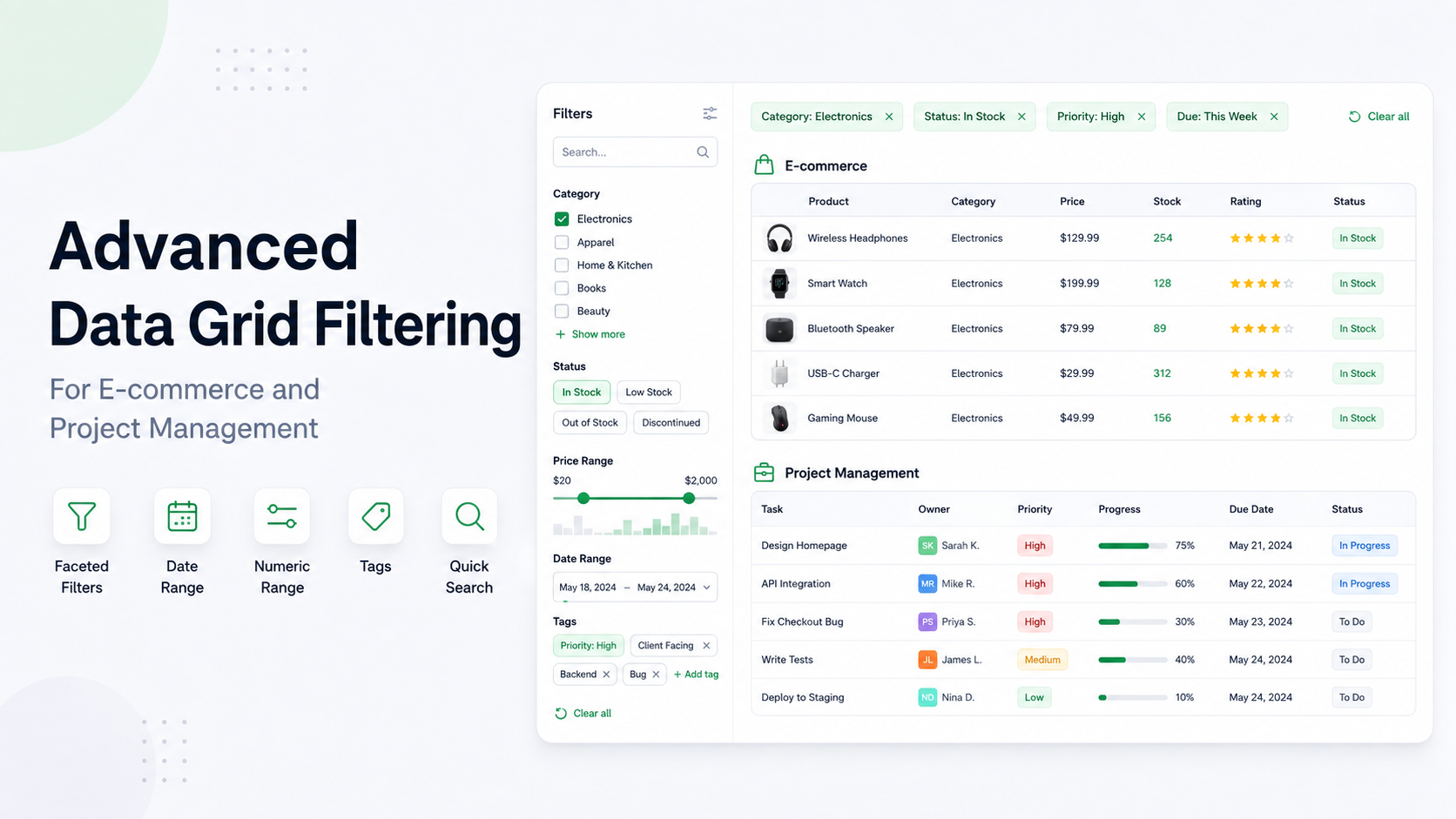
Data Grid
Choose the right data grid filters
Practical filtering patterns for orders, inventory, and project workflows.
AI coding agents are now part of the developer workflow. Whether we like that shift or hate it, users ask Codex, Cursor, Claude Code, GitHub Copilot, and other tools to install packages, wire examples, migrate code, and explain APIs. For JavaScript data grids, that often means asking an agent to build columns, editors, filters, Pivot views, or Gantt timelines.
We ran into the obvious problem: the docs were written for people. A person can use the sidebar, search, breadcrumbs, examples, and product context. An agent often starts with a URL and a vague instruction. If it cannot find the right entry point quickly, it guesses.
There are several ways to make a site easier for agents to use: an MCP server for live retrieval, skill bundles for structured on-demand context, and llms.txt as a public discovery layer.
That is where llms.txt helps. It is a public, text-first entry point that tells AI agents where the important documentation lives: installation guides, API reference, examples, migration notes, troubleshooting, full text exports, and any richer machine-readable bundles.
For RevoGrid, there are two documentation surfaces: the public docs at rv-grid.com, which you are reading now, and the Pro documentation portal at pro.rv-grid.com. Together they support AI agents at several levels:
llms.txt index;llms-full.txt Markdown corpus;revogrid-pro.skill bundle with split reference files;The goal is not to “optimize for bots” at the expense of people. The goal is to make sure that when a user asks an agent to build with RevoGrid, the agent can find the same source material a careful developer would read first.
llms.txt Actually Used? The honest answer is: it is increasingly published, but it is not a guaranteed AI-search ranking signal.
llms.txt began as a proposal, published by Answer.AI co-founder Jeremy Howard in September 2024. Its stated use case is helping language models use a website at inference time, especially when an agent needs concise access to developer documentation. It is not a replacement for robots.txt, a training opt-out mechanism, or a promise that every crawler will fetch the file.
There is meaningful adoption among major developer platforms:
llms.txt index with Markdown versions of its API documentation and a combined llms-full.txt export.llms.txt index for its developer documentation.llms.txt and llms-full.txt files.llms.txt and llms-full.txt for documentation sites hosted on its platform.That is strong social proof for llms.txt as a low-cost documentation convention. It is not proof that publishing the file improves citations, traffic, rankings, or model accuracy by itself. Ahrefs found broad adoption in its tech-oriented sample but almost no requests to most published files. A widely shared critical analysis by Kai Spriestersbach makes the same important distinction: a company publishing llms.txt does not mean its crawler consumes other sites' files.
Our conclusion is deliberately narrower: publish llms.txt when it is cheap to generate from your canonical docs, useful when a human or agent opens it directly, and part of a broader agent-documentation strategy. Do not sell it as magic AI SEO.
llms.txt Is For Think of llms.txt as the note you wish every agent would read before touching your codebase. It should be a short map, not the full product manual.
The original proposal recommends Markdown with an H1, a short summary, and grouped lists of links. The exact format is intentionally simple enough to read without a special parser.
Use it to answer these questions quickly:
A good llms.txt file is boring in the best way: absolute links, clear section names, and short descriptions. It should be easy to scan in one pass. Do not turn it into another documentation dump.
Example shape:
# Product Documentation

## Primary Docs

- [Installation](https://rv-grid.com/guide/installation): Install and configure the package.
- [API Reference](https://rv-grid.com/guide/api/revoGrid): Public TypeScript API.
- [Migration Guide](https://rv-grid.com/guide/migration): Upgrade notes.

## Full Corpus

- [llms-full.txt](https://pro.rv-grid.com/llms-full.txt): Complete normalized Markdown export.
- [revogrid-pro.skill](https://pro.rv-grid.com/revogrid-pro.skill): Split documentation skill for coding agents.llms.txt to a Documentation Site Adding llms.txt is not complicated. The mistake is treating it like a one-off marketing page. It belongs in the docs pipeline.
In practice, this is the shape that works:
https://rv-grid.com./llms.txt..skill bundles or MCP instructions.For most docs sites, llms.txt can be generated from the same content collection, sidebar, or route manifest that powers the website. That is important. If the AI-facing docs drift from the real docs, agents will confidently produce stale answers.
llms.txt Start with the pages that would actually change an implementation decision:
If your product has paid, enterprise, or advanced modules, say so directly. Agents need to know whether a feature is core, Pro, Enterprise, experimental, or deprecated. Ambiguity here turns into broken code later.
For RevoGrid we use more than one format because different agents behave differently. Some fetch URLs. Some use MCP. Some work better with a local skill-style reference folder. These layers solve different problems: llms.txt supports discovery, Markdown pages provide readable content, Skills package instructions and references, and MCP enables live retrieval.
llms.txt The RevoGrid Pro llms.txt file is the front door. It links to primary docs, API pages, demos, the full corpus, and the split skill bundle.
This is the first thing we want a general-purpose agent to find.
llms-full.txt llms-full.txt is useful as a complete plain text fallback. It gives agents and search tools one URL that contains the normalized Markdown corpus.
It works best when:
For large docs, a split skill is usually better than asking an agent to read one giant file. The RevoGrid skill gives agents a SKILL.md index and one reference file per docs page.
This structure is no longer limited to one agent. Anthropic introduced Agent Skills as folders containing instructions, scripts, and resources, and later released the format as an open standard. OpenAI's Codex documentation also recommends a SKILL.md file with optional references/, scripts/, and assets/ directories. Both describe progressive disclosure: the agent sees a small description first and loads the full skill or individual references only when the task needs them. The format and current ecosystem are documented at Agent Skills.
This is the best format when:
When a tool supports MCP, RevoGrid can provide live retrieval instead of relying only on static text files. MCP is useful for finding docs, examples, feature ownership, migration notes, and typed plugin context.
Use MCP when your agent can connect to a server and retrieve only the context needed for the current task.
This also follows the direction described by Anthropic in Writing effective tools for agents: agent-facing tools need clear descriptions, focused responses, and evaluation against realistic tasks. Anthropic specifically points to official llms.txt files as a source of LLM-friendly documentation, but the larger lesson is that retrieval quality and tool design matter more than the presence of one file.
Publishing llms-full.txt is useful, but it should not be the only AI-readable format for a large documentation set. We learned this from real usage: the full file helped, but agents did not always read the part that mattered.
Large language models can technically read long files, but agents usually do not load everything. They search, sample, summarize, or stop early. A 2 MB llms-full.txt file may exist, but the bot may never read the section that matters.
A single full corpus works poorly when:
That is why we treat the full corpus as a fallback, not the main experience.
For coding agents, the better structure is closer to how a human reads docs:
product-docs/
├── SKILL.md
└── references/
    ├── getting-started/
    │   └── installation.md
    ├── api-reference/
    │   └── grid.md
    └── guides/
        └── migration.md
SKILL.md is the index and operating guide. It explains when to use the docs and links to focused reference files. This mirrors the progressive-disclosure model documented by both OpenAI and the Agent Skills specification: advertise a small amount of metadata, then load detailed instructions and references only when relevant.
Each file under references/ should represent one real documentation page. The agent can read the index, choose two or three relevant files, and avoid loading a massive corpus into context.
This improves answer quality because the model sees complete local context for the page it selected: title, URL, description, source path, examples, and surrounding explanation. It also makes failures easier to debug because you can see which reference file the agent used.
RevoGrid exposes several agent-readable documentation formats:
/llms.txt: a concise index of high-signal docs, examples, API pages, and AI/MCP guidance./llms-full.txt: a complete normalized Markdown export of the documentation corpus./revogrid-pro.skill: an installable split documentation skill with SKILL.md and one reference file per docs page.The split skill is generated from the same source as the docs site. It is not a separate hand-maintained document. That matters because stale AI docs are worse than no AI docs: agents will confidently generate code against old APIs.
The implementation should be part of your documentation build pipeline. That keeps the work boring, repeatable, and less likely to rot.
At build time or request time:
llms.txt as a short index.llms-full.txt as the full fallback corpus.SKILL.md plus references/<section>/<page>.md.SKILL.md folder format; if your target client supports installable .skill archives, also package the directory as a zip with a .skill extension.The output should be deterministic. If the same docs produce different filenames on every build, agents and caches cannot rely on links.
Each split reference file should be self-contained:
# Page Title

URL: https://rv-grid.com/guide/page/
Source: src/content/docs/guide/page.mdx
Description: Short page summary.

Page content starts here...
Keep the original code examples. Remove interactive-only wrappers that do not help in text form. If your docs use MDX components, unwrap or remove them carefully so the remaining Markdown still reads naturally.
This is not only for bots. Developers are already trying to understand how their docs should work with agents, and there is not much practical writing from teams that have actually wired this into a docs pipeline.
That is the reason to write about it. Not because another SEO page needs to exist, but because someone else will hit the same problem: they publish a full text export, point an agent at it, and still get an answer that misses the important part.
The useful searches are real:
The page should answer those questions directly. If it does that, search visibility is a side effect of being useful, not the whole point.
llms.txt Too Large If llms.txt becomes another full corpus, it stops being useful as an index. Keep it short and link out.
llms-full.txt A full export is helpful, but it is not enough for large docs. Agents often grep it and miss important context.
Reference files need a good SKILL.md or manifest. Without an index, the agent still has to guess which file to open.
Do not write a separate AI manual by hand unless you can maintain it. Generate from the same docs source whenever possible.
llms.txt as robots.txt llms.txt provides content and navigation; it does not grant or deny crawler access. Keep using robots.txt and the documented controls for each crawler when access policy matters.
There is no reliable evidence that llms.txt alone improves AI citations or search visibility. The Ahrefs study, critical field reports, and practitioner discussion on Reddit all show why the claim remains disputed. Measure requests in server logs and evaluate agent answers against real tasks instead of assuming an effect.
Code examples without explanations are not enough. Keep the page-level narrative around the code so agents understand when and why to use it.
llms.txt short and navigational.llms-full.txt as a full fallback.llms.txt.robots.txt, not llms.txt.llms.txt proposal — the original purpose, suggested Markdown structure, and examples.llms.txt implementation with Markdown page links and a full export.llms.txt — automatic generation, discovery headers, authentication behavior, and file structure.SKILL.md format and validation rules.llms.txt, Stripe's public llms.txt, and Vercel's public llms.txt — examples from widely used developer platforms.llms.txt, and Should You Care About It? — adoption and request data plus a skeptical assessment of SEO claims.llms.txt is dead. More precisely: a dud.” — a forceful counterargument based on observed bot requests.The goal is not to feed the model more text. The goal is to help the agent choose the right text.
For a small project, llms.txt plus clean Markdown pages may be enough. For larger libraries, frameworks, and enterprise components, add levels: a short index, a full fallback corpus, split reference files, and MCP for live retrieval.
That is the model we use for RevoGrid: make the docs easy for humans to browse and easy for AI agents to discover, select, and read. The fact that major platforms publish llms.txt and formally support Skills gives this approach credibility; honest measurement and multiple retrieval paths keep it grounded.
Practical filtering patterns for orders, inventory, and project workflows.
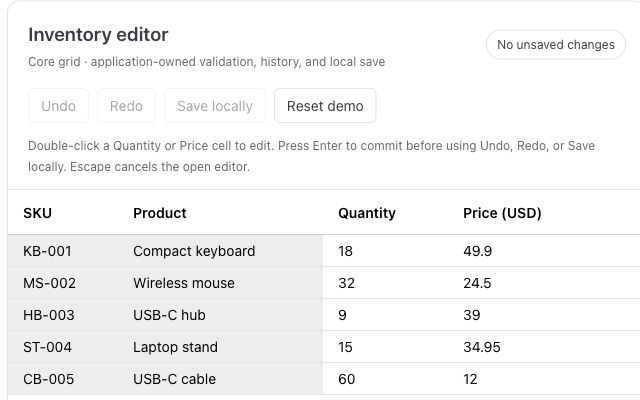
Paste from Excel, validate inventory, and add undo and redo to a working editor.