
Pivot
What Is a Pivot Table?
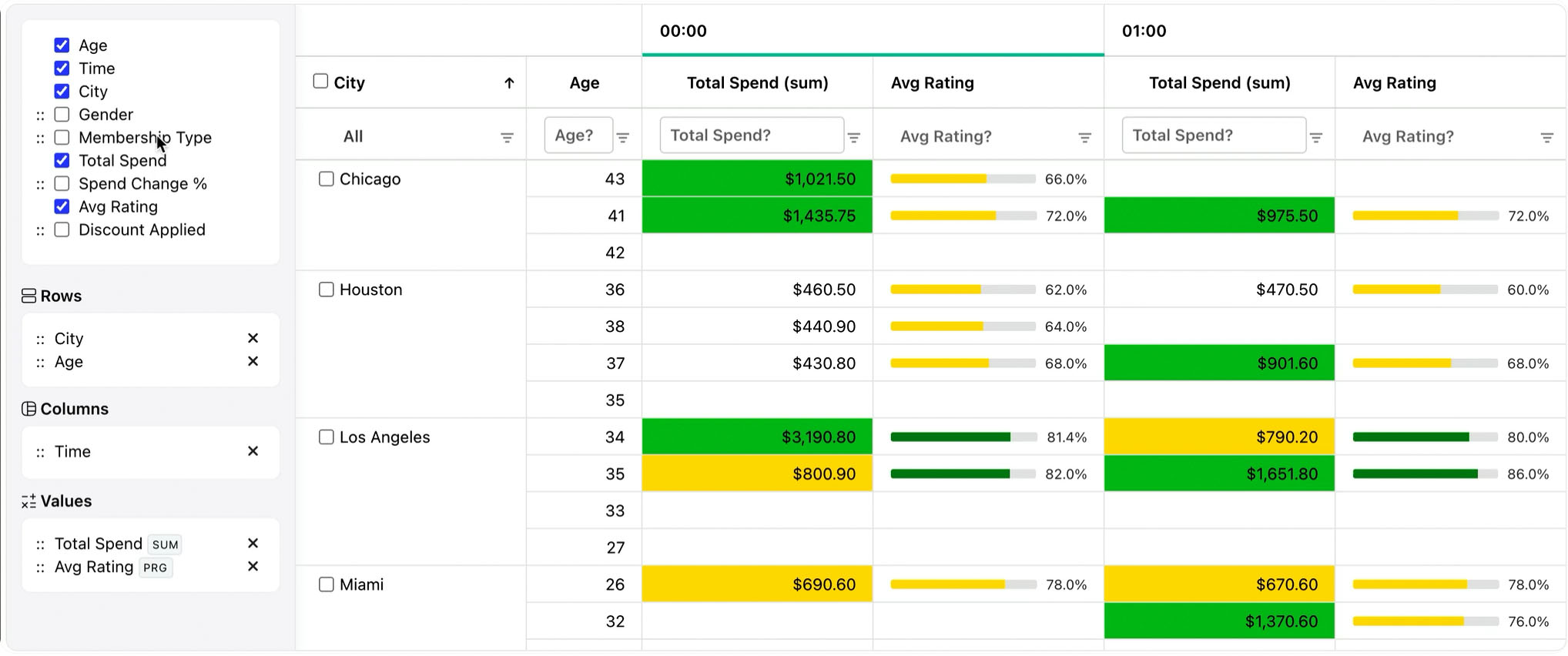
Learn what pivot tables are, how rows, columns, values, filters, and aggregations work, and how RevoGrid Pivot supports embedded analytics in web apps.

Modern web applications no longer treat reporting as a separate page or a static export. Users expect to explore data directly inside the product: group it, pivot it, drill into it, filter it, export it, and increasingly ask AI to configure the view for them.
That changes what “the best JavaScript pivot table” means.
A good JavaScript pivot table component in 2026 is not only about showing totals. It needs to fit into a real product architecture:
For years, pivot tools were mostly judged by feature lists:
Those features still matter, but they are no longer enough.
In 2026, the bigger question is architectural:
Can this pivot become part of a complex application without adding too much weight, complexity, licensing friction, or state-management pain?
That is where many older reporting widgets start to feel outdated. They often assume that the pivot is the whole application surface. But in a real SaaS product, reporting usually lives next to editing, validation, permissions, custom cell renderers, workflows, grids, forms, audit history, and server-side data loading.
A modern pivot component should therefore behave less like a standalone dashboard and more like a composable application primitive.
The market can be split into five practical groups.
| Category | Examples | Best for |
|---|---|---|
| Grid-first pivot | RevoGrid Pivot, AG Grid Enterprise Pivot | Embedded analytics inside product UIs |
| Dedicated reporting engine | Flexmonster, WebDataRocks | Standalone reports and BI-like views |
| Spreadsheet runtime | SpreadJS, Handsontable with formulas | Excel-like applications |
| Suite component | Syncfusion PivotView, DHTMLX Pivot | Teams already using a UI suite |
| Lightweight open source | PivotTable.js | Prototypes, internal tools, hackable reports |
The mistake is to compare all of them only by features. The better question is: what type of product are you building?
If you are building an internal report viewer, a dedicated reporting component can be enough. If you are building a spreadsheet clone, choose a spreadsheet engine. If you are building a SaaS product where users need reporting inside the same application surface as tables, editors, custom cells, and workflows, a grid-first pivot architecture is usually the better fit.
AG Grid is one of the most established enterprise data grids. Its Enterprise version includes pivoting, row grouping, aggregation, server-side row model capabilities, and many advanced grid features.
Best for:
Strengths:
Trade-offs:
AG Grid is a strong option, but it often feels like buying into a large enterprise grid platform. RevoGrid is lighter and simpler when you want pivot analytics inside a product without adopting a heavy ecosystem.
Flexmonster is a dedicated JavaScript pivot table and reporting component. It is mature, specialized, and strong for BI-style reporting.
Best for:
Strengths:
Trade-offs:
Flexmonster is very good when the report is the product. RevoGrid is better when the report is one part of a larger application.
WebDataRocks is a free JavaScript pivot table/reporting tool from the Flexmonster ecosystem.
Best for:
Strengths:
Trade-offs:
WebDataRocks is great when you need a quick report. It is less attractive when you are building a commercial SaaS product around embedded analytics.
SpreadJS is not just a pivot component. It is a full spreadsheet runtime for the browser.
Best for:
Strengths:
Trade-offs:
SpreadJS is the right choice when you are building “Excel in the browser.” RevoGrid is a better fit when you need reporting inside a modern application grid.
Handsontable is a spreadsheet-like JavaScript data grid. It is strong for editing and formula-like workflows, especially when paired with HyperFormula.
Best for:
Strengths:
Trade-offs:
Handsontable is good for spreadsheet-like editing. For pivot/reporting, RevoGrid Pivot is a more direct fit.
Syncfusion PivotView is part of the larger Syncfusion Essential JS suite.
Best for:
Strengths:
Trade-offs:
Syncfusion is a practical choice if you already use the suite. RevoGrid is more focused if your main need is a high-performance embedded grid and pivot foundation.
DHTMLX Pivot is a standalone JavaScript pivot component from the DHTMLX ecosystem.
Best for:
Strengths:
Trade-offs:
DHTMLX Pivot is a solid practical option, especially for teams that value predictable licensing. RevoGrid is stronger when the pivot needs to live inside a high-performance grid framework.
PivotTable.js is a classic open-source JavaScript pivot table library.
Best for:
Strengths:
Trade-offs:
PivotTable.js is still useful, but it is not the architecture most teams would choose today for a new commercial analytics product.
Best for:
Strengths:
Trade-offs:
RevoGrid is the best fit when reporting is part of your application, not a separate reporting product.
Pricing changes often, so always verify vendor pages before purchasing. But the practical 2026 picture looks like this:
| Product | Pricing / licensing style | Practical note |
|---|---|---|
| RevoGrid Pivot | Commercial Pro Advanced plan, with MIT core | Lightweight compared with enterprise alternatives |
| AG Grid Enterprise | Per-developer enterprise license | Powerful, but can become expensive |
| Flexmonster | Internal, SaaS, OEM-style licensing | Strong engine, SaaS pricing needs review |
| WebDataRocks | Free proprietary reporting tool | Good for simple use, not ideal for SaaS/OEM |
| SpreadJS | Developer license + deployment/add-ons | Very capable, often expensive |
| Handsontable | Commercial license | Strong editing grid, not native pivot-first |
| Syncfusion PivotView | Commercial suite / community license for qualifying users | Good if you use the suite |
| DHTMLX Pivot | Perpetual commercial tiers | Clear pricing and SaaS-friendly |
| PivotTable.js | MIT | Free, but older architecture |
For SaaS builders, pricing is not only about the first invoice. The bigger question is whether the license creates friction as you grow.
A good SaaS-friendly license should avoid:
This is one area where RevoGrid can be positioned strongly: simple developer-based pricing, production usage, and a clear upgrade path are easier to understand than complex deployment or OEM models.
Estimated time for a competent frontend developer to create a first useful pivot/reporting view:
| Product | Estimated time to first useful view | Notes |
|---|---|---|
| WebDataRocks | 10–20 min | Fastest for simple reporting |
| PivotTable.js | 10–20 min | Easy if jQuery is acceptable |
| DHTMLX Pivot | 15–25 min | Simple programmatic setup |
| RevoGrid Pivot | 20–35 min | Slightly more setup, better application architecture |
| Syncfusion PivotView | 20–35 min | Good docs, suite setup |
| Flexmonster | 20–40 min | Good quickstart, reporting-first |
| AG Grid Enterprise Pivot | 25–45 min | More grid configuration concepts |
| Handsontable | 15–30 min for grid, not native pivot | Grid is easy, pivot is not the core use case |
| SpreadJS Pivot | 45–90 min | Powerful but heavier spreadsheet setup |
The fastest tool is not always the best long-term choice.
A simple reporting widget can win the first 20 minutes and lose the next 6 months if your product later needs custom rendering, server-side analytics, tenant-aware caching, AI-generated views, and framework reuse.
| Product | Architecture | Best architectural fit |
|---|---|---|
| RevoGrid Pivot | Web Component, reactive grid core, pivot plugin | Embedded analytics inside product UI |
| AG Grid Enterprise | Enterprise grid with large API surface | Enterprise grid platform |
| Flexmonster | Dedicated pivot/reporting component | BI-style reporting |
| WebDataRocks | Free reporting widget | Simple reports and demos |
| SpreadJS | Spreadsheet workbook runtime | Excel-like applications |
| Handsontable | Spreadsheet-like editable grid | Data entry and formulas |
| Syncfusion PivotView | Suite component | Existing Syncfusion stack |
| DHTMLX Pivot | Standalone JS pivot | Simple commercial pivot use |
| PivotTable.js | jQuery plugin | Lightweight OSS prototypes |
The central RevoGrid argument is this:
Reporting should not force you to leave your application architecture.
With RevoGrid, pivot is part of the grid ecosystem. That means the same product surface can support:
That is a stronger foundation for product builders than a reporting-only widget.
Users do not care whether a pivot is reactive, imperative, Web Component-based, or cached with deterministic keys.
They care about the result:
Reactive architecture matters because it directly affects these outcomes.
A pivot table is not static HTML. It is a generated analytical surface. Every user action can change the shape of the grid. A reactive grid with smart recombination can update that shape more naturally than a widget that rebuilds too much of the table.
In SaaS products, pivot data usually depends on context:
A good server-side pivot architecture should make those inputs explicit.
RevoGrid’s server-side model is well aligned with this because it can treat analytical requests as semantic windows. That makes caching safer:
tenantId
+ viewId
+ fieldsVersion
+ datasetWatermark
+ pivotRequest
= cache key
That is better than caching random UI output because the backend knows exactly what the analytical result represents.
It also helps with invalidation. When the dataset changes, the watermark changes. When the field model changes, the field version changes. When a tenant changes, the cache key changes.
This is the kind of pattern that matters in real SaaS reporting.
AI tools work better when the target API is:
RevoGrid Pivot is naturally declarative. A report is mostly a configuration object.
That makes it easier to build AI features like:
"Create a report showing revenue by customer segment and quarter"or:
"Move product category to columns and show average margin"Instead of letting AI call dozens of imperative methods, your app can ask AI to produce a small validated JSON object.
Example:
type PivotIntent = {
  rows: string[];
  columns: string[];
  values: Array<{
    prop: string;
    aggregator: 'sum' | 'avg' | 'count' | 'min' | 'max';
  }>;
};
Then your app can validate the result and apply it:
function applyPivotIntent(intent: PivotIntent) {
  validateFields(intent);

  grid.pivot = {
    ...grid.pivot,
    rows: intent.rows,
    columns: intent.columns,
    values: intent.values
  };
}
This is safer than giving AI direct control over a large imperative component API.
Choose RevoGrid Pivot.
It gives you the best balance of:
This is the strongest RevoGrid use case.
Choose AG Grid Pivot unless you want a lighter or more Web Component-oriented alternative.
AG Grid is powerful, but you are buying into a larger enterprise grid platform.
Choose Flexmonster.
It is a mature dedicated pivot/reporting component and remains one of the strongest BI-style options.
Choose SpreadJS.
It is expensive, but it is the right category if your real requirement is workbook behavior, formulas, slicers, import/export, and spreadsheet-native pivot tables.
Choose WebDataRocks.
It is very useful for prototypes and simple reporting, but check the commercial and SaaS limitations carefully.
Choose PivotTable.js for prototypes, but be realistic about the older architecture.
For a modern commercial product, RevoGrid is a better long-term foundation.
The best JavaScript pivot tool in 2026 depends on what you are building.
If you are building a standalone BI/reporting page, Flexmonster is still a strong choice. If you are building an Excel-like product, SpreadJS is the better fit. If you are already deep into AG Grid Enterprise, AG Grid Pivot is a natural extension.
But if you are building a modern SaaS product and need pivot/reporting inside your application UI, RevoGrid Pivot is one of the most interesting options.
The reason is architectural:
RevoGrid Pivot is not just a pivot table. It is a reactive, Web Component-based analytical layer built on top of a high-performance grid engine.
That gives developers a simpler path from first grid to production reporting:
local data
→ pivot config
→ custom cells
→ saved views
→ server-side analytics
→ AI-assisted reporting
For product teams, that is the real advantage. You are not only buying a reporting widget. You are choosing a foundation for building data-heavy application interfaces.
Learn what pivot tables are, how rows, columns, values, filters, and aggregations work, and how RevoGrid Pivot supports embedded analytics in web apps.
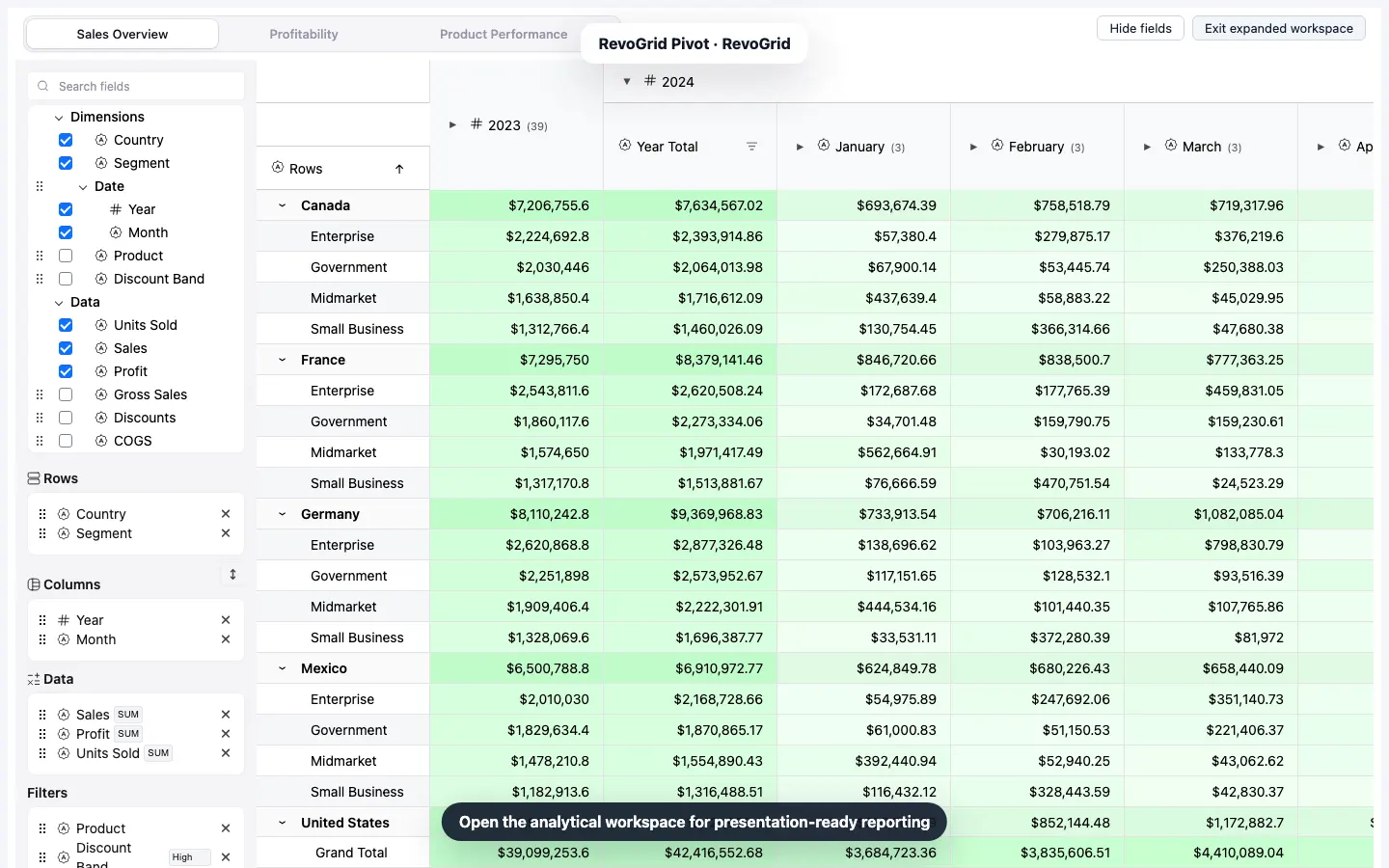
Build a typed React pivot table with drag-and-drop fields, totals, a custom aggregation, a linked chart, Excel-friendly CSV export, saved state, and a 350,000-row benchmark.